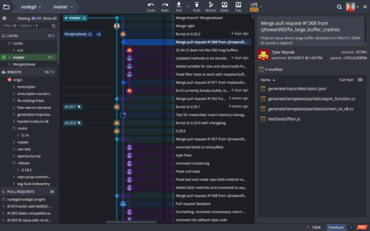
Introduces GitKraken Teams and team collaboration features.
July 14, 2021
New Version
Features
Introducing GitKraken Teams
- GitKraken users with Pro and Enterprise Cloud accounts can now create and manage teams within their organization.
- Organizations are now visible in Preferences in each user's Profile. From this view:
- All team members can view a list of other members in the organization, as well as the members in any team to which they belong.
- Administrators can create and manage teams.
- Administrators can also invite, remove, or change the role of members in an organization.
Team collaboration features
- Team View:
- View a list of members in your team in the left panel.
- See which files and branches your fellow team members are currently working on.
- To avoid merge conflicts, files you and a team member both have changes on are marked with a warning icon.
- Graph filtering - Filter the Author column of the commit graph by Team and/or collaborators to highlight work committed by your team.
New Pull Request section
- Pull request filtering:
- The following filters are included by default to help focus pull requests most important to users, with some options specific to certain hosting providers:
- My Pull Requests.
- All Pull Requests.
- Assigned to me.
- Awaiting my review.
- Custom filters can also be created for all supported integrations.
- All filtered pull requests can now be easily searched.
- New status icons will now indicate CI/CD status as well as request status of pull requests, depending on the hosting provider.
Improvements
- Diff hunks can now be copied from the Pull Request view.
- Updated and new GitHub Actions templates.
- Any form submission will now be focused, making for more convenient submission with tab/enter.
A unified platform of Git tools and services for developers, teams and team leaders.
Got a Question?
Live Chat with our GitKraken licensing specialists now.

Official Distributor since 2015