
Official Supplier
As official and authorized distributors, we supply you with legitimate licenses directly from 200+ software publishers.
See all our Brands.
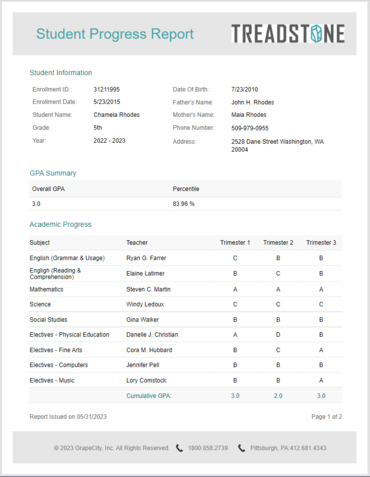
ActiveReportsJS makes it easy for educators to build and customize these progress reports and make it easy to view them in web applications.
This article will show you how to use the ActiveReportsJS Report Designer to create a progress report and use the Report Viewer to display your report in a JavaScript application.
The topics covered include:
Read the complete blog post to get started now.
JavaScript reporting solution for web applications.
Live Chat with our MESCIUS (formerly GrapeCity) licensing specialists now.

Official Distributor since 1996
Tel: (888) 850 9911
Fax: +1 770 250 6199


