Released: Mar 13, 2025
Updates in V6.0.1
Features
dbForge Data Compare for Oracle
- Improvements
- 'Ignore internal spaces' can now be applied to the (N)CHAR, (N)VARCHAR2, (N)CLOB, and LONG columns.
- Added 'Ignore computed columns' to the New Data Comparison wizard.
- Added 'Save Command Line' to the Comparison Report wizard.
- Added 'Hide empty columns' to the Data Differences grid.
- Added the Issues page to the Data Synchronization Wizard to configure handling of NULL/NOT NULL conflicts during synchronization.
- Enhanced data filtering capabilities in Data Editor through the integration of a new Filter Editor.
- Data Editor
- Replaced the Custom AutoFilter window with the advanced Filter Editor window.
- Added a new command to the shortcut menu - Set Value To > Unique Identifier.
- Query history
- Redesigned Query History with a new toolbar featuring an improved range selection and the Clear option for deleting query history.
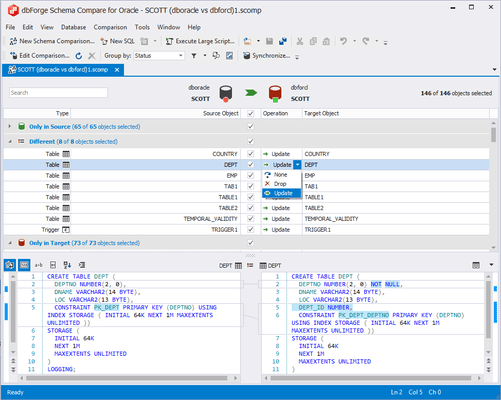
dbForge Schema Compare for Oracle
- Improvements
- Added 'Show Ignored Differences', which can be turned on on the General page of the Options > Schema Comparison window.
- Added 'Save Command Line' to the Comparison Report wizard.
- Added a visual Object Filter.
- Added support for filtering objects from the command line.
- Added Alt+Down Arrow to navigate to the subsequent difference.
- Added support for the JSON_storage_clause syntax and the following keywords: NOSCALE, NOKEEP, JSON_SERIALIZE, MAXTRANS, COMPUTE STATISTICS, and CELL_FLASH_CACHE.
- Implemented processing for a cyclic dependency case involving identical object names in the source and target.
- Improved parser error messages by including a code fragment in the error text.
- Added support for GRANT statements across multiple schemas.
- Enhanced data filtering capabilities in Data Editor through the integration of a new Filter Editor.
- Data Editor
- Replaced the Custom AutoFilter window with the advanced Filter Editor window.
- Added a new command to the shortcut menu - Set Value To > Unique Identifier.
- Query history
- Redesigned Query History with a new toolbar featuring an improved range selection and the Clear option for deleting query history.
Fixes
dbForge Data Compare for Oracle
- Resolved an issue with connecting to a server running version 19.24.
- Fixed an issue occurring on the Mapping page.
- Fixed a data retrieval issue in Paginal mode when the result set includes unnamed columns.
- Fixed the design of application settings pages in the Options window to ensure proper scaling across different DPI settings.
- Resolved an issue causing the truncation of milliseconds in TIMESTAMP(6) WITH TIME ZONE values.
dbForge Schema Compare for Oracle
- Resolved an issue with connecting to a server running version 19.24.
- Fixed a data retrieval issue in Paginal mode when the result set includes unnamed columns.
- Fixed the design of application settings pages in the Options window to ensure proper scaling across different DPI settings.
- Resolved an issue causing the truncation of milliseconds in TIMESTAMP(6) WITH TIME ZONE values.