Released: Mar 11, 2021
Updates in V2.3.256
Fixes
- The application may fail due to stack overflow error when working with specific queries.
Released: Feb 25, 2021
Updates in V2.3.255
Fixes
- The database connection becomes unusable after executing a script with errors.
- Some parts of the workbook require repairing when exporting data to the Excel 2007 format.
- Possible critical error when trying to display the loading animation image in specific cases.
- The program may fail with a critical error on closing the main window with open documents.
- Possible failures when trying to gather quick info for specific code contexts.
- When trying to generate DDL scripts for tables with...
Released: Dec 28, 2020
Updates in V2.3.244
Features
- Improved connecting via SSL.
Fixes
- An issue with connecting to IBM Cloud via SSL.
- An issue with processing Quick Info hints.
- Error with data export from multiple tables.
- Error with displaying data in FK LookUp editor.
- Error with editing data when pressing Space.
- The discrepancy between column type and data editor in it.
- Treatment of the "REINDEX" keyword as an unexpected symbol.
- An option to append a timestamp to a file name is enabled by default.
- Error with closing SQL document.
- Error...
Released: Sep 21, 2020
Updates in V2.3.237
Fixes
- Fixed a bug where the application could fail with a critical error when restoring documents from previous sessions.
- Fixed a bug where an error occurred when trying to view indexes for the columns not available in the database explorer.
- Fixed a bug where incorrect scripts were generated for dropping functions.
- Fixed a bug where the execution process for invalid scripts could hang.
- Fixed a bug where the application could fail with a critical error when trying to display the quick info.
- Fixed...
Released: Aug 31, 2020
Updates in V2.3.230
Fixes
- Fixed an issue where the application failed with a critical error when pressing Backspace immediately after completing a table name.
- Fixed an issue where an error occurred while exporting documents or data to '*.docx' format due to missing assembly.
- Fixed an issue with a possible fatal error on filtering a completion list.
- Fixed an issue with an error that could occur while filling table columns in a completion list.
- Fixed an issue where the 'DROP OPERATOR' statement was treated as invalid...
Released: Aug 12, 2020
Updates in V2.3.212
Features
Script Generator Improvements
- Generate Script as DROP and CREATE SEQUENCE.
- Generate Script as DROP and CREATE TABLE.
- Generate Script as DROP and CREATE for all Source Objects.
- Generate Script as CREATE INDEX.
SQL Formatter Improvements
- CREATE TRIGGER.
- CREATE INDEX.
- CREATE SEQUENCE.
- CREATE TABLE.
- CREATE VIEW.
- CREATE MATERIALIZED VIEW.
- CREATE PROCEDURE\FUNCTION.
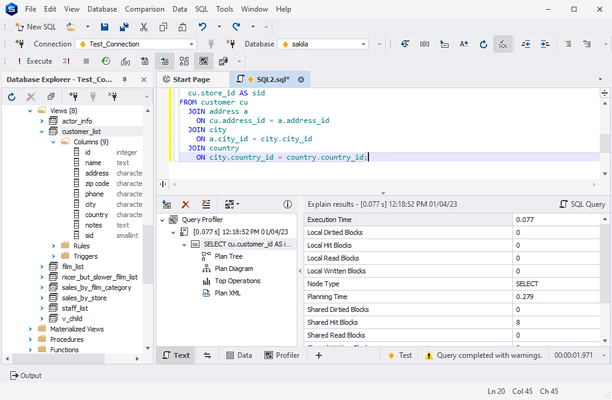
Query Profiler Improvements
- Added option to view query execution plan without running a query.
Released: Dec 5, 2019
Updates in V2.2.207
Fixes
- Fixed problem with edit parameter window.
- Fixed problem with data import through Devart ODBC driver for Oracle.
- Fixed issue with queries executing with custom parameters.
- Fixed problem with query profiling on 4K display.
- Fixed problem with data selecting from big tables.
Released: Nov 12, 2019
Updates in V2.2.198
Fixes
- Fixed problem with Query Profiling Mode on high definition displays.
Released: Nov 7, 2019
Updates in V2.2.197
Fixes
- Problem with query running when Query Profiling Mode is turned on.
- Problem with alias generation.
- Problem with foreign key lookup when editing cells in the data editor.
- Problem with query parameters in SQL document.
- Problem with SQL formatting when using NOT EXISTS clause.
Released: Oct 1, 2019
Updates in V2.2.184
Features
- Connectivity support for PostgreSQL 12.
- Support for Amazon RedShift.
- Generate AS CREATE scripts for Source Objects.
- New SQL Code Formatter.
- Cached Update mode in Data Editor.
- Dramatically improved performance of large script execution.
- New modern application skins.