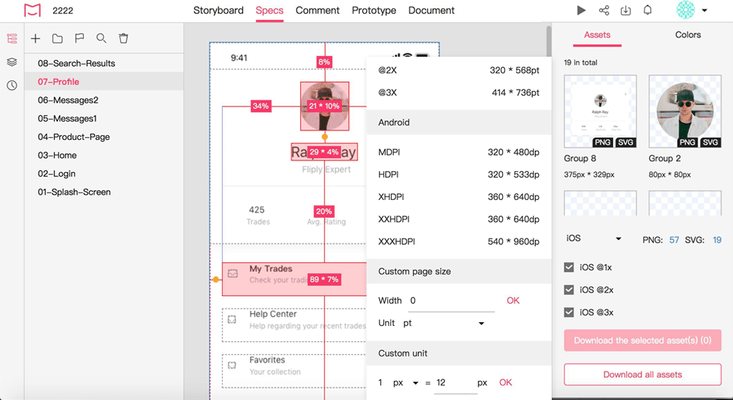
Added support for restoring the layer structures of your Symbols in one click.
Design & Interaction
Added support for choosing whether to overwrite asset files with the same name when trying to download all assets.
Improved the display of the transparent backgrounds of assets. The contrast between the transparent background and the asset content has been increased.
Improved pin commenting. All similar member names are now listed when you @mention someone and type the name.
Prototype
Added support for a shortcut "Ctrl + f " to quickly search for a desired page in the Project Tree in Preview mode.
Document
Added support for dragging and dropping when adjusting the size of the left-hand Document Tree panel.
Task Management
Added support for hiding all tasks in the same state.
Improved filtering tasks using task status.
Preview
Added support for quickly focusing on a page by pressing "F" when the page is out of sight.
Improved page zoom. Zoom is now centered on mouse position when previewing projects without device frames.
Team Management
Added an "Ungrouped" category to manage members.
Improved the interface to be able to send a request to join a team.
Fixes
Sketch plugin
Fixed: Your uploaded assets may have a 1-pixel deviation in the size.
Fixed: Your changes may not be detected after you've replaced the image under a mask.
Adobe XD plugin
Fixed: Fixed a crash that could occur after a new page group is created for a new project under an empty team.
Fixed: Your large design may not be completely displayed on the web after the upload.
Photoshop plugin
Fixed: You may encounter incorrect artboard content issues on the web since the artboard layers are incorrectly recognized on the plugin.
Fixed: You may not be asked to overwrite a design file with masked assets as usual after you've uploaded it once before.
Fixed: You may get incorrect assets when you've masked the asset layer that stretches outside the artboard.
Fixed: You may fail to upload your design after you've marked empty layer groups for export.
Fixed: When you drag an image to the plugin, the plugin may open the image, not allowing you to do anything else, like uploading a design.
Design & Interaction
Fixed: You may be asked to confirm whether to delete a revision history, not a pin comment, when you try to delete a pin comment.
Fixed: Font elements may have a background after importing design from Figma.
Fixed: You may not be able to click to preview a referenced document when you've pinned a comment and refreshed the page.
Fixed: The text markups may disappear in the Development mode after you've switched pages.
Fixed: You may not find the code of your Adobe XD design's opacity after switching to the Android development platform.
Fixed: You may incorrectly select the previous pin comment when you've pined a comment and quickly switched to a new one.