UI & Interaction Components News

RSS Feed

Make Range Input Simpler

May 12, 2026Feature Highlight
Range Trackbar data editors let users define min and max limits interactively, reducing manual entry in reports, dashboards, and forms.

Visually Build Advanced Grid and TreeList Filters

May 8, 2026Product Update
DevExpress Blazor includes a built-in Filter Builder dialog that lets users create complex Grid and TreeList filters without writing additional code.

Enable Consistent UI Theming in Angular Apps

May 1, 2026Feature Highlight
Apply centralized styling across components to align with branding, simplify maintenance, and support scalable design systems.

Generate AI Code Aligned with Ignite UI Components

May 1, 2026Product Update
Infragistics introduces AI-ready scaffolding, design-to-code generation, and broad framework templates to align with modern development processes.

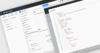
Build Accurate Forms with JSON Schema Validation

April 24, 2026Feature Highlight
Optimajet FormEngine enables real-time IDE validation and autocomplete, helping you detect issues early and improve form development.

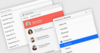
Reduce Errors with Controlled Inputs

April 22, 2026Feature Highlight
Provide predefined value lists to help users select valid entries quickly, improving accuracy and reducing validation overhead.

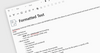
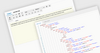
Improve Editing with Rich Text Support

April 21, 2026Feature Highlight
Enable formatted input directly in data fields to make content clearer, more structured, and easier to work with.

Optimize Feature Access with Ribbon Layouts

April 17, 2026Feature Highlight
Design Vue.js applications that use a ribbon-style pattern to organize commands, inputs, and controls for faster access.

Celebrating 5 Years Partnership with AlterNET Software

April 15, 2026Publisher Milestone
ComponentSource and AlterNET Software have worked together for 5 years to help developers build feature rich .NET applications.

Accelerate Development with Angular 21

April 10, 2026Product Update
Wijmo 2026 v1 supports Angular 21 with integrated components that speed up development and unlock advanced capabilities.

Adapt UIs Across Devices with Unified Layouts

March 31, 2026Feature Highlight
Build better UIs with flexible, responsive layouts that ensure consistency, reduce complexity, and support scalable, user-friendly design.

Improve Data Entry with Single Choice Fields

March 27, 2026Feature Highlight
Radio groups let users select one predefined value for a field, reducing input errors, and making structured data entry faster and clearer.

Celebrating 1 Year Partnership with Optimajet

March 25, 2026Publisher Milestone
ComponentSource and Optimajet have worked together for the past year to help developers create, manage, and render complex web forms.

Monitor Account Activity with Full Session Visibility

March 20, 2026Product Update
ASP.NET Zero 15.2 adds active session management enabling users to monitor logins and revoke sessions for improved security and control.

Enforce Structured Input with Masked Editors

March 18, 2026Feature Highlight
Masked input text box editors for .NET Blazor guide users to enter values in predefined formats, helping to capture consistent, validated data.

Capture Text Quickly with Speech-to-Text Input

March 13, 2026Product Update
Telerik UI for WPF and WinForms 2026 Q1 adds Speech-to-Text functionality enabling faster hands free input with live transcription.

Plan and Track Projects with Gantt Controls

March 10, 2026Feature Highlight
ASP.NET Core UI suites with Gantt controls help developers build project planning interfaces with task dependencies, scheduling, and timelines.

Switch Between States with Toggle Controls

March 10, 2026Feature Highlight
.NET data editors with toggle switch controls present clear on/off choices for forms and settings interfaces, improving usability and visual feedback.

Use Check Boxes for Clear Boolean Input

March 9, 2026Feature Highlight
Enable reliable editing of Boolean fields through familiar and efficient check box interactions.

Organize Commands with Flexible Toolbars

March 6, 2026Feature Highlight
Group related actions in a dedicated toolbar to help users complete common tasks more quickly and with fewer interface interactions.