Boost App Reliability with Threaded Debugging
Threaded code debugging in IDEs helps identify and resolve issues, enhances developer experience, and improves program stability.
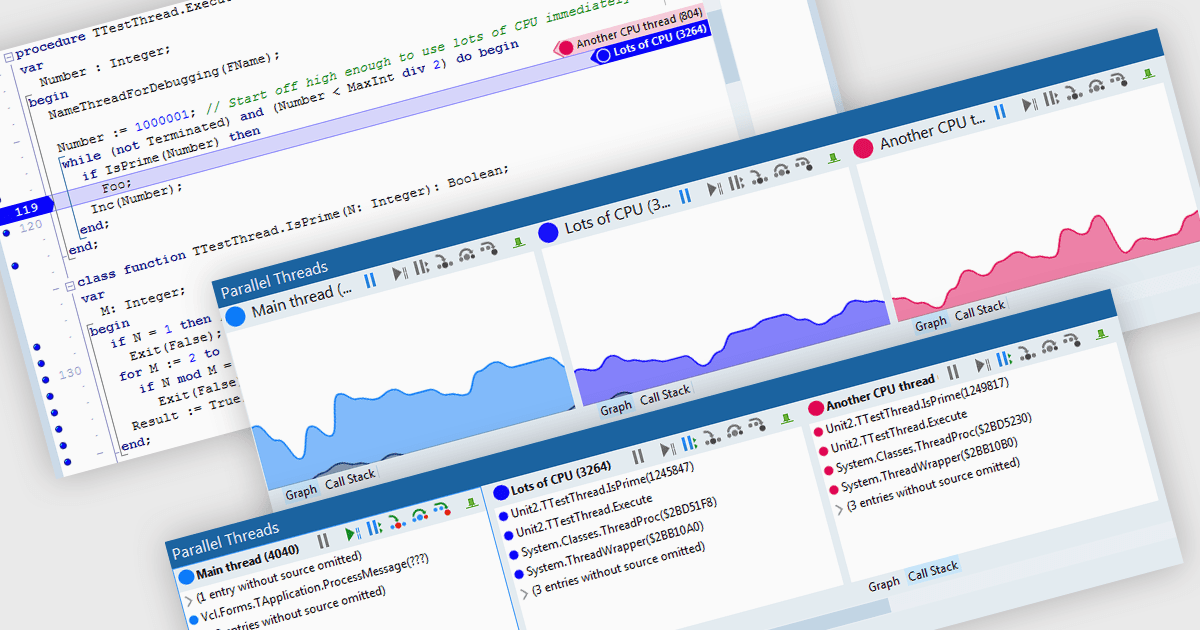
Code threading enables concurrent execution of multiple tasks within a single program, sharing resources. Each thread acts as an independent mini-program, often implemented through subroutine calls. This approach improves application responsiveness (for example syntax highlighting while compiling code) and CPU utilization but necessitates careful debugging due to complexities in thread scheduling. Debugging threaded code is crucial for ensuring software reliability and performance as it tackles issues arising from interactions and timing between these concurrent threads.
Several integrated development environments allow you to debug threaded code, including:
- RAD Studio Enterprise by Embarcadero offers a visual debugger for threaded code, enabling step-by-step inspection and manipulation of threads during debugging sessions.
- EiffelStudio by Eiffel Software provides mechanisms to trace and analyze threaded execution, facilitating error identification in concurrent programming environments.
- RemObjects Elements by RemObjects Software aides developers in identifying and resolving concurrency issues by visualizing thread execution and inspecting thread states.
For an in-depth analysis of features and price, visit our comparison of IDEs.