








Official Supplier
As official and authorized distributors, we supply you with legitimate licenses directly from 200+ software publishers.
See all our Brands.
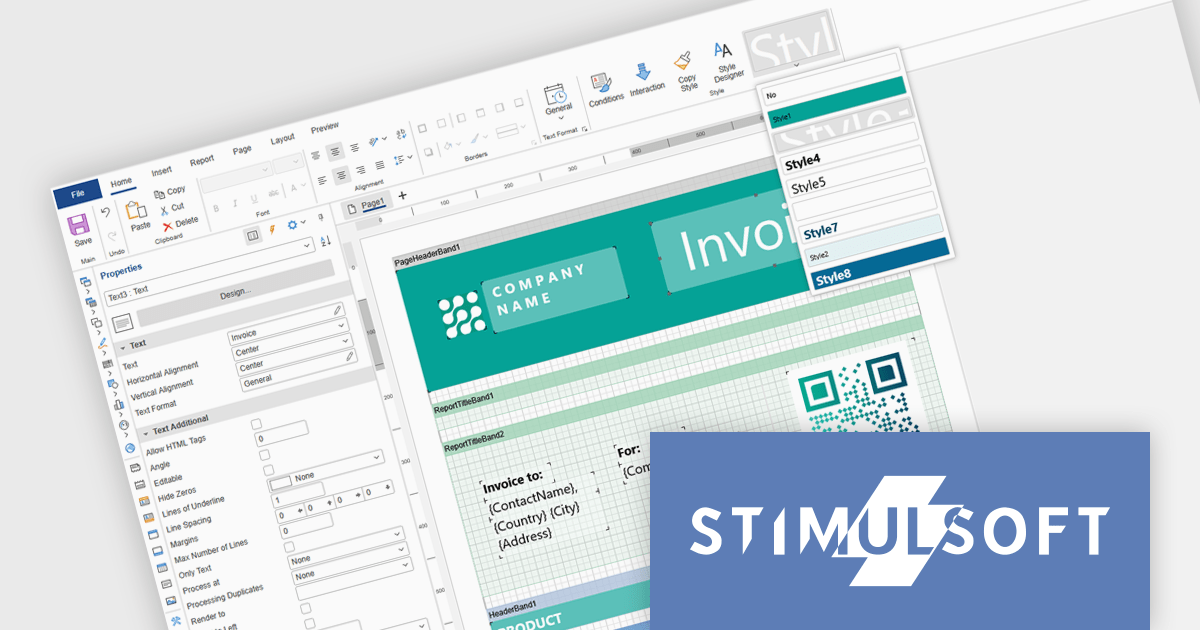
Stimulsoft Ultimate is a reporting and dashboard solution that provides a set of tools for building interactive reports and data visualizations across platforms, including WinForms, ASP.NET, .NET Core, Blazor, JavaScript, WPF, PHP, Java, and Avalonia. It enables developers and organizations to design, generate, and deploy professional reports and dashboards using visual designers, flexible styling options, rich charting and data visualization components, and extensive data connectivity. With support for multiple development environments and technologies, Stimulsoft Ultimate helps teams improve report creation, maintain consistent designs, and deliver clear, data-driven insights for business intelligence, analytics, operational reporting, and enterprise applications.
Stimulsoft Ultimate enables developers to apply centralized report styling that ensures consistent formatting across report elements while reducing the time required to design and maintain reports. By using reusable styles for fonts, colors, borders, and other visual properties, developers can standardize report layouts, quickly apply formatting to multiple components, and implement global design changes without editing each element individually. This approach improves development efficiency, simplifies maintenance, and helps teams deliver professional, visually consistent reports across applications and platforms.
Stimulsoft Ultimate is licensed per developer with Single, Team, Enterprise, and WorldWide options that support one to unlimited developers within an organization. Licenses include a 12 month subscription with updates, priority technical support, a royalty free runtime report designer and viewer, and a build server license for Team and higher tiers. See our Stimulsoft Ultimate licensing page for full details.
For more information, visit our Stimulsoft Ultimate product page.
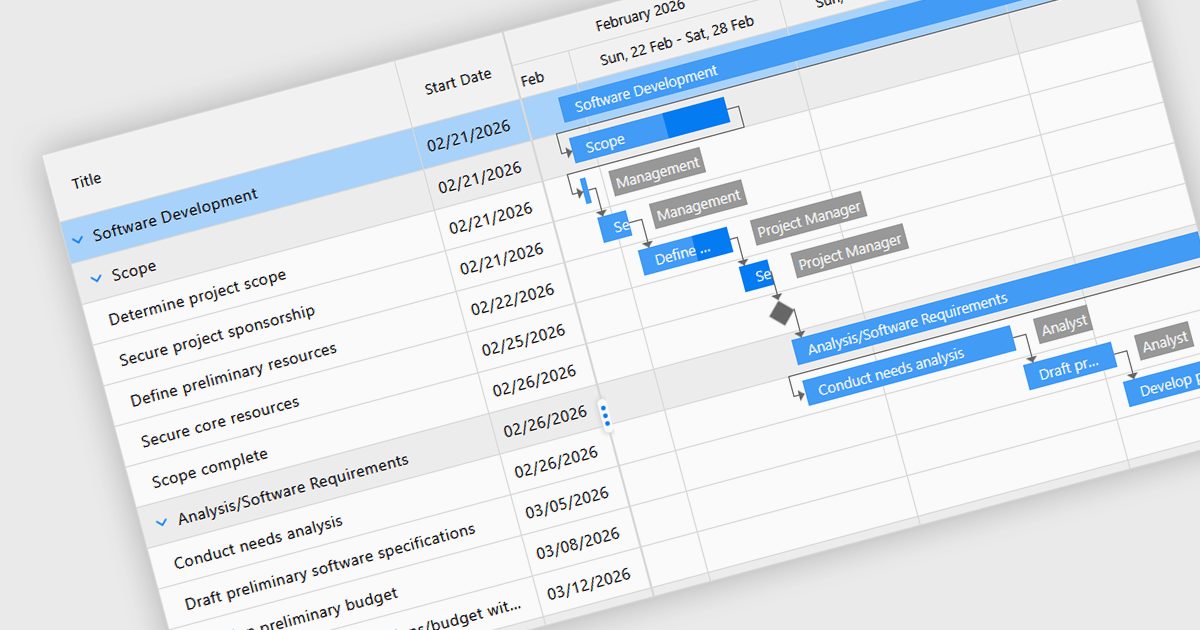
Gantt controls in ASP.NET Core UI suites are specialized components used to visualize and manage project schedules within web applications. They present tasks along a timeline in a Gantt chart format, showing start and end dates, task dependencies, progress, and resource allocation in a clear graphical view. Developers can integrate these controls to provide features such as task hierarchy, drag-and-drop scheduling, dependency linking, milestone tracking, and interactive editing directly in the browser. Many implementations also support data binding to backend services, filtering, and export capabilities, making them suitable for project management systems, planning tools, and enterprise dashboards where users need to monitor timelines and coordinate complex workflows efficiently.
Several ASP.NET Core UI Suites contain Gantt controls including:
For an in-depth analysis of features and price, visit our comparison of ASP.NET Core UI Suites.
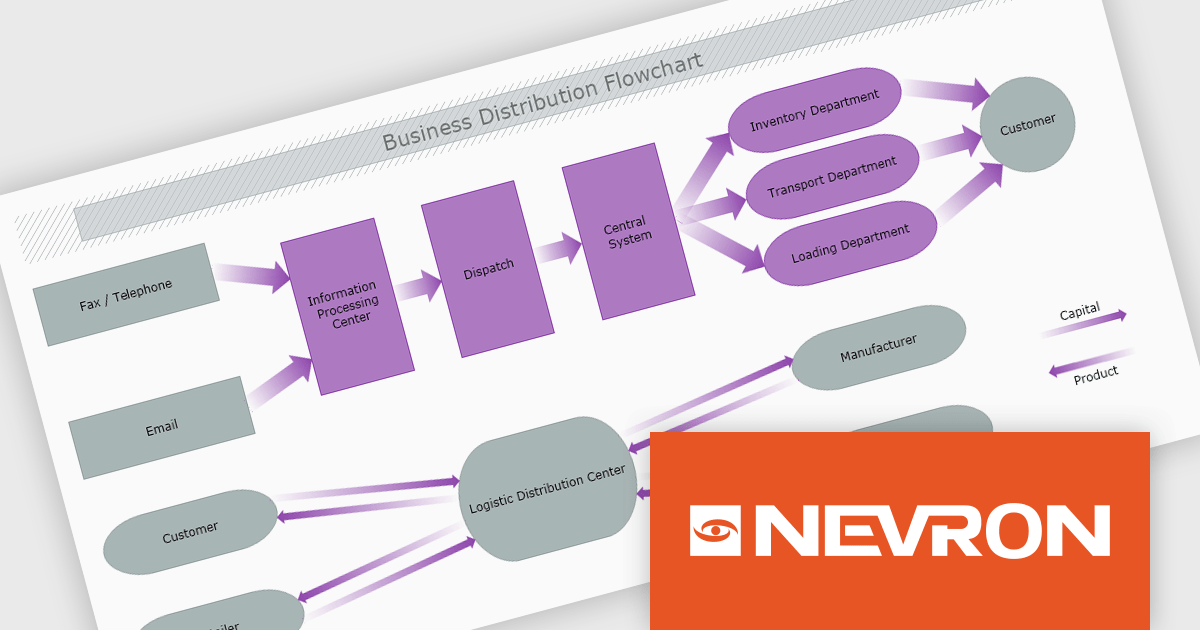
The Nevron .NET development components provide a comprehensive suite of components designed to help developers build advanced data presentation and visualization applications. It includes Nevron Chart for .NET, Nevron Diagram for .NET and Nevron User Interface for .NET, delivering tools for integrating charts, diagrams and rich user interface elements into Windows Forms and ASP.NET applications. With a well-structured object model, extensive features and flexible customization options, the suite enables developers to create applications that effectively visualize complex business, scientific or financial data while supporting interactive diagrams, automatic layouts and high-quality visual presentation.
The Nevron .NET product range now supports .NET Core 10.0 for its WinForms and WPF controls, enabling developers to build and maintain desktop applications using the latest .NET platform. Developers can take advantage of ongoing performance, security, and runtime enhancements in newer .NET versions without changing their UI component libraries, helping improve upgrades and maintain long-term platform alignment.
The Nevron .NET product range is licensed per developer machine and is available as a perpetual license with 1 year subscription and support. See our Nevron Vision for .NET licensing page for full details.
Support for .NET 10 is available across the Nevron .NET product range:
DevCraft by Telerik is a comprehensive AI-powered suite of more than 1,250 UI components and development tools designed for building modern web, desktop, and mobile applications using .NET and JavaScript frameworks. It includes reporting and report management solutions, automated testing and mocking tools, and document processing libraries, as well as a wide range of professionally designed user interface controls from the Telerik and Kendo UI suites. DevCraft enables developers to create feature-rich, high-performance applications with consistent design and user experience, delivering enterprise-level, scalable, and maintainable software solutions.
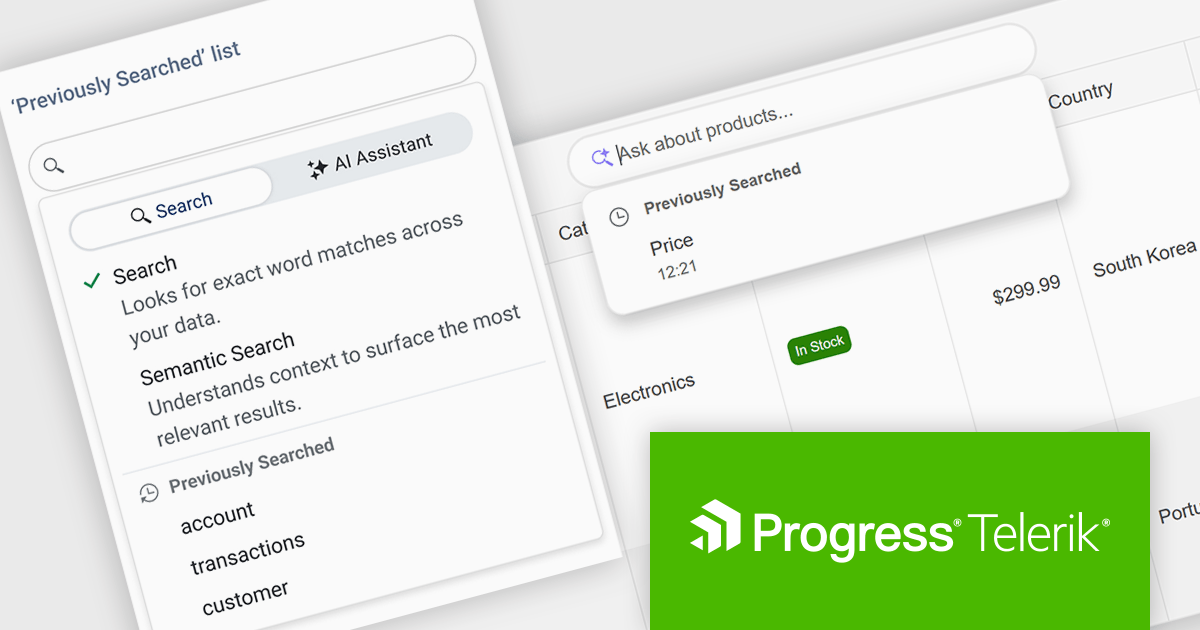
The Telerik DevCraft 2026 Q1 update adds Semantic Search through a new unified SmartBox, making it easier for developers to build natural language search directly into the DataGrid. Instead of depending on exact keyword matches, the feature uses artificial intelligence (AI) to understand meaning and context. It can return relevant results across multiple columns and related fields, even if the user’s search terms do not exactly match the stored data. The SmartBox brings semantic search, filtering, and follow-up query refinement together in one interface. This reduces the need to write and maintain custom search logic, while making integration more straightforward. As a result, applications can deliver more accurate search results, help users find information faster, and make large or complex datasets easier to explore.
To see a full list of what's new in DevCraft 2026 Q1, see our release notes.
Telerik DevCraft is licensed per developer and has two licensing models: an annual Subscription License and a Perpetual License. The Subscription license provides access to the latest product updates, technical support, and exclusive benefits for a flat annual fee, and must be renewed to continue using the software. The Perpetual license is a one-time purchase granting access to the current released version and includes a one-year subscription for product updates and technical support. After this initial period, users can choose to renew the subscription element to continue receiving updates and support; otherwise, they may continue using the installed version available during their active subscription term but will forgo future updates and support. See our Telerik DevCraft Ultimate licensing page for full details.
For more information, see our product pages:
DevCraft by Telerik is a comprehensive AI-powered suite of more than 1,250 UI components and development tools designed for building modern web, desktop, and mobile applications using .NET and JavaScript frameworks. It includes reporting and report management solutions, automated testing and mocking tools, and document processing libraries, as well as a wide range of professionally designed user interface controls from the Telerik and Kendo UI suites. DevCraft enables developers to create feature-rich, high-performance applications with consistent design and user experience, delivering enterprise-level, scalable, and maintainable software solutions.
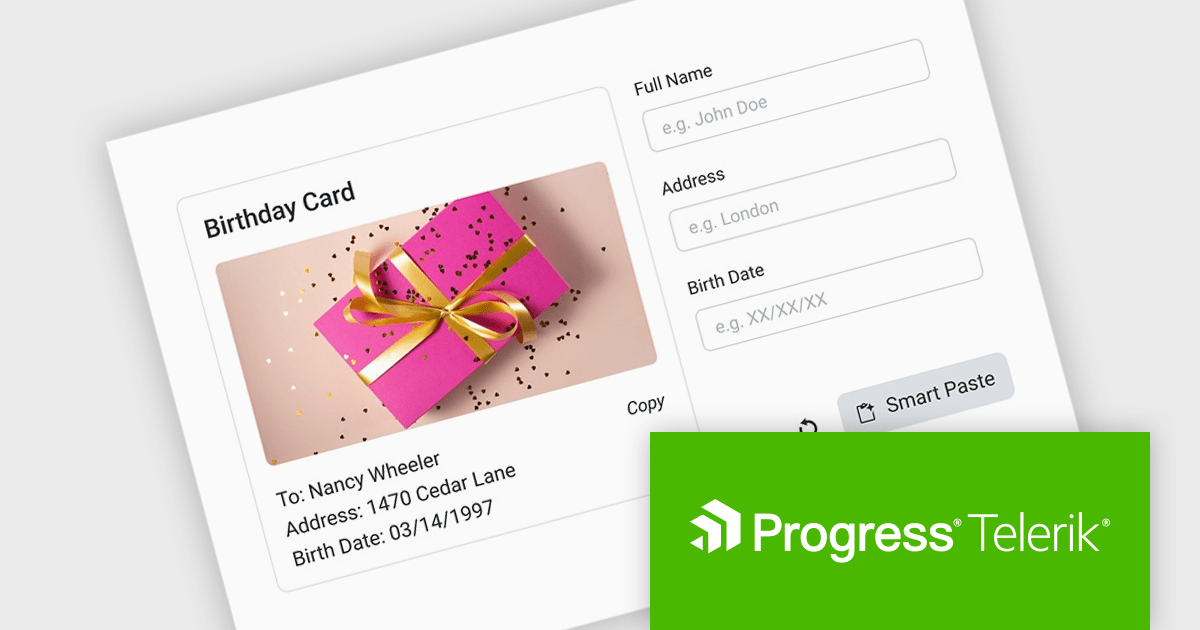
The Telerik DevCraft 2026 Q1 update introduces an AI-powered Smart Paste component that turns unstructured text into ready-to-use form data instantly by extracting structured information from clipboard content and automatically populating the appropriate fields. Instead of requiring users to manually copy and paste data into multiple inputs, the SmartPasteButton sends pasted text from emails, documents, or other sources to an AI endpoint that interprets the content and returns mapped field values for the form. This improves data entry, reduces repetitive input, and improves accuracy, enabling developers to deliver more efficient, intelligent form experiences within their applications.
To see a full list of what's new in DevCraft 2026 Q1, see our release notes.
Telerik DevCraft is licensed per developer and has two licensing models: an annual Subscription License and a Perpetual License. The Subscription license provides access to the latest product updates, technical support, and exclusive benefits for a flat annual fee, and must be renewed to continue using the software. The Perpetual license is a one-time purchase granting access to the current released version and includes a one-year subscription for product updates and technical support. After this initial period, users can choose to renew the subscription element to continue receiving updates and support; otherwise, they may continue using the installed version available during their active subscription term but will forgo future updates and support. See our Telerik DevCraft Ultimate licensing page for full details.
For more information, see our product pages:





Tel: (888) 850 9911
Fax: +1 770 250 6199


