








Official Supplier
As official and authorized distributors, we supply you with legitimate licenses directly from 200+ software publishers.
See all our Brands.
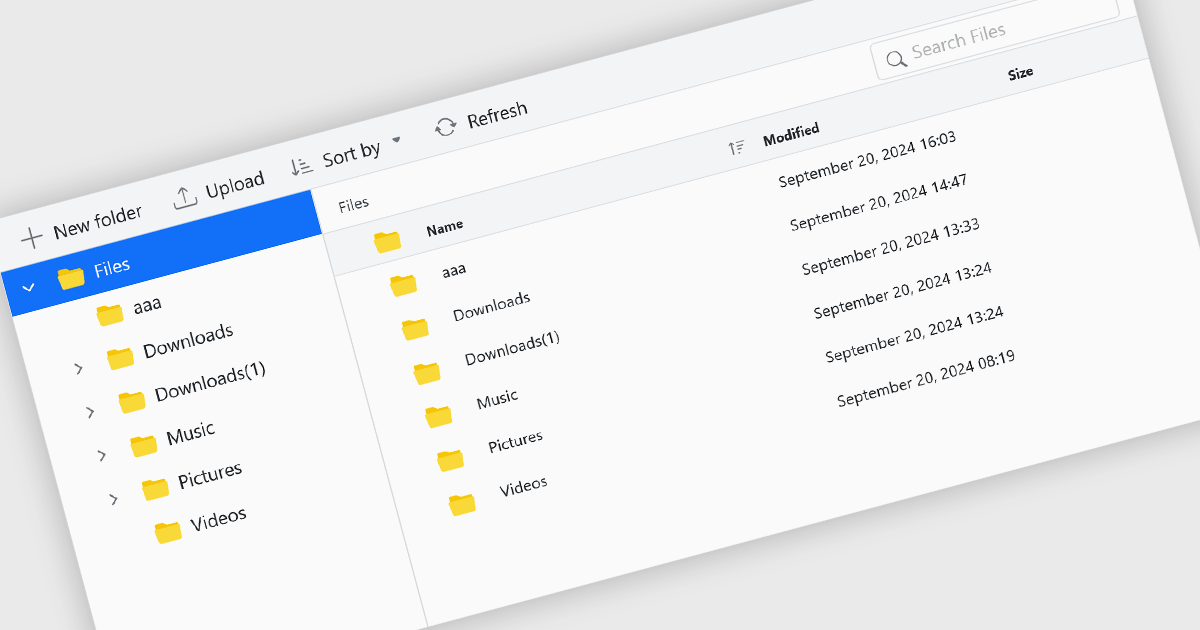
File management components, such as file explorers, uploaders, and downloaders, are essential elements in UI suites as they facilitate seamless interaction with files and data. These components enable users to efficiently organize, access, and manipulate files within an application, enhancing productivity and usability. By providing intuitive and user-friendly interfaces for file operations, these components contribute to a positive and efficient user experience.
Several ASP.NET Core UI suites offer file management controls including:
For an in-depth analysis of features and price, visit our ASP.NET Core UI suites comparison.
ComponentSource, a leading provider of software development tools, has partnered with ASP.NET Zero (by Volosoft), a software solution provider that creates reusable software libraries/frameworks/tools, distributed architectures/systems, multi-threaded, and real-time applications. The ASP.NET Zero team has extensive experience with Microsoft technologies, JavaScript frameworks, development and design tools, database management systems and mobile development platforms.
ASP.NET Zero is a robust web application development framework specifically designed to expedite the creation of modern, high-performing web applications. It functions as a pre-configured foundation, akin to a pre-built structure with essential utilities already in place. This enables developers to concentrate their efforts on crafting the unique functionalities that differentiate their application.
ASP.NET Zero is licensed based on the number of developers using the framework and the number of products being developed. See our ASP.NET Zero licensing page for full details.
For more information, visit our ASP.NET Zero publisher page.

ComponentSource, a leading provider of software development tools, has announced a new partnership with ABP (by Volosoft), a software solution provider that develops reusable software libraries/frameworks/tools, distributed architectures/systems, multi-threaded and real-time applications. Specializing in tools and frameworks built on the .NET ecosystem, Volosoft provides businesses with innovative products that streamline development processes. ABP is known for its professional support services, and strong developer community, making it a trusted partner for organizations worldwide.
The ABP Platform offers an opinionated architecture designed to accelerate the creation of enterprise-level solutions. It provides a modular and layered architecture built on top of ASP.NET Core, allowing developers to create scalable, maintainable, and high-performance applications. ABP Platform offers extensive pre-built modules such as identity management, multi-tenancy, and permission systems, reducing development time and effort. Its flexibility supports microservices, monolithic architectures, and cloud deployments. ABP is ideal for organizations looking to build modern applications with features like user management, auditing, localization, and more, making it a strong choice for SaaS products, internal business tools, or complex distributed systems.
The ABP Platform is available as a Team, Business or Enterprise license, which entitles developers to use the platform's Pro features and provides software updates and technical support for 1 year. See our ABP Platform licensing page for full details.
For more information, visit our ABP publisher page.

Sticky note annotations are digital notes that can be attached to specific parts of a document or webpage. They allow users to highlight text, add comments, or ask questions directly on the content they are viewing. This feature is particularly useful for collaboration, as it enables multiple people to contribute to the same document and easily see each other's thoughts and insights. Sticky note annotations can also be used for personal reference, helping users to remember important points or track their progress through a document.
Several ASP.NET Core PDF viewer controls offer support for sticky note annotations including:
For an in-depth analysis of features and price, visit our ASP.NET Core PDF viewer controls comparison.

Calendar components are interactive UI elements that provide a visual representation of dates and timeframes, enabling users to select, view, and manage events or deadlines. Common features include date selection, month and year navigation, event creation and editing, recurring events, reminders, and integration with other calendar systems. These components enhance user experience by offering intuitive interfaces for scheduling, planning, and time management across various applications such as project management tools, email clients, and personal organizers.
Several ASP.NET Core UI suites offer a calendar component including:
For an in-depth analysis of features and price, visit our ASP.NET Core UI suites comparison.





Tel: (888) 850 9911
Fax: +1 770 250 6199


