








Official Supplier
As official and authorized distributors, we supply you with legitimate licenses directly from 200+ software publishers.
See all our Brands.
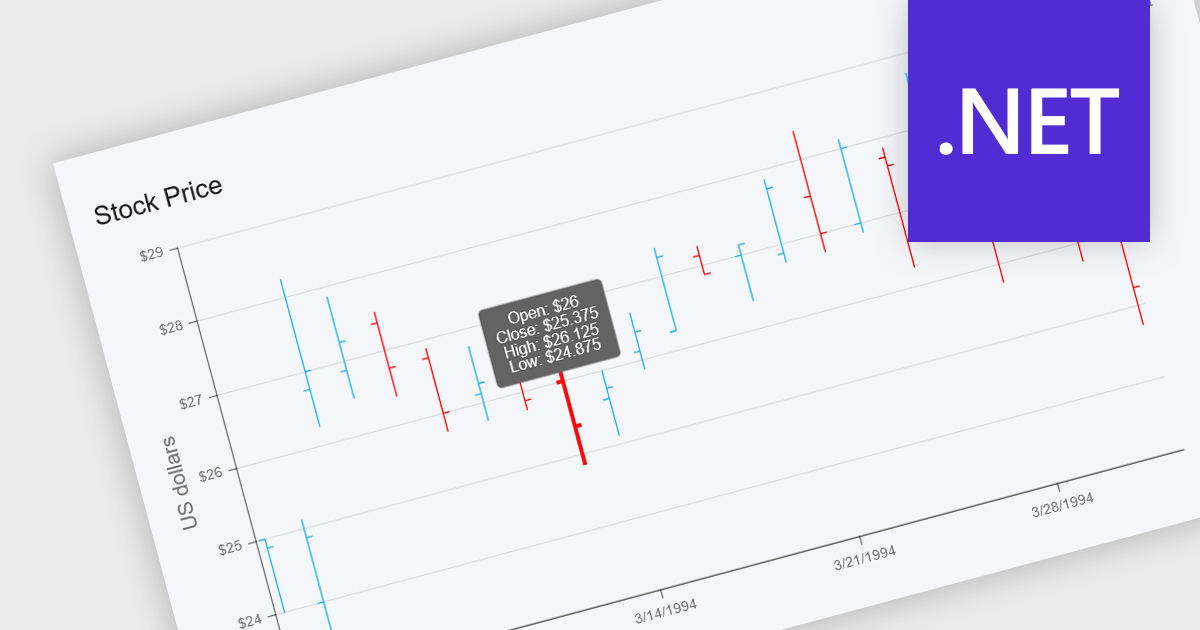
OHLC charts, short for Open-High-Low-Close charts, are a type of financial chart used to represent price movements of assets over a specific time period. Each point on the chart summarizes a single period's opening, highest, lowest, and closing prices, typically displayed using vertical bars with ticks to indicate opening and closing values. This format offers a clear and compact way to visualize volatility and market trends within a given timeframe. For developers and analysts working with financial data, OHLC charts are especially valuable for identifying price patterns, monitoring market behavior, and making informed decisions based on historical performance.
Several .NET chart components offer OHLC charts, including:
For an in-depth analysis of features and price, visit our comparison of .NET chart components.
LightningChart JS is a high-performance JavaScript charting library that utilizes WebGL rendering and GPU acceleration to deliver exceptional performance for a wide range of data visualization needs. It is designed to handle large datasets and complex visualizations with ease, enabling developers to create interactive and visually appealing 2D and 3D charts. Ideal for applications demanding smooth real-time data updates, such as financial platforms, engineering tools, scientific research dashboards, and industrial monitoring systems, LightningChart JS provides a comprehensive API for customization and integration into web-based projects.
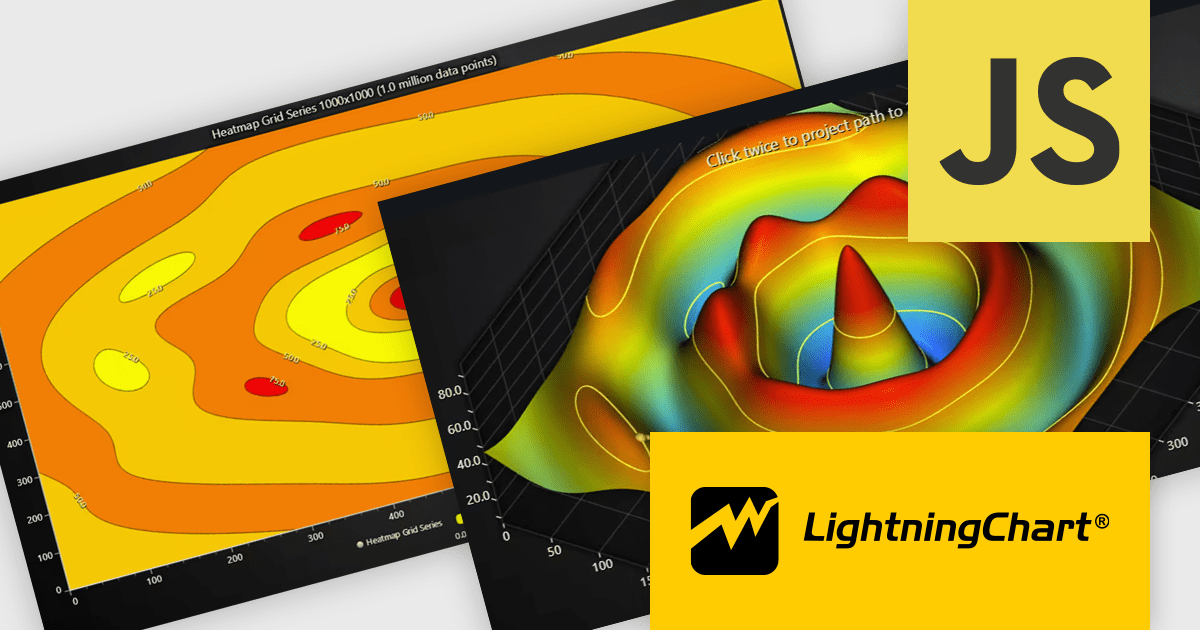
The LightningChart JS v8.1 update introduces built-in contour rendering for heatmap and surface charts, giving developers a straightforward way to highlight value transitions and gradients within complex datasets. The new contour capabilities automatically generate level lines and labels, while offering control over stroke and text styling for each contour level. This improves the clarity and interpretability of dense numerical data, reduces the need for custom rendering logic, and maintains high performance even when working with detailed datasets.
To see a full list of what's new in v8.1, see our release notes.
LightningChart JS is licensed per developer and is available as an annual license with 1 year support. See our LightningChart JS licensing page for full details.
For more information, see our LightningChart JS product page.

Live data support for charts enables visualizations to update automatically as new information arrives, turning static dashboards into continuously refreshed, real-time views. This reduces reliance on manual refreshes or scheduled reports and helps prevent decisions based on stale data. Teams gain immediate insight into changing conditions, spotting anomalies, performance issues, or opportunities as they emerge. Typical use cases include monitoring website traffic, application performance, financial markets, IoT sensors, and business KPIs such as orders, revenue, or support queues. By making current metrics instantly visible, live charts improve responsiveness, operational control, and confidence in data-driven decisions and outcomes across the organization.
Several React chart controls support live data including:
For an in-depth analysis of features and price, visit our React chart controls comparison.

A scatter chart is a visual tool that displays relationships between two variables by plotting data points on an X and Y axis. Each point represents a value pair, helping users quickly identify patterns, correlations, and outliers within complex datasets. Scatter charts effectively highlight trends, clusters, and anomalies that might not be visible in tables. With customizable markers, colors, and sizes, they clearly differentiate data groups. Common use cases include analyzing sales versus marketing spend, comparing temperature and energy use, or assessing customer satisfaction relative to pricing. This turns raw data into clear and actionable visual insights.
Several JavaScript chart controls offer scatter charts including:
For an in-depth analysis of features and price, visit our JavaScript chart controls comparison.
LightningChart .NET is a high-performance data visualization library designed for .NET developers working with WPF, WinForms, and UWP applications. It offers GPU-accelerated rendering for smooth real-time visualization of massive datasets, exceeding billions of data points. This library supports a wide variety of chart types, including 2D, 3D, polar, and geographic maps, along with extensive customization options for each. LightningChart .NET is a powerful tool for developers creating demanding data visualization applications requiring exceptional performance.
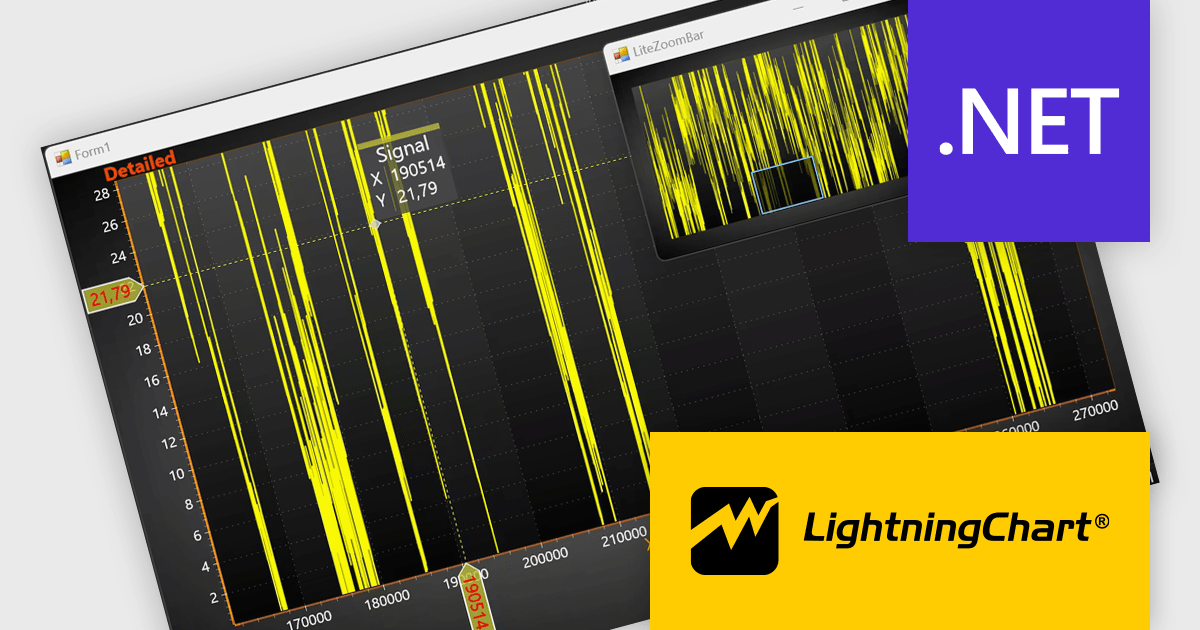
The LightningChart .NET v12.4.1 update enhances data visualization and navigation, allowing developers to display an overview of the entire dataset alongside a zoomed-in chart view - improving context awareness when analyzing large or complex data. The new LiteZoomBar offers a lightweight, memory-efficient alternative for applications requiring optimized performance. This tool provides greater control and efficiency in exploring and interpreting chart data.
To see a full list of what's new in v12.4.1, see our release notes.
LightningChart .NET is available per developer in packages for either WPF, WinForms, UWP or all 3. Each package comes as a subscription license (with 1 or 2 years of limited support), or a perpetual license (with 1 or 2 years of Standard or Premium support). Floating licenses and site licenses are available upon request. See our LightningChart .NET licensing page for full details.
Learn more on our LightningChart .NET product page.





Tel: (888) 850 9911
Fax: +1 770 250 6199


