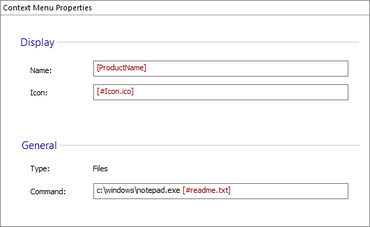
Automate the process of adding context menu items to your application.
April 28, 2022
New Version
Features
- Added the ability to configure Microsoft Windows Explorer context menu entries.
- Added the ability to resume installation after reboot during upgrade process.
- Added non-MSIX runtime dependencies.
- Added support for declaring MSIX packages as prerequisites in an MSI/EXE setup.
- Added support for creating MSIX Framework packages.
- Improved Microsoft PowerShell automation support for "Install MSIX/APPX Package" custom action.
- Security Improvements for the Auto-Updater (Custom EXE and Downloading updates improvements).
- Improved MSIX/APPX criteria search in Updates Configuration Project.
- Improved support for converting SVG images to WinUI format.
- Added option to generate ReleaseNotes.txt file in Updates Configuration Project.
- Added support for automatic selection based on a user's rights when installing an application.
- Added "AppUserModelID" support for "MsiShortcutProperty" table.
- Added the ability to check missing resources when running Repackager from the command-line.
- Added command-line support to configure Updater Notifications.
- Repackager improvements: Added the ability to import empty folders in the project.
- Added option to mark system resources as a "Permanent"- per feature.
- Added support for control/context dependent properties in XAML files.
- Updated Czech strings for the Updater.
- Updated Italian dictionary.
- Added support for QWORD registry value in the "Registry" page.
- Added shortcuts for adding files with specific extensions to the list of files configured for signing.
A Windows installer authoring tool for installing, updating, and configuring your products safely, securely, and reliably.
Got a Question?
Live Chat with our Caphyon licensing specialists now.

Official Distributor since 2019