Click for more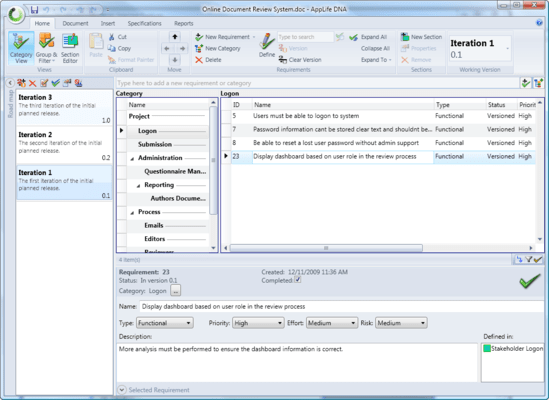
Click for more
Requirement Organization in AppLife DNA
Requirements can be added and organized into a multi-level hierarchy, allowing the user the ability to analyze and visualize project requirements.
Click for more
Requirements Organization in AppLife DNA
The inline view displays Requirements and Categories together in an indented format.
Click for more
Requirement Organization in AppLife DNA
The Group and Filter view supports sorting, grouping and filtering on project Requirements. This image shows requirements grouped on the assigned version, sorted on Effort, and filtered to show only high Priority Requirements.
Click for more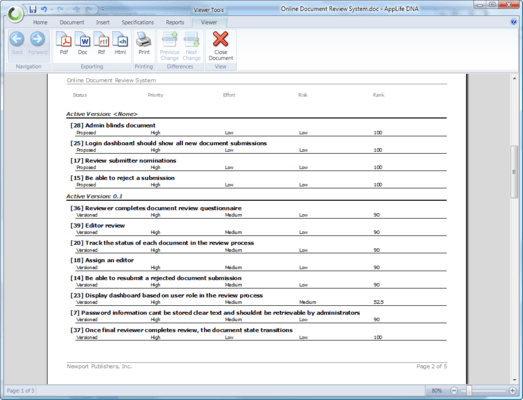
Requirements Report
The Requirements Report provides the means to communicate project requirements with stakeholders. A requirement report can be generated from any requirement view. This report shown is generated from the previous image view.
Click for more
Defining Requirements
Requirements are elaborated on, or Defined, within Sections. For each project version, Section content can be extended and changed, allowing the user to maintain previous iterative work, author multiple iterations simultaneously, and move content between iterations as project priorities change. Sections that are unchanged between versions inherit content from earlier versions.
Click for more
Generated Functional Specifications
The user can generate a Functional Specifications document for any version within the project. Notice the list of defined requirements, and the See also link. These lists are optionally included during a spec generation, and identify the requirements that the section content elaborates upon, as well as other sections that define any of the listed requirements.
Click for more
Comparison Specifications
Changes made between any two versions or project snapshots can be clearly distributed using a Comparison Specification. Comparison Specifications adorn content changes in a very readable format. Comparison specs can optionally only include Sections that are new or changed, providing context for the changes while minimizing document size.


