
KeepTool Enterprise
Intuitive Oracle database tools.
Published by KeepTool
Distributed by ComponentSource since 2021
Prices from: $ 1,418.83 Version: 17.0.0 Updated: Mar 22, 2026
Intuitive Oracle database tools.
Published by KeepTool
Distributed by ComponentSource since 2021
Prices from: $ 1,418.83 Version: 17.0.0 Updated: Mar 22, 2026
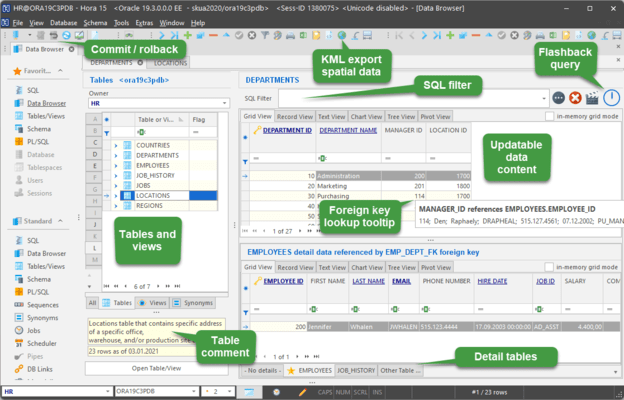

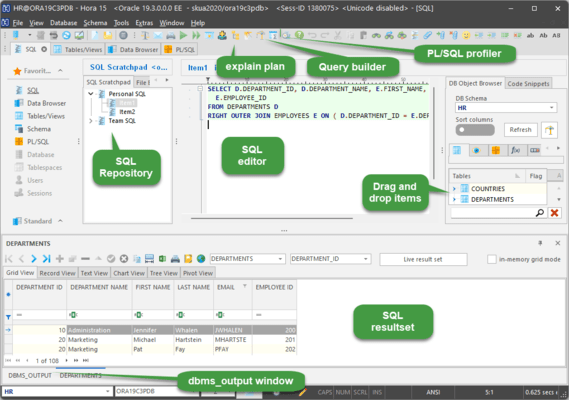
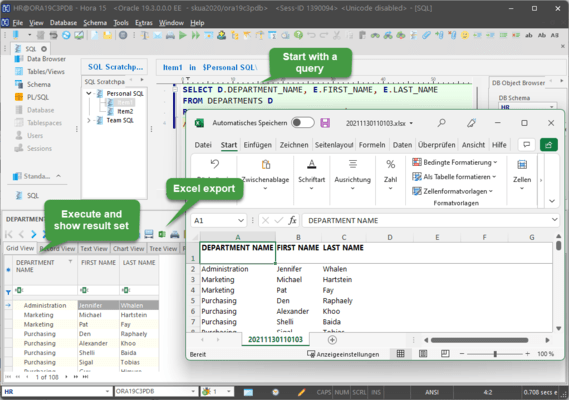
The SQL scratchpad allows you to organize your SQL statements in a hierarchical repository. You can include multiple SQL root directories in the tree view and share each with the members of your project team.
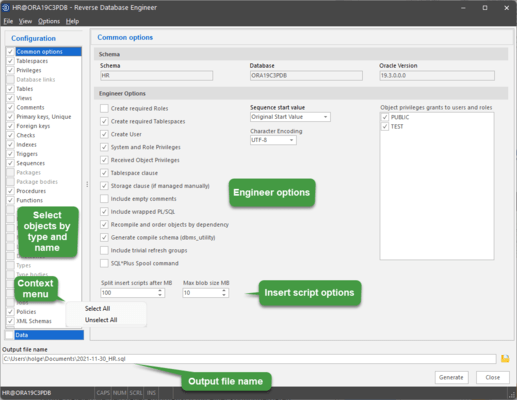
The Reverse DB Engineer creates the entire DDL for all objects of a database schema or any arbitrary subset. You can call Reverse DB in batch mode for periodic backup of your database structure or to check-in the script into a source code version management system.
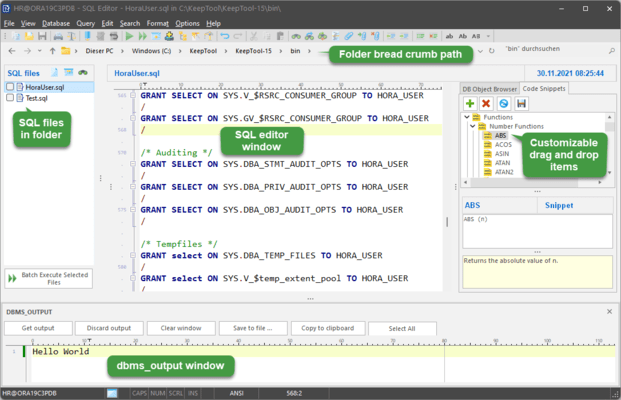
The SQL-Editor is a powerful text editor for SQL and Oracle PL/SQL and comes with syntax highlighting as well as the capability to execute single SQL commands or batch-execute SQL scripts.
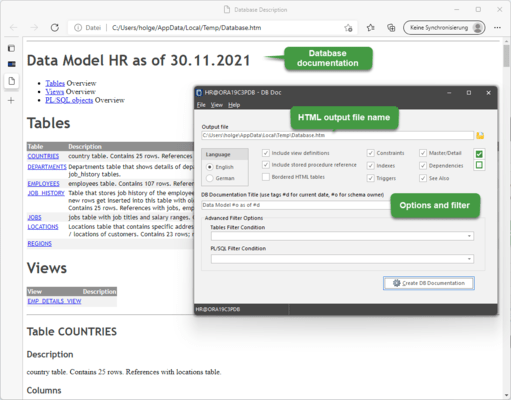
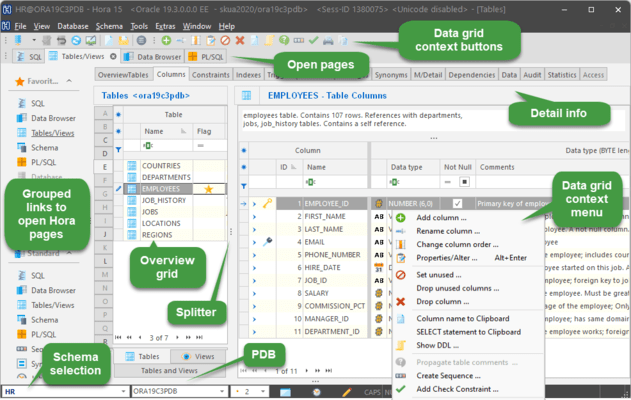
The Generator builds an HTML page listing all metadata for a schema’s objects, including tables, views and PL/SQL program units. Tables and views list all columns and their attributes, constraints, indexes and triggers, along with any comments that have defined. DDL is included for views as is source code for PL/SQL objects is included. Hyperlinks connect related objects.
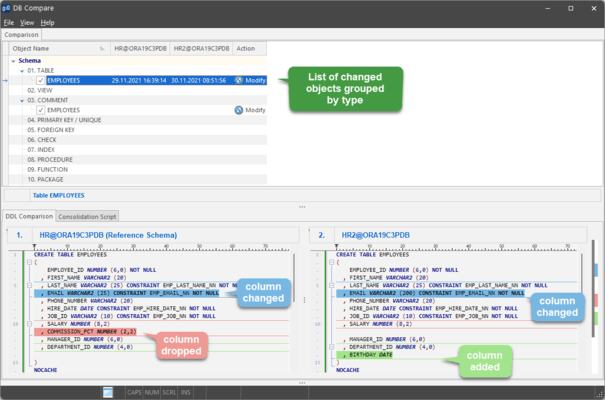
The DB Compare tool prompts you to log in to each database. Thereafter, it compares one database schema with the other. Items found in the second schema only are labelled “added.” In contrast, items found in the first schema only are considered “removed.” The third category “changed” are objects present in both schemas but having different structure. When you highlight one of these, the DDL for each is displayed side by side.
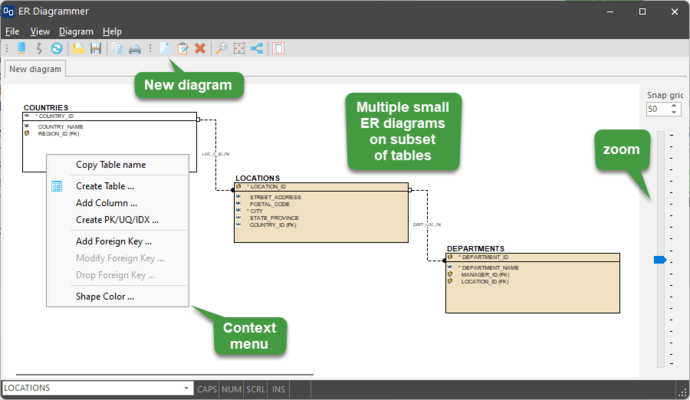
If you need to quickly understand the relationships between tables in a schema, ER Diagrammer presents those to you in a concise, easy-to-understand format after scanning the table definitions and foreign-key constraints in the data dictionary.
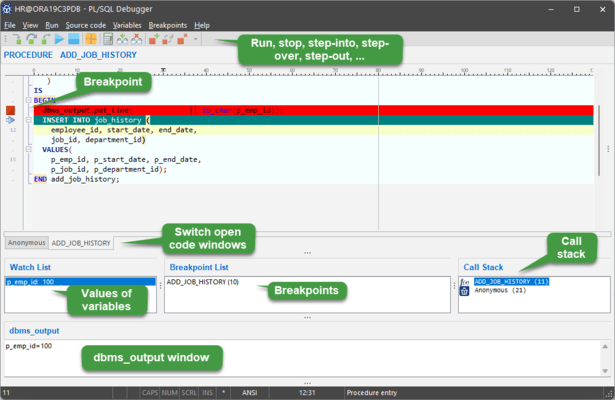
KeepTool’s PL/SQL Debugger makes setup a snap by providing a skeleton call block that asks only for calling parameters to be populated. Then you can either step through your code line by line, or skip ahead to breakpoints. If you missed something, you will automatically be placed back at the top with the opportunity to watch a few more variables or to stop at different places in the flow.
Tel: (888) 850 9911
Fax: +1 770 250 6199


