
Microsoft Visual Studio 2013 Ultimate
Delivering a continuous flow of value requires state-of-the-art tools.
Published by Microsoft
Delivering a continuous flow of value requires state-of-the-art tools.
Published by Microsoft
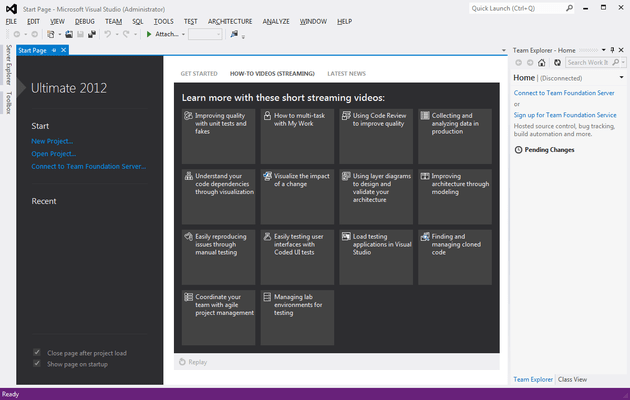
Please note that Visual Studio Ultimate with MSDN and Visual Studio Premium with MSDN subscriptions have been combined in a new Visual Studio Enterprise subscription.
Both Ultimate and Premium subscribers will be automatically converted to Enterprise subscribers.
| Visual Studio Ultimate 2013 | Visual Studio Premium 2013 | Visual Studio Professional 2013 | Visual Studio Test Professional 2013 | |
|---|---|---|---|---|
| New in Visual Studio 2013 | ||||
| Peek Definition | • | • | • | • |
| O365 Cloud Business Apps | • | • | • | • |
| Work Item Charting | • | • | Read Only | Read Only |
| Improved Web-based Test Case Management | • | • | • | |
| Team Room | • | • | • | |
| Agile Portfolio Management | • | • | • | |
| Release Management Deployment to target servers licensed separately. |
• | • | • | |
| Coded UI Testing for XAML Windows Store 8.1 apps | • | • | ||
| CodeLens (Code Information Indicators) | • | |||
| IntelliTrace Performance Indicators | • | |||
| Memory Dump Analyzer | • | |||
| Cloud-based load testing powered by Team Foundation Service | • | |||
| Debugging and Diagnostics | ||||
| IntelliTrace (Historical Debugging) | • | |||
| IntelliTrace in Production | • | |||
| Code Metrics | • | • | ||
| Graphics Debugging | • | • | • | |
| Advanced Web Debugging | • | • | • | |
| Static Code Analysis | • | • | • | |
| Debugger | • | • | • | |
| Windows 8 Simulator | • | • | • | |
| Profiling | Includes Tier Interaction Profiling | Includes Tier Interaction Profiling | • | |
| Windows Phone Emulator | • | • | • | |
| Testing Tools | ||||
| Web Performance Testing | • | |||
| Load Testing | • | |||
| Microsoft Fakes (Unit Test Isolation) | • | |||
| Code Coverage | • | • | ||
| Coded UI Testing | • | • | ||
| Manual Testing | • | • | • | |
| Exploratory Testing | • | • | • | |
| Test Case Management | • | • | • | |
| Fast Forward for Manual Testing | • | • | • | |
| Lab Management | • | • | • | |
| Extensible Testing Framework | • | • | • | |
| Unit Testing | • | • | • | |
| Integrated Development Environment | ||||
| Code Clone | • | • | ||
| LightSwitch | • | • | • | |
| One-Click Web Deployment | • | • | • | |
| Extensible WPF-Based Environment | • | • | • | |
| Model Resource Viewer | • | • | • | |
| Multi-Targeting | • | • | • | |
| Blend for Visual Studio | • | • | • | |
| JavaScript and jQuery Support | • | • | • | |
| Project & Solution Compatibility with Visual Studio 2010 SP1 | • | • | • | |
| Multiple Monitor Support | • | • | • | |
| Development Platform Support | ||||
| Windows Desktop Development | • | • | • | |
| Windows Store Application (including ARM) Development | • | • | • | |
| Web Development | • | • | • | |
| Windows Phone Development | • | • | • | |
| Office and SharePoint Development | • | • | • | |
| Cloud Development | • | • | • | |
| Customizable Development Experience | • | • | • | |
| Architecture and Modeling | ||||
| Architecture Explorer | • | |||
| Architecture and Layer Diagrams | • | |||
| Architecture Validation | • | • | ||
| UML® 2.0 Compliant Diagrams (Activity, Use Case, Sequence, Class, and Component) |
• | Read-Only Diagrams | ||
| Visualize Code with Dependency Graphs (By Assembly, By Namespace, and By Class) |
• | Read-Only Diagrams | Read-Only Diagrams | |
| Lab Management | ||||
| Virtual Environment Setup & Tear Down | • | • | • | |
| Provision Environment from Template | • | • | • | |
| Checkpoint Environment | • | • | • | |
| Team Foundation Server | ||||
| Backlog Management | • | • | • | |
| Sprint Planning | • | • | • | |
| Agile Task boards | • | • | • | • |
| Exception Analytics | • | • | • | • |
| SharePoint Integration (Team Project Portal) Microsoft SharePoint Server licensed separately |
• | • | Requires full Team Foundation Server and CAL which are included with MSDN Subscription or available for purchase separately | • |
| Reporting & BI | • | • | Requires full Team Foundation Server and CAL which are included with MSDN Subscription or available for purchase separately | • |
| Project & Project Server integration Microsoft Project and Project Server licensed separately |
• | • | Requires full Team Foundation Server and CAL which are included with MSDN Subscription or available for purchase separately | • |
| System Center Integration Microsoft System Center licensed separately |
• | • | Requires full Team Foundation Server and CAL which are included with MSDN Subscription or available for purchase separately | • |
| Version Control | • | • | • | • |
| Work Item Tracking | • | • | • | • |
| Build Automation | • | • | • | • |
| Collaboration | ||||
| PowerPoint Storyboarding | • | • | • | |
| Request and Manage Feedback End users can use the free Feedback Client to submit feedback to TFS, and access MSDN software to review the app and provide feedback. |
• | • | • | |
| Code Review | • | • | ||
| Task Suspend/Resume | • | • | ||
| Team Explorer | • | • | • | • |
| Team Explorer Everywhere for TFS (3rd-Party Development Tools Support) | • | • | • | • |
| Software and Services for Production Use | ||||
| Ultimate Feature Packs | • | |||
| Team Foundation Server | • | • | Requires MSDN Subscription | • |
| Team Foundation Server CAL | • | • | One Team Foundation Server CAL per subscription | • |
| Office Professional Plus | • | • | ||
| Project Professional | • | • | ||
| Visio Premium | • | • | ||
| Windows Azure Windows Azure benefits vary by offering |
• | • | • | |
| Software for Development and Testing | ||||
| Windows, Windows Server | • | • | Requires MSDN Subscription | • |
| Microsoft SQL Server | • | • | Requires MSDN Subscription | • |
| Microsoft Office | • | • | ||
| Microsoft Dynamics | • | • | ||
| All other Microsoft servers (SharePoint, Exchange, etc.) | • | • | ||
| Other Benefits | ||||
| Technical Support Incidents | 4 | 4 | 2 Requires MSDN Subscription |
2 |
| Microsoft E-Learning Collections (per year) | 2 | 2 | 1 Requires MSDN Subscription |
1 |
Tel: (888) 850 9911
Fax: +1 770 250 6199


