Click for more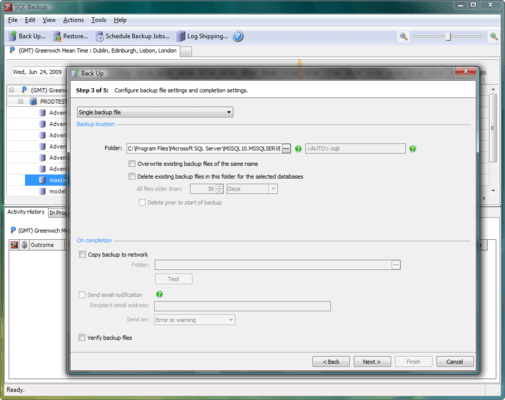
Backup File Settings
SQL Backup provides a wizard for you to specify the locations and file names for your backups, and for managing existing backup files. Choose:
Single backup file - to create each backup as a single file.
Single backup file, mirrored to second location - to create the backup as a single file and simultaneously make a duplicate of the backup during the backup process. This option is only available when you have selected a single database to back up. During the backup process, a warning is raised if any of the files cannot be written. However, the backup process continues as long as at least one specified backup file can be written. If none of the files can be written, an error is raised and the backup process is stopped.
Split backup into multiple files - to store each backup across a number of files. Splitting the backup can speed up the backup process if backing up to a single file does not fully use the Input/Output capacity of your disks. For a single database backup, you can split (or 'stripe') your backup files across a number of disks. For multiple database backups, you can specify the number of files to split each database backup into (on the same disk). All backup files must be available when you restore the backup.