SourceAnywhere for VSS V5.2

Released: Oct 3, 2007

Updates in V5.2

  • Performance greatly improved. For most operations, SourceAnywhere for VSS 5.2 can be 1.2 to 5 times faster than SourceAnywhere for VSS 5.1. For large teams or teams with big projects, the performance improvement can be greater
  • Performance improved when SAW server is installed on a different machine from the one hosting VSS database
  • SSL root certificate is exported and imported automatically when using SSL encryption
  • Precision of "Server-based time zone offset" option improved to minutes
  • Added "Remember Password" option in Login dialog box of GUI Client
  • Added "Select all" and "Invert selection" option on the Edit menu of GUI client
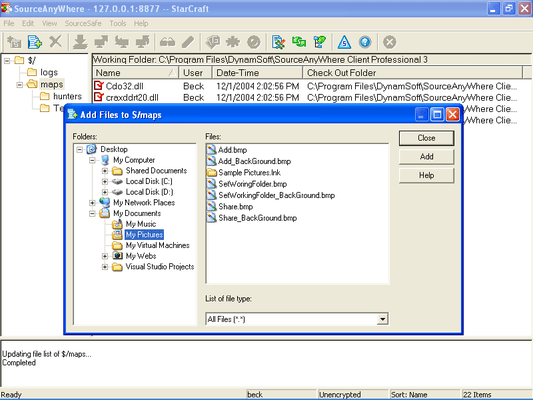
  • Added a prompt dialog box when adding file(s) without working folder
  • Added "Comment" column on both File History and Project History dialog boxes
  • Allows users to view an old file version directly by adding "View" option in File History dialog box
  • Added "Refresh Option" for the View tab of Windows Client options
  • Added Status Search functionality in Java GUI client
  • Added "Get" button in project history dialog box of Java GUI client
  • Added View tab for Java Client options
  • Allows users to check in items using drag and drop from working folder to Dynamsoft SourceAnywhere for VSS Java Explorer
  • Added Share command in Visual Studio IDE
  • Macromedia studio plug-in improved to support Dreamweaver CS3
  • Allows users to get project from Dynamsoft SourceAnywhere for VSS in Eclipse Plug-in
  • Added "Dir" and "GetProjectHistory" commands in Command Line Client
  • Allows users to get the Check Out Status of a file by using GetFileInfo command in Command Line Client
  • Added Support page in both Server Manager and Cache Server Manager, which helps users maximize the benefits in Dynamsoft SourceAnywhere for VSS
  • Removed login dialogue box of Server Manager, which allows administrators to access Server Manager more conveniently
  • Pin process optimized. There is no need to configure "Project with Pinned" in Server Manager anymore