Stimulsoft Reports.WPF Releases
Released: May 13, 2022
Updates in 2022.2.5
Features
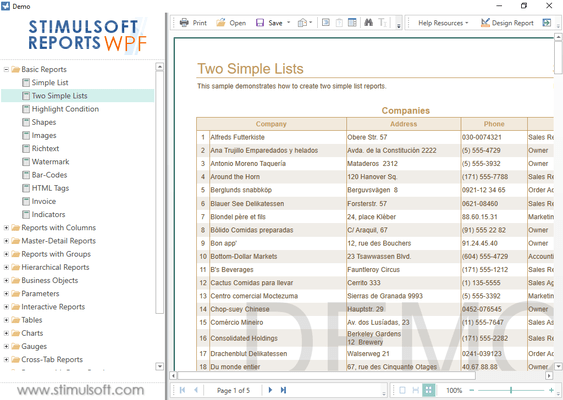
- WPF viewer adds support for viewing reports in HTML view.
- Updated algorithm to display value labels in horizontal "Gauge" report component.
- Optimized Engine - Loading resources from a template is now faster and consumes less memory.
- Export to PDF - UnsignedSignature fields can now be exported in PDF/A mode.
Fixes
- Fixed a problem with handling of a variable as a parameter in an SQL query when using the user input mode.
- Export to RTF - Fixed several bugs with list tag export.
- Engine...
Released: Apr 22, 2022
Updates in 2022.2.4
Features
- Added StiFontCollection.GenerateFonts event which allows you to change the list of output fonts.
- When exporting reports to PDF, font file size is now optimized for OpenType fonts (OTF).
- When exporting reports to SVG, this release added support for "Exceed Margins" mode for the text component.
Fixes
- Fixed an error with saving "Exceed Margins" mode of a text component when saving a report to an MDC file.
- When exporting a report to a PDF document, an error that occurred for some data has...
Released: Apr 6, 2022
Updates in 2022.2.3
Features
- Added "Show Zero" property to the "Map" report component.
Fixes
- Fixed an issue with loading an unsupported data source from a JSON report template file.
Released: Mar 30, 2022
Updates in 2022.2.2
Features
- Added support for custom URLs when using GIS online maps such as WikimapiaMapProvider. This allows you to use a local or other server for online maps.
- Region names have been updated in the Turkey regional map.
Fixes
- Fixed a bug that occurred when adding a new page for the "Sub-Report" component when you double-click it on the report designer tool box.
- Fixed a bug when loading Symbol fonts into StiFontCollection.
Released: Mar 22, 2022
Updates in 2022.2.1
Features
- The Totals functions for the hierarchical band (AllLevels/OnlyChilds) now work in the "Interpretation" calculation mode.
- New matrix, pmatrix, Bmatrix, bmatrix, vmatrix and Vmatrix elements have been added for "Math Formula" component in reports.
- A new GetData visual programming block has been added to set the row index in the data source.
- A new visual programming block Corner Radius has been added to allow you to change the value of the corner radius.
- Added a new block of visual...
Released: Feb 10, 2022
Updates in 2022.1.6
Fixes
- When exporting a report to SVG, the error associated with changing the color of the style when using HTML tags for changing the text color is fixed in cases where the font style for the text component was defined as underline or stroke.
- Dixed a problem related to using the "Processing Duplicates" property for the "Image" component when there is no content in it.
Released: Jan 27, 2022
Updates in 2022.1.5
Features
- Updated algorithm that handles "Not assigned" values for DateTime variables.
- Added a check against engine looping if the same data source is used in the master and detail bands.
- When exporting a report to an HTML file, the size of the "Check Box" component does now not depend on the scale value of the OS.
Fixes
- Fixed a problem related to updating properties and applying a numeric value to them in the properties panel in the WPF report designer.
- Fixed an issue with request from user...
Released: Jan 14, 2022
Updates in 2022.1.4
Features
- Updated algorithm for calculating height of drop-down menu icons in "Image" component in WPF report designers.
Released: Jan 12, 2022
Updates in 2022.1.3
Features
- Report.ExportDocument() method can now accept StiDashboardExportSettings export settings.
- Optimized speed of GetAnchorPageNumber function for large reports.
- After changing editable fields in the viewer, the ExcelValue value will now also be updated.
- Improved display of 3D pie charts.
Fixes
- An issue occurred when pressing SHIFT + F5 in the Report Designer.
- A bug occurred when outputting a DateTime variable when using the Date or Time format in a variable.
- A problem occurred when...
Released: Dec 17, 2021
Updates in 2022.1.2
Features
- Added the ability to specify "Top N" values for "Bubble" charts in reports.
- Added the ability to localize the text of the chart title in the "Globalization Strings" editor.
Fixes
- Fixed a bug related to editing parameters on the Properties panel that were added when editing data sources.
- Fixed the error with adding a new query to the list from the Select Data window when creating new data sources.
- Fixed a bug related to dependent variables of a numeric type in the report.
- Fixed a bug...