JavaScript / HTML5 News

Personalize Your UI with Customizable Toolbars

June 10, 2024
jQuery toolbars enhance web applications with organized UI elements like buttons and menus, promoting intuitive user interaction.

Toolbar controls for jQuery extend the functionality of your web applications by providing customizable toolbars with UI elements like buttons, dropdowns, and menus. These libraries offer features like drag-and-drop customization, theming options, and accessibility compliance, streamlining user interaction for common actions like editing, formatting, and navigation.

Several jQuery UI suites feature a toolbar control including:

  • DevExtreme Complete by DevExpress provides a toolbar component with extensive customization options for building feature-rich toolbars into your web apps.
  • Kendo UI by Telerik empowers you to build responsive web applications with a user-friendly interface for designing and integrating custom toolbars.
  • jQWidgets empowers you to design interactive toolbars with a variety of widgets and customization options for your web projects.
  • Syncfusion Essential Studio Enterprise offers a toolbar component with rich customization capabilities to create unique and functional toolbars for your applications.

For an in-depth analysis of features and price, visit our jQuery UI Suites comparison.

Compare jQuery UI Suites

Keep Critical Information Visible in Spreadsheets

June 7, 2024
Freeze pane support enhances data analysis by keeping essential rows or columns accessible for reference while scrolling through large datasets.

Spreadsheet controls with freeze pane support enable developers to lock specific rows or columns in place while allowing the rest of the data to scroll freely. This feature enhances the user experience by keeping headers or key reference data visible at all times, thus improving navigation and readability in large datasets. It is particularly beneficial for applications where users need to compare data across extensive spreadsheets, ensuring that critical information remains accessible without disrupting the workflow. This functionality contributes to a more efficient and user-friendly interface, reducing the cognitive load on users and facilitating better data analysis.

Several JavaScript spreadsheet controls offer freeze pane support including:

  • Telerik Spreadsheet jQuery (part of Kendo UI and Telerik DevCraft) allows you to keep headers visible while scrolling, enhancing data navigation and user experience.
  • SpreadJS by MESCIUS, facilitates fixed rows or columns for seamless data comparison and improved spreadsheet navigation in large datasets.
  • Jspreadsheet Pro lets you freeze panes to maintain visibility of crucial headers or columns, streamlining data management and analysis.
  • Infragistics Spreadsheet jQuery (part of Infragistics Professional) enables users to lock key rows or columns, ensuring important data stays visible during extensive scrolling.

For an in-depth analysis of features and price, visit our comparison of Compare JavaScript Spreadsheet Controls.

Compare JavaScript Spreadsheet Controls

Streamline Data Entry Interfaces in JavaScript Apps

June 7, 2024
Use popup editors in JavaScript grid controls to enhance the data editing experience for users by reducing clutter and distractions within the grid.

Popup Editors are a common user interface paradigm for editing data within JavaScript grid components. They provide a modal window that appears on top of the grid, containing dedicated input fields for modifying a specific cell or row. This approach enhances data manipulation by offering a focused editing environment with ample space for complex editors or detailed information, improving usability and reducing the risk of errors during data entry.

Many JavaScript grid controls offer popup editors including:

  • DevExtreme React Data Grid (part of DevExtreme Complete by DevExpress) lets you edit data within a grid using a customizable popup editor for efficient data management.
  • Wijmo FlexGrid (part of Wijmo by MESCIUS) allows you to interact with data using a flexible popup editor, enhancing user experience and productivity.
  • Kendo UI for jQuery Grid (part of Kendo UI by Telerik) facilitates seamless data editing through a robust popup editor, ensuring streamlined and intuitive data manipulation.
  • Sencha Ext JS Grid (part of Sencha Ext JS) enables dynamic data entry with a powerful popup editor, improving the efficiency of your web applications.

For an in-depth analysis of features and price, visit our comparison of JavaScript Grid Controls.

Compare JavaScript Grid Controls

Add Enhanced Text Editing to JavaScript Apps

June 6, 2024
Sencha Ext JS v7.8 extends Froala Editor support to both Modern and Classic toolkits, ensuring compatibility with all major web browsers.

Sencha Ext JS is a comprehensive JavaScript framework designed for building data-intensive, cross-platform web applications with rich user interfaces. It offers a robust set of components and tools for developing feature-rich applications, including a powerful grid system, advanced data handling capabilities, and an extensive library of UI components. With a focus on high performance and flexibility, Ext JS allows developers to create responsive applications that run seamlessly on various devices and browsers.

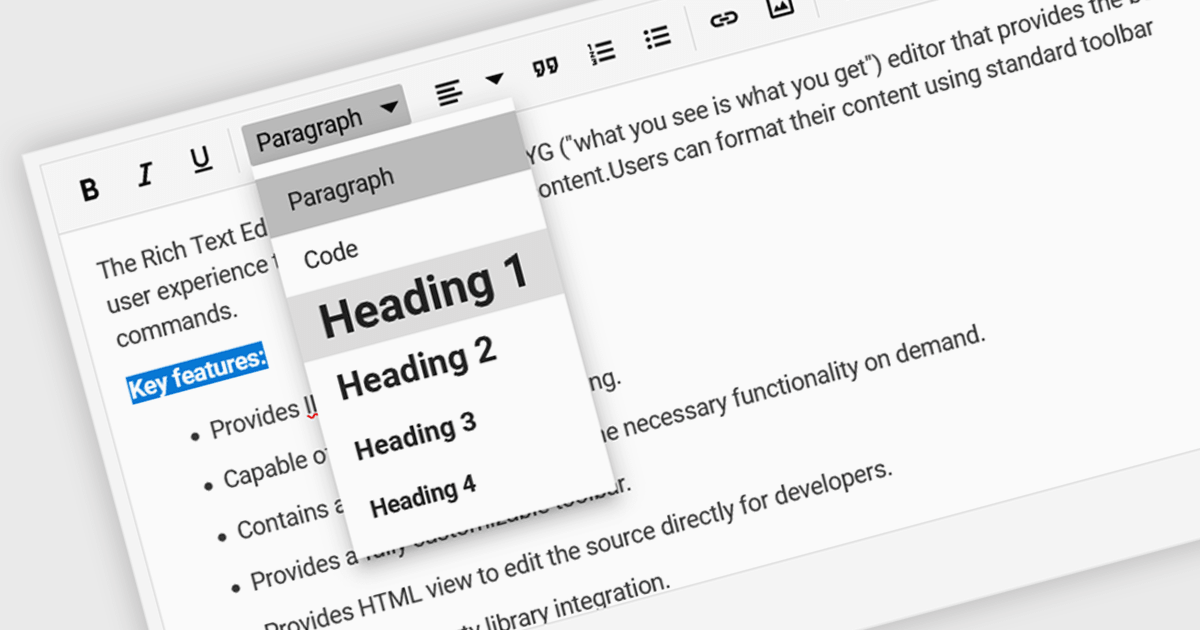
The Sencha Ext JS 7.8 update introduces the integration of the Froala Editor with the classic toolkit, enhancing the web development experience by providing a powerful and user-friendly rich text editor. This addition enables developers to easily incorporate advanced text editing features into their applications, offering end users a seamless and intuitive interface for content creation and formatting. The Froala Editor's modern capabilities, such as inline editing, real-time collaboration, and a variety of formatting options, streamline the process of managing and displaying content within applications, thereby improving overall productivity and user engagement. This integration exemplifies Sencha's commitment to providing robust, efficient tools for modern web development.

To see a full list of what's new in 7.8, see our release notes.

Sencha Ext JS is available in Pro, Enterprise and Ultimate editions, as Annual Subscription or Perpetual Licenses. See our Sencha Ext JS licensing page for full details.

For more information, see our Sencha Ext JS product page.

Leverage Powerful Financial Charts in JavaScript

June 4, 2024
LightningChart JS Trader v2.0 expands its technical analysis capabilities with support for Heikin Ashi, Renko, Kagi, and Point-and-Figure charts.

LightningChart JS Trader is a JavaScript/TypeScript library developed by LightningChart that specifically targets the creation of financial and trading applications. It provides high-performance, 2D, 3D, and real-time charting controls and a comprehensive suite of visualizations including candlestick, bar, line, and various technical indicators and drawing tools. This library enables software developers to craft interactive technical analysis tools without the need for server-side setup as it runs completely on the client device.

The LightningChart JS Trader v2.0 update expands its technical analysis toolkit by introducing more chart types, such as Heikin Ashi, Renko, Kagi, and Point-and-Figure charts. These additional chart types equip developers with a wider range of visualization options, significantly enhancing market trend analysis capabilities and allowing them to adapt to different analytical needs and trading strategies.

To see a full list of what's new in v2.0, see our release notes.

LightningChart JS Trader is licensed per developer and is available as an annual license with 1 year support. See our LightningChart JS Trader licensing page for full details.

For more information, see our LightningChart JS Trader product page.