








Official Supplier
As official and authorized distributors, we supply you with legitimate licenses directly from 200+ software publishers.
See all our Brands.

ComponentOne Studio WinForms by MESCIUS is a comprehensive toolkit offering over 120 advanced UI components to improve Windows Forms application development. It helps you to build visually appealing and feature-rich applications with functionalities like data visualization through charts and reports, intuitive data editing with performant grids, and modern UI elements including ribbons and docking for a user-friendly experience.
The ComponentOne Studio WinForms 2025 v2 update introduces a new data label placement option for FlexPie that aligns labels along the left and right sides of the chart to improve readability and visual structure. By moving labels out of the pie area, this option reduces overlap and congestion when working with datasets that contain many slices or small values, which are common challenges in pie chart rendering. The result is a more consistent and predictable layout that helps developers present data more clearly while maintaining a clean, modern appearance across different screen sizes and data scenarios.
To see a full list of what's new in 2025 v2, see our release notes.
ComponentOne Studio WinForms is licensed per developer on a perpetual basis and includes a 12 month subscription. Priority Support is also available. See our ComponentOne Studio WinForms licensing page for full details.
Learn more on our ComponentOne Studio WinForms product page.
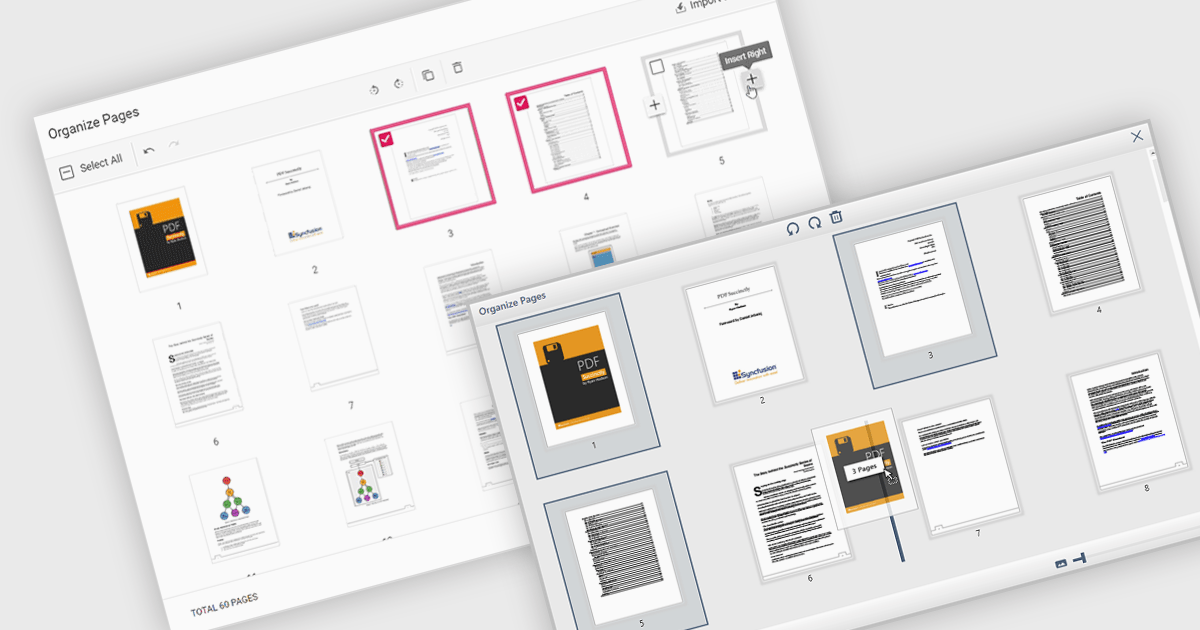
Moving pages in a PDF file refers to the ability to change the order of individual pages within the document. This is typically done by dragging and dropping pages into a new sequence or by specifying where a page should be relocated. The main benefit of this feature is improved document organization, especially in cases where content needs to be restructured for clarity, relevance, or compliance with formatting requirements. It also simplifies tasks such as compiling reports, merging multiple sources, or preparing documents for printing and distribution, making it easier to manage large or complex PDF files efficiently.
Several WPF PDF components allow you to move pages in a PDF, including:
For an in-depth analysis of features and price, visit our comparison of WPF PDF components.
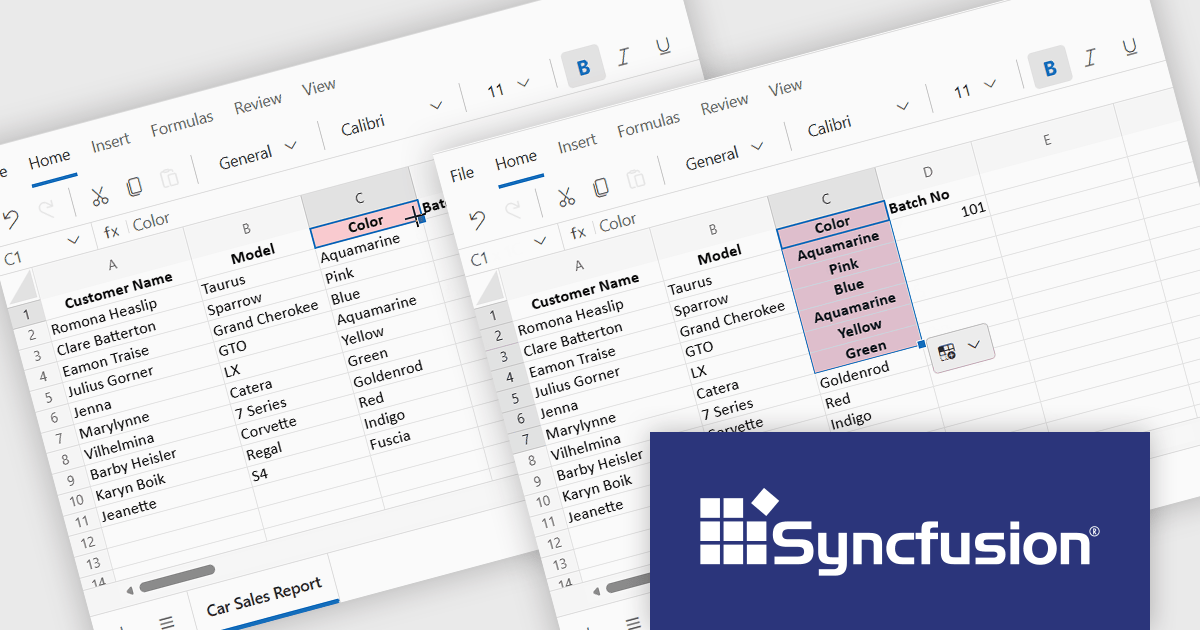
Syncfusion Essential Studio Spreadsheet Editor SDK is a library that lets developers embed spreadsheet functionality into web and desktop applications without requiring Microsoft Excel. It supports editing, formatting, and data analysis features such as cross sheet formula calculation, data binding to local and remote sources including JSON and REST, conditional cell styling, charts, data validation, worksheet protection, and workbook permissions. Available across frameworks including Blazor, React, Angular, Vue, JavaScript, ASP.NET Core and MVC, WPF, WinForms, and UWP, it helps teams deliver a familiar spreadsheet experience for use cases like reporting, budgeting, forecasting, and operational data entry directly within their applications.
The Syncfusion Essential Studio Spreadsheet Editor SDK 2025 Volume 4 update adds Blazor Autofill series support, allowing users to quickly extend numeric, date-based, and custom list patterns across cells in a predictable manner. This capability preserves existing cell formatting where applicable and provides flexible behavior for copying values versus generating sequences, reducing the need for custom implementation logic. As a result, developers can deliver more intuitive, Excel-like spreadsheet experiences with improved data consistency, reduced input errors, and faster interaction for end users.
To see a full list of what's new in Syncfusion Essential Studio Spreadsheet Editor SDK 2025 Volume 4 (32.1.19), see our release notes.
Syncfusion Essential Studio Spreadsheet Editor SDK is licensed per developer on a one year timed subscription basis, with runtime royalty free redistribution included when the subscription is current, and includes one year of unlimited technical support and updates. See our Syncfusion Essential Studio Spreadsheet Editor SDK licensing page for full details.
Learn more on our Syncfusion Essential Studio Spreadsheet Editor SDK product page.
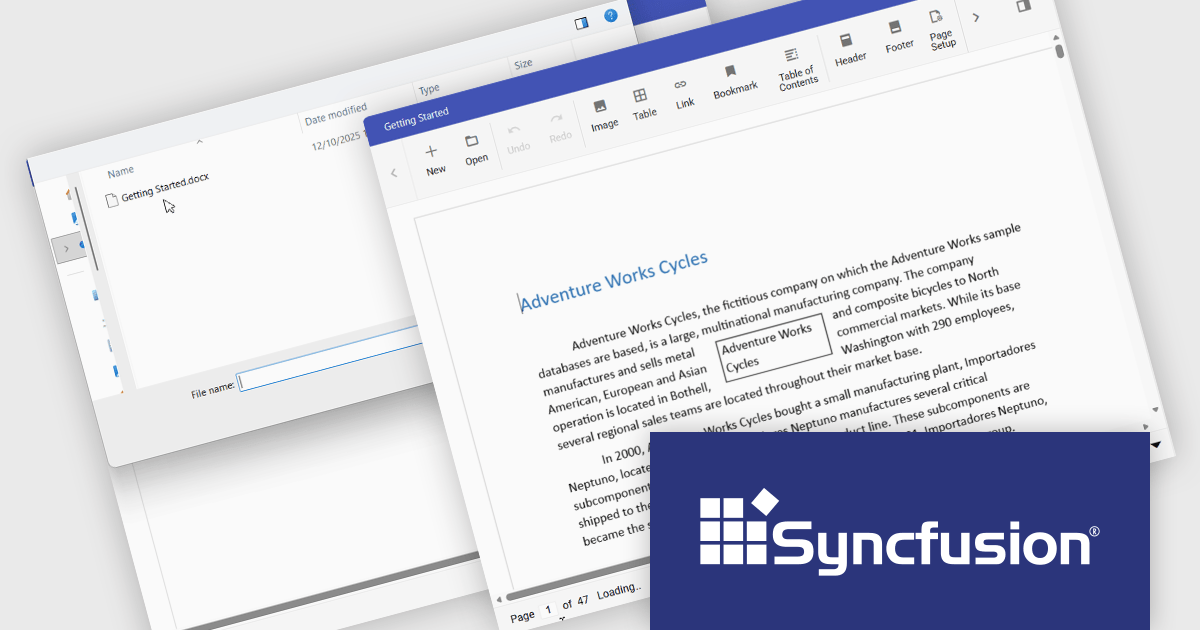
The Syncfusion DOCX Editor SDK provides a Microsoft Word inspired WYSIWYG editor that lets developers add Word document drafting, editing, and report generation to web and .NET desktop applications. It supports rich formatting with styles, tables, images, lists, and track changes, helping users create consistent, professional documents. With import and export support and a familiar interface, it reduces development effort and improves productivity for use cases like reporting, proposals, contracts, and document processes in business applications.
The Syncfusion Essential Studio DOCX Editor SDK 2025 Volume 4 update introduces asynchronous document loading for the Blazor DOCX Editor. This improves application responsiveness by preventing the user interface from blocking while documents are fetched and opened. By allowing document loading to occur in the background, developers can ensure the main thread remains available for user interactions, resulting in smoother navigation and more predictable behavior during network or file access delays. This enhancement helps create more responsive, user friendly applications, particularly when working with large documents or remote data sources.
To see a full list of what's new in Syncfusion Essential Studio DOCX Editor SDK 2025 Volume 4 (32.1.19), see our release notes.
Syncfusion Essential Studio DOCX Editor SDK is licensed per developer as a timed one year subscription that must be renewed to continue using the software. It is runtime royalty free for redistribution with a current subscription and includes one year of unlimited updates and 24/5 support with one business day responses. See our Syncfusion Essential Studio DOCX Editor SDK licensing page for full details.
Learn more on our Syncfusion Essential Studio DOCX Editor SDK product page.
ComponentOne Studio Enterprise is a comprehensive suite of .NET UI controls developed by MESCIUS (formerly GrapeCity) designed for building rich, interactive desktop, web, and mobile applications. It provides developers with a broad range of tools and components-including data grids, charts, reports, input controls, and advanced data visualization features-for platforms such as WinForms, WPF, ASP.NET Core, Blazor, WinUI, and .NET MAUI. The suite emphasizes performance, flexibility, and ease of integration, helping teams create consistent, feature-rich user experiences across multiple application types while maintaining a unified development approach.
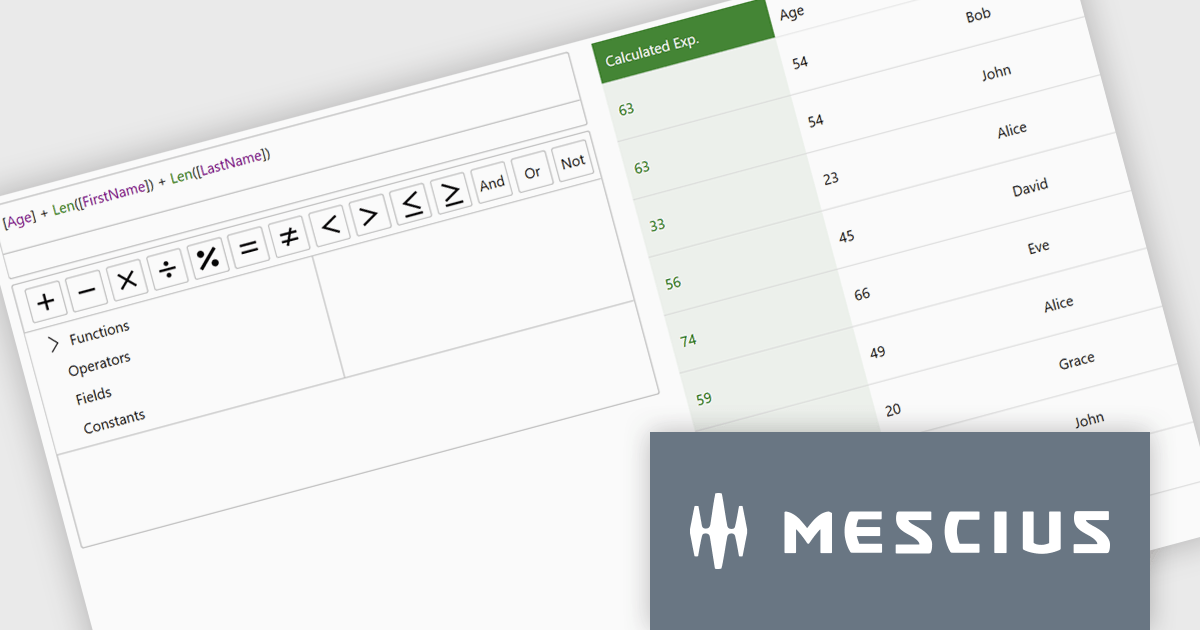
The ComponentOne Studio Enterprise 2025 v2 update introduces a modern WPF ExpressionEditor that enables developers to integrate a complete runtime formula-building experience directly into their applications. It allows end users to create, edit, and validate logical expressions using familiar Visual Studio–style code completion, syntax highlighting, and real-time error reporting, while also providing a set of built-in operators, constants, and aggregate, logical, mathematical, and conversion functions. By offering both a lightweight expression text box and a full-featured formula panel, the update reduces the need for custom expression editors, shortens development time, and improves the reliability and usability of data-driven application logic.
To see a full list of what's new in 2025 v2, see our release notes.
ComponentOne Studio Enterprise is licensed per developer on a perpetual basis and includes a 12 month subscription. Priority Support is also available. See our ComponentOne Studio Enterprise licensing page for full details.
Learn more on our ComponentOne Studio Enterprise product page.





Tel: (888) 850 9911
Fax: +1 770 250 6199


