








Official Supplier
As official and authorized distributors, we supply you with legitimate licenses directly from 200+ software publishers.
See all our Brands.

Live data support for charts enables visualizations to update automatically as new information arrives, turning static dashboards into continuously refreshed, real-time views. This reduces reliance on manual refreshes or scheduled reports and helps prevent decisions based on stale data. Teams gain immediate insight into changing conditions, spotting anomalies, performance issues, or opportunities as they emerge. Typical use cases include monitoring website traffic, application performance, financial markets, IoT sensors, and business KPIs such as orders, revenue, or support queues. By making current metrics instantly visible, live charts improve responsiveness, operational control, and confidence in data-driven decisions and outcomes across the organization.
Several React chart controls support live data including:
For an in-depth analysis of features and price, visit our React chart controls comparison.
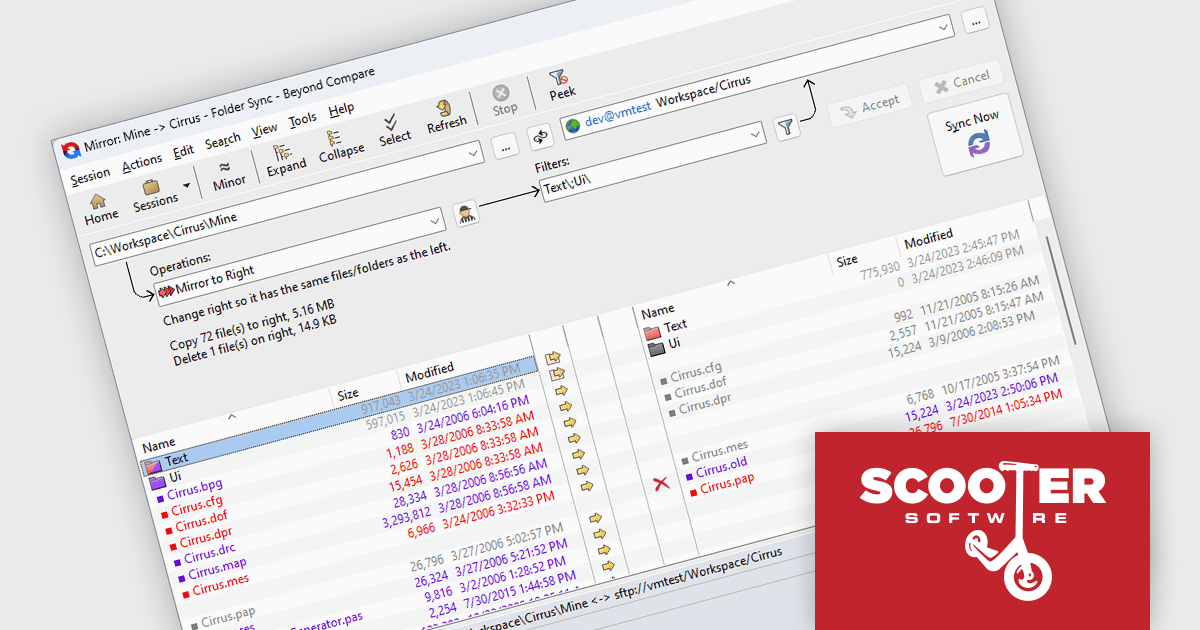
Beyond Compare by Scooter Software is a powerful tool designed for software developers to efficiently compare files and folders. It facilitates detailed analysis and merges of text files, including source code, and it supports numerous file formats and encoding types. The software's intuitive interface enables users to synchronize directories, compare entire drives, and verify backups. Additionally, Beyond Compare offers advanced features such as scripting, integrated FTP, and version control system integration, making it an essential tool for maintaining code integrity.
Scooter Software folder synchronization gives software developers a fast, automated way to keep code, assets, and configuration directories consistently aligned across local, network, and remote locations, eliminating repetitive manual copy-and-delete tasks. By applying predictable, rules-based synchronization, it reduces deployment and backup errors, simplifies environment maintenance, and frees developers to focus on building and shipping features rather than managing files.
Beyond Compare is licensed either per user or per workstation. A single user license allows one person to use Beyond Compare on any number of computers, or on a single workstation shared by several users. The Site License allows an organization to have unlimited users at a single physical site. The Enterprise License allows a company to have an infinite number of users across various sites. See our Beyond Compare licensing page for full details.
Learn more on our Beyond Compare product page.
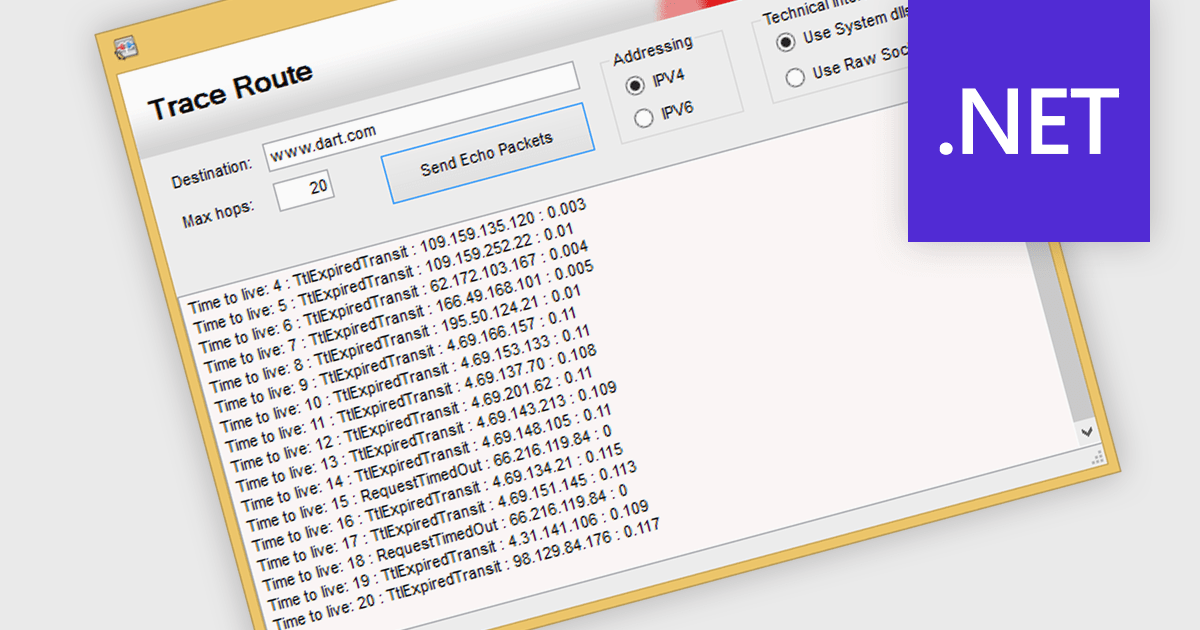
TraceRoute is a network diagnostic protocol used in .NET Communications and Messaging controls to determine the path packets take from the source to a destination across an IP network. It works by sending packets with incrementally increasing Time-To-Live (TTL) values, which prompts routers along the path to return error messages that help identify each hop and measure transit delays. This functionality is particularly useful for monitoring network latency, diagnosing connectivity issues, and understanding the routing behavior of networks in distributed systems. By integrating TraceRoute into a .NET application, developers gain visibility into network paths, enabling more informed troubleshooting and performance optimization of communication processes.
Several .NET Comms & Messaging components offer support for TraceRoute protocol including:
For an in-depth analysis of features and price, visit our comparison of .NET Comms & Messaging.
TX Text Control .NET is a royalty-free, fully programmable document editor that empowers developers to add rich WYSIWYG word processing to desktop and web applications across various platforms. It provides everything from comprehensive text formatting and mail merge to PDF creation and processing, all through a robust API and intuitive user interface.
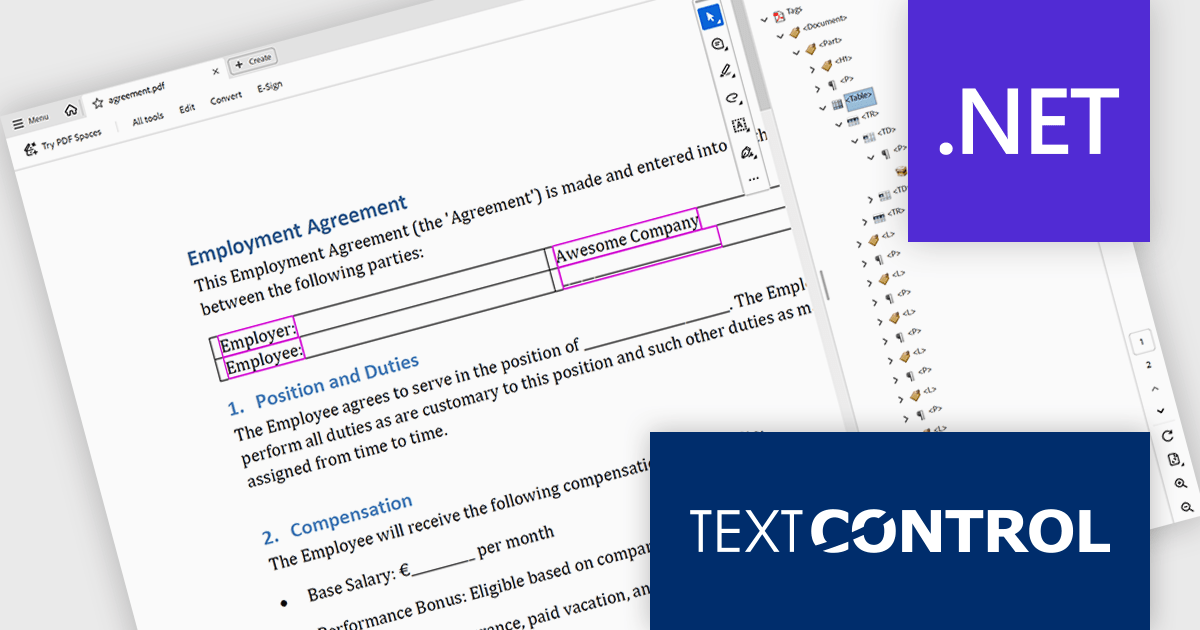
The TX Text Control .NET 34.0 Enterprise now supports the PDF/UA (Universal Accessibility) standard, enabling developers to generate PDF documents that comply with ISO 14289-1 accessibility guidelines. This update ensures that documents are properly structured and tagged for assistive technologies like screen readers, helping organizations meet legal and regulatory requirements for accessible digital content. With this enhancement, TX Text Control makes it easier to deliver inclusive, compliant PDFs across industries where accessibility is essential, such as government, healthcare, and education.
To see a full list of what's new in version 34.0, see our release notes.
TX Text Control .NET for Windows Forms and TX Text Control .NET for WPF are licensed per developer and are available as a Perpetual License with a 12 month support and maintenance subscription. See our TX Text Control .NET for Windows Forms licensing page or TX Text Control .NET for WPF licensing page for full details.
TX Text Control .NET is available to buy in the following products:
Microsoft have released .NET 10, a major step forward for Microsoft’s cross‑platform development framework, offering enhanced runtime performance, new language features, reinforced security, and deep support for artificial intelligence (AI) workloads. .NET 10 is a Long-Term Support (LTS) version which benefits from guaranteed, extended support for three years making it ideal for production environments and mission-critical systems.
In this release, .NET 10 delivers significant runtime and language enhancements aimed at boosting application speed and efficiency. The just‑in‑time (JIT) compiler has been improved with smarter inlining and method de‑virtualization, and new hardware acceleration support (such as AVX10.2 for Intel and enhanced vectorisation for Arm64) helps reduce pause times in garbage collection. On the language side, C# 14 and F# 10 introduce more expressive constructs, for example, automatic backing fields in C# and scoped warning suppression in F#, which simplify coding while maintaining performance. The combined improvements give developers a faster and more productive foundation.
Security and modern library enhancements have also been front‑and‑centre in .NET 10. The framework expands support for post‑quantum cryptography (PQC) algorithms, helping applications prepare for future quantum‑resistant security demands. Networking libraries have been upgraded with features like a simplified WebSocketStream API and platform‑wide modern TLS 1.3 support (including on macOS). Other library improvements include better JSON processing, key wrapping enhancements, and broader support for native cryptographic APIs. These updates reinforce depth across both security and low‑level infrastructure.
.NET 10 places a strong emphasis on AI integration and cloud‑native development. The introduction of the Microsoft Agent Framework enables developers to build and orchestrate multi‑agent AI systems (sequential, concurrent, hand‑off workflows) with minimal boilerplate. In parallel, the Microsoft.Extensions.AI and vector data abstractions provide unified interfaces for switching between AI providers (such as OpenAI, Azure OpenAI, Ollama) without rewriting code. These capabilities signal a vision where .NET isn’t just for general‑purpose apps, but for next‑generation intelligent systems.
View the official Microsoft blog for all the details, including a link to download .NET 10.





Tel: (888) 850 9911
Fax: +1 770 250 6199


