Codejock Command Bars ActiveX

Create Microsoft Office-style toolbars and menus with enhanced docking algorithms.

Published by Codejock Software
Distributed by ComponentSource since 2003
5.00 Star Average Review5.00 Star Average Review5.00 Star Average Review5.00 Star Average Review5.00 Star Average Review (1)

i

Codejock Command Bars ActiveX is now only available in Codejock Suite Pro.

Codejock Command Bars ActiveX v18.0.1

Released: Jul 31, 2017

Updates in v18.0.1

Features

  • Visual Studio 2017 support added.
  • Office 2016 theme added.
  • Close button customization INI settings added to Office 2013 and Visual Studio 2015 themes.
  • Office 2013/2016, Visual Studio 2012/2015 theme support added to CXTPTabClientWnd.
  • Improved icon support for HiDPI made enabled by default.

Fixes

  • EnableOffice2007Frame made deprecated in favor of EnableFrameTheme.
  • CXTPPaintManager::s_pInstance made deprecated.
  • XTPPaintManager made to enable default theme if no theme is set.
  • Fixes issue with application frame not themed if CXTPCommandBarsFrameHook::m_bAllowDwm is not disabled.
  • Border color of disabled check box fixed.
  • Client area border in Office 2013, Visual Studio 2012 and Visual Studio 2015 themes fixed.
  • The gap between toolbar and toolbar controls in Office 2013, Office XP and Visual Studio 2003 themes fixed.
  • The size of toolbar expand button in Office 2003 theme fixed.
  • A crash in CXTPCommandBarAnimation::RedrawRect fixed.
  • White combo box border in Visual Studio 2015 dark theme fixed.
  • Width serialization for CommandBars controls fixed.
  • Scaling of MDI Close and Restore buttons fixed.
  • Crash in CXTPTabClientWnd::CSingleWorkspace::PreTranslateMessage fixed.
  • Using control's ID bigger than 65535 on assign new accelerate keys in CXTPCustomizeKeyboardPage fixed.
  • Drawing disabled icons in Windows 2000 and derived themes fixed.
  • Wrong popup arrow direction fixed.
  • Icon scaling fixed in some cases.
  • Tab button margin size corrected.
  • Wrong MDI Child system button size in Office 2000 theme in HiDPI fixed.
  • Too thin MDI child top border in Office 2013 theme in HiDPI fixed.
  • ActiveX: CommandBar.CustomizeDialogPresent property added.
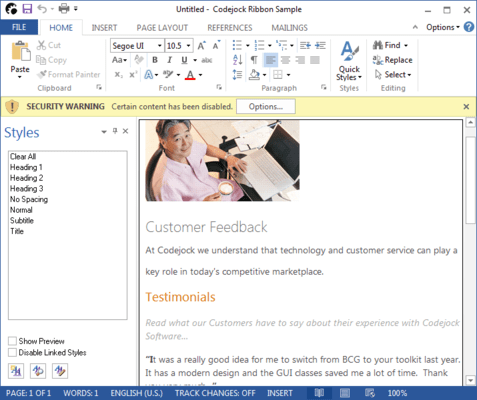
  • ActiveX Sample: RibbonSample improved with Dark and Light Gray options for Office 2013 theme.