Dr.Explain Releases
Released: Oct 15, 2015
Updates in this release
Updates in 5.2
- Responsive layout of online manuals for better accessibility on mobile devices.
- Automatic numeration of the documentation topics.
- Verified Windows 10 compatibility.
- Ability to import very large MS Word files.
- Better RTL (Right-To-Left writing) support.
- More customizable multi-level lists.
- Many components of Dr.Explain application were improved, such as PDF and HTML export, text editor, import algorithms.
Released: Oct 10, 2014
Updates in this release
Updates in V5.0
- Teamwork and Collaboration - Collaboration module allows multiple Dr.Explain users to work together on the same projects via the TiWri.com platform.
- Colored Export Logs - Spot alerts and error messages more easily.
- Improved and Re-styled User Interface - Dozens of improvements and tweaks.
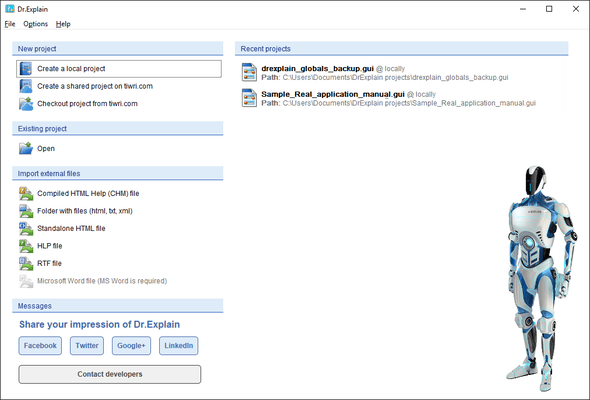
- New Start-up Dialog - All your projects, ready at hand.
Released: Jul 4, 2014
Updates in this release
Updates in V4.11
- Multilevel Lists - Use predefined styles of multilevel lists and create your own list styles.
- TiWri Support - Instantly publish online manuals on TiWri from Dr.Explain.
- Spell checking settings are now set per project, not globally.
- Several issues in PDF export were fixed.
- Several issues in the text editor were fixed.
Released: Nov 20, 2013
Updates in this release
Updates in V4.10
- Create custom title and Table of Contents pages for your project.
- Define output settings for each topic.
- Fixed several PDF export issues.
Released: Jun 6, 2013
Updates in this release
Updates in V4.9
- Comments - Enable comments and user generated content in your online manuals.
- Social Network Integration - Add social network buttons including Like, Tweet and Share to your help pages.
- Instant PDF Preview - Instantly preview your help topics in PDF format.
- Add Video - Insert video into your help files and online manuals.
- User Interface Improvements - Several UI improvements will make your work more efficient.
Released: Dec 3, 2012
Updates in this release
Updates in V4.8
- New modern design of online manuals.
- Breadcrumb navigation in online manuals.
- Updated localization files.
- Spell checking improvements.
- Dozens of fixes and functionality enhancements, performance and user interface.
Released: Dec 12, 2011
Updates in this release
Updates in V4.5
- Annotation Template and Callout Editor - Create callouts of any design, complexity and style.
- New Spell Checker - Full Unicode support and extended dictionaries.
- RTF\DOC Import - Enhanced handling of styles and formats during import.
- HTML Import - Improved handling of complicated HTML markup.
- Simplified Export Settings - Create CHM, PDF, RTF or HTML in two clicks without worrying about basic settings.
- Improved Performance - On-line manuals load up to 4 times faster.