Released: Jul 6, 2011
Updates in this release
Updates in v2011 vol 1
ExpressBars Suite updates
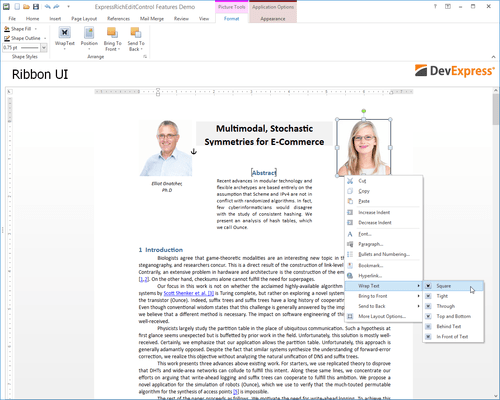
- New Ribbon Styles - In addition to the existing DevExpress Office 2007 style Ribbon, the newest release includes two new Ribbon style options: Windows Scenic Ribbon and Office 2010 Ribbon
- Ribbon Gallery - You can now provide an icon and descriptive text for each gallery item within the In-Ribbon Gallery.
- Skin Chooser Gallery - Originally written as an optional part of the Ribbon UI, this component provides an efficient way for end-users to apply skins from the ExpressSkins Library (including custom skins) specified in the application's uses clause, without any additional coding on your side.
- Ribbon Mini Toolbar Component - This customizable counterpart of a Ribbon context menu is now context-sensitive. In reaction to text selection via the mouse, it automatically pops-up using an animated fade while providing relevant (contextual) commands.
- Tabbed MDI Manager - The component provides a tabbed document interface within MDI applications. In the tabbed MDI layout, all child forms are displayed as tabbed pages on the main form.
- Extra Pane Visibility - The Ribbon Application Menu's extra pane can be hidden in order to optimize work space.
- Arbitrary ordering of bar items and galleries in a dropdown menu - A bar item can now be placed ahead of a gallery in a dropdown menu. In turn, the gallery is displayed in the menu as a dropdown gallery.
- TdxRibbonGallery Inheritance - The gallery item’s collection type was changed from TCollection to TcxComponentCollection. This change overcomes limitations associated with gallery state persistence in descendant forms. Inherited forms can now use the parent form's gallery settings.
- Design-Time Enhancements - Ribbon Gallery Designer - In previous versions, gallery items could not be moved from one group to another. With this release, gallery items can be freely moved between different gallery groups via drag and drop within the Ribbon Gallery Designer.
- Automatic Bar Manager binding - When dropped onto a form, the TdxBarDockControl automatically links the bar manager on the form, using the BarManager property.
ExpressLayout Control updates
- Layout Structure Inheritance - All layout elements can now be transferred to descendants of the layout control.
- New Layout Settings - New options for tabbed groups. With these settings, you can customize a tabbed group’s appearance in various ways. Group buttons can be positioned either on the group's left or right side. You can specify padding for each side of a layout element. Once specified, padding can be quickly triggered by changing individual padding options.
- Automatic tree expansion when dragging - In the Customization Form, a collapsed layout group is automatically expanded if a dragged layout element is positioned over the group's caption.
- Automatic tab switching when dragging - When the Customization Form is in tabbed View, dragging a layout element over the Layout Tree View or Available Items tabs automatically switches panes.
- Lock icon for layout groups - To ensure that end-users can see that a group is locked, the layout control displays a lock icon above the group's icon in the Customization Form.