
PDF Image Printer
Convert to PDF from any Windows document or application.
Published by PEERNET
Distributed by ComponentSource since 2004
Prices from: $ 60.61 Version: 12.0.028 NEW Updated: May 5, 2026
Convert to PDF from any Windows document or application.
Published by PEERNET
Distributed by ComponentSource since 2004
Prices from: $ 60.61 Version: 12.0.028 NEW Updated: May 5, 2026

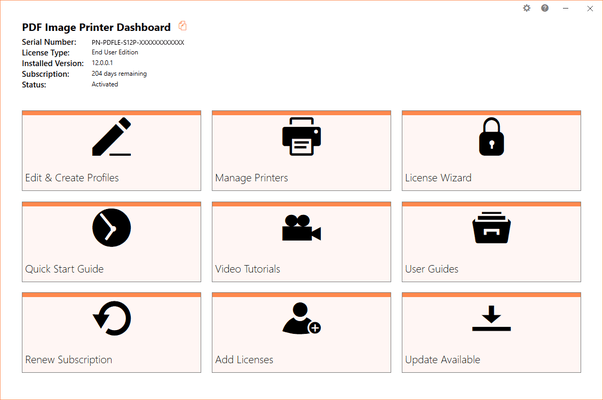
The PDF Image Printer Dashboard is the control center which brings all the tools for creating and editing profiles, managing printers, accessing help resources and product activation together in one place. Great place to quickly check your subscription expiry date or get notified about new updates.
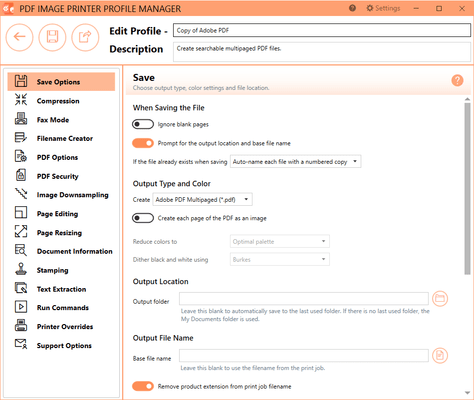
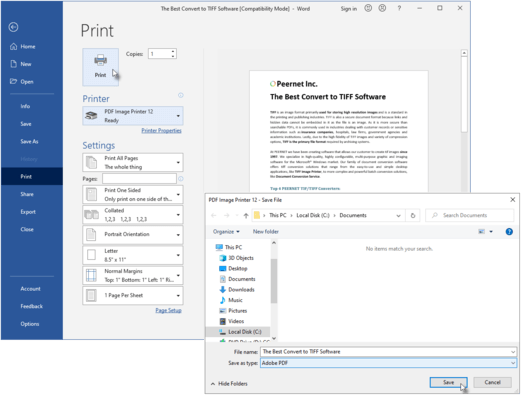
PDF Image Printer specializes producing the both searchable Adobe PDF files as well as non-searchable PDF files suitable for archiving, emailing, or posting to the internet. All PDF files can be read by standard PDF viewers such as Adobe® Reader. Edit your output settings using Profile Manager to create a personal profile to apply during conversion.
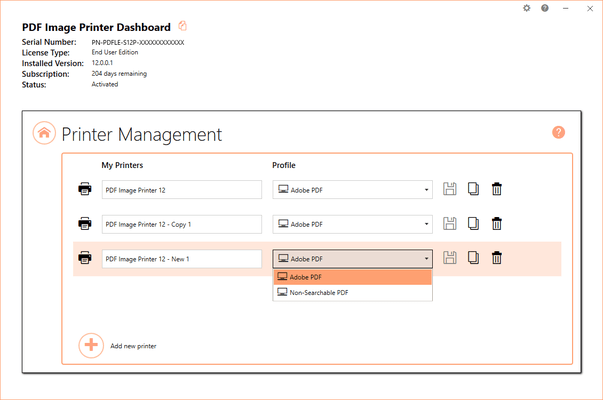
Quickly manage your printer settings directly from the Dashboard. Printer Management allows users to change the default profile PDF Image Printer uses to create output files, add new copies of the printer, and rename or delete existing printers.
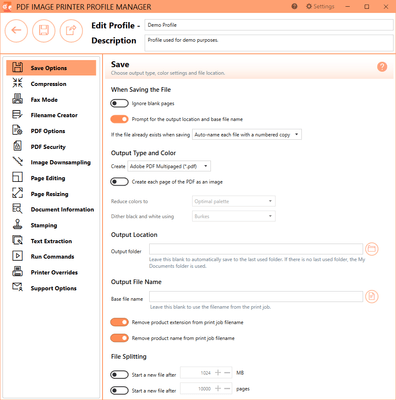
The Save Options tab holds all of the most frequently used settings. On this tab you can choose output type, color settings and file location.
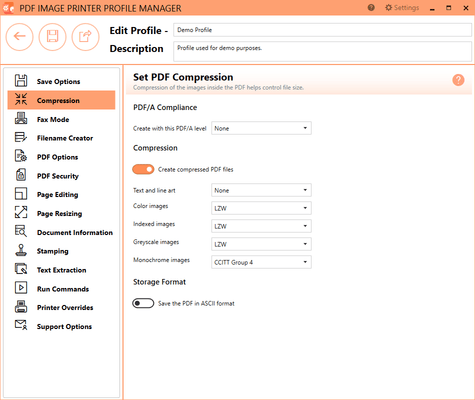
Changing the compression options can have a large impact on the size of the file but care must be taken when choosing compression methods as the file contents can also determine how well the chosen compression method will work. The default compression methods chosen for each color type will often give the smallest PDF file. When changing compression methods, be sure that you are changing the correct compression field in relation to the coloration of the image selected on the Save Options tab.
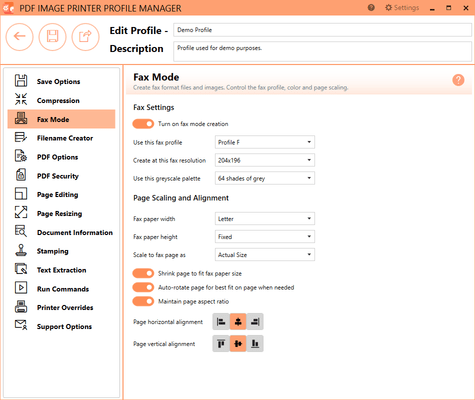
The Fax Mode tab holds all settings used to create fax-format images and files. On this tab you can control the fax profile, create your fax in various paper size, and determine how the fax image is scaled and aligned on the page.
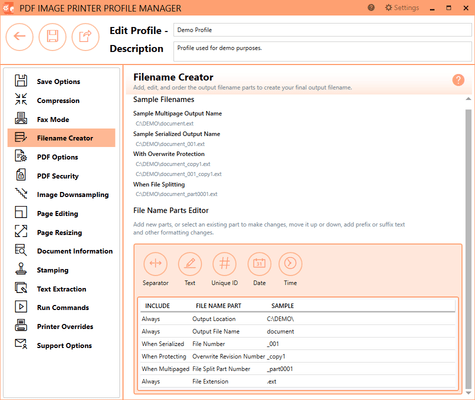
The Filename Creator tab allow you to add, edit, and reorder output filename parts to automatically create unique filenames for your PDF Image Printer output files.
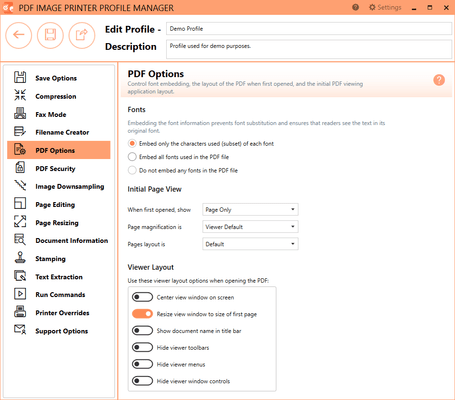
The PDF Options tab holds all PDF specific settings including embedding of fonts and PDF viewer layout.
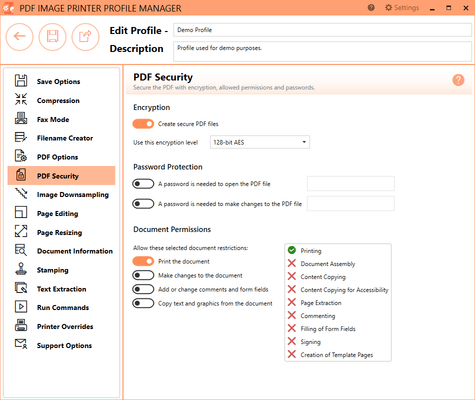
The PDF Secuity tab holds all PDF security settings including file encryption, file permissions and password protection.
Tel: (888) 850 9911
Fax: +1 770 250 6199


