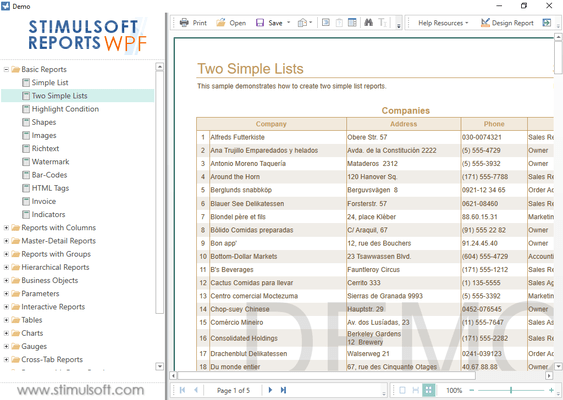
Stimulsoft Reports.WPF Releases
Released: Oct 16, 2024
Updates in 2024.4.2
Features
- The export settings options in the report now take the StiOptions.Viewer.Windows.Exports.Show options into consideration.
Fixes
- Submitting parameter values from a variable of type "List" in WCF projects.
- The CastToColumnType property did not work in compilation mode.
- Incorrect saving of the Gauge style font size to JSON.
- The issue with type converter compatibility in the custom SQL data adapter has been fixed.
Released: Oct 8, 2024
Updates in 2024.4.1
Features
- Added new maps for the following: Africa, Algeria, Angola, Benin, Botswana, BurkinaFaso, Burundi, Cameroon, CapeVerde, Chad, Comoros, Djibouti, Egypt, EquatorialGuinea, Eritrea, Ethiopia, Gabon, Gambia, Ghana, Guinea, Mali, Mauritania, Mauritius, Morocco, Mozambique, Namibia, Niger, Nigeria, RepublicOfTheCongo, Rwanda, SaoTomeAndPrincipe, Senegal, Seychelles, SierraLeone, Somalia, SouthSudan, Sudan, Swaziland, Tanzania, Togo, Tunisia, Uganda, Zambia, Zimbabwe.
- Added the ClickHouse data...
Released: Sep 19, 2024
Updates in 2024.3.6
Fixes
- Tab Order for some component editors in the report designer.
- Engine, "ProcessingDuplicates.RemoveText", did not clear the "Excel Value".
- In very rare cases, the "Footer" with "Print At Bottom" mode enabled was displayed before the "Empty Band.".
Released: Sep 2, 2024
Updates in 2024.3.5
Fixes
- Displaying the marker shadow in the chart even when it is disabled.
Released: Aug 14, 2024
Updates in 2024.3.4
Fixes
- Handling empty expression in chart filters.
- Displaying lines in Scatter Line type charts when using Axis Range.
Released: Jul 26, 2024
Updates in 2024.3.3
Fixes
- The relation between the values and their labels in the chart, in cases where the labels were obtained from the Tag property.
- Wrapping property labels in the Property Panel in the WPF v2 Report Designer.
- Fixed a bug when saving a report with the ability to specify the file markup (XML or JSON) as an extension to the report name (reports.json) in the "File Name" line of the "Save As" window.
Released: Jul 8, 2024
Updates in 2024.3.2
Fixes
- Exporting of "Gauge" to PDF document.
- Exporting of the "Map" component in reports.
- Positioning labels in a pie chart when exporting a report to a PDF document.
Released: Jun 13, 2024
Updates in 2024.3.1
Features
- Added an option to control synchronization behavior in the data dictionary.
- Added an option to select the default report save format.
- A new StiOptions.Engine.GlobalEvents.GetDefaultFont static event has been added. This event helps in replacing default fonts for all components.
- Added support for native names of geographical objects when manually entered for maps of China, Canada, Japan, Mexico, Netherlands, Norway, South Korea, Switzerland, and Poland.
- The "Show Zeros" property has been...
Released: May 22, 2024
Updates in 2024.2.6
Features
- Added collections of colors for HeatMaps with grouping in predefined dashboard styles.
Fixes
- Fixed the operation of the StiOptions.Designer.Ribbon.ShowQuickReportSave option to disable the "Save" button on the Ribbon toolbar in the WPF V2 report designer.
- Fixed issue with loading data, in some cases, when viewing a dashboard in a WPF viewer.
- Fixed error building a "Pie" type chart with different localizations in the WPF V2 report designer.
- Fixed handling of negative values for the "Area...
Released: May 10, 2024
Updates in 2024.2.5
Features
- Added the new StiOptions.Engine.NullDataSortMode static option. By default it is set to StiNullDataSortMode.NullFirst.
- Added a new MergeDocument method to the report for combining rendered reports.
- The WPF V2 report designer component now supports working with the 'StiOptions.Designer.MainMenu.ShowSelectLanguage' property.
Fixes
- Syntax highlighting in the SQL query editor for the dark theme in the report designer.
- Color selection for various elements in the "Shape" component in the WPF...