Telerik UI for Blazor News

RSS Feed

Control DataGrids with Natural Language

January 16, 2026Product Update
Telerik UI for ASP.NET Core, MVC and Blazor let users reshape, navigate, and export data using simple text prompts.

Improve Document Coding with AI Assistance

December 8, 2025Product Update
Telerik Document Processing 2025 Q4 improves AI Assistant with support for document editing, spreadsheet processing, and zip archive handling.

Boost Telerik Development with .NET 10 Support

November 21, 2025Product Update
Telerik adds day-zero support for .NET 10 across its UI suites, helping developers modernize web, desktop and cross-platform apps.

Create Interactive Diagrams with Built-In Layouts

September 26, 2025Product Update
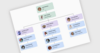
Telerik UI for Blazor 2025 Q3 adds a powerful Diagram component to visualize data with customizable shapes and flexible connections.

Enable OCR in PDF Processing Apps for .NET

June 27, 2025Product Update
The Telerik Document Processing Libraries 2025 Q2 update enhances the PDF processing library with support for optical character recognition (OCR).

Build Your UI in React and Blazor with AI Assistance

June 13, 2025Product Update
The 2025 Q2 releases for KendoReact and Telerik UI for Blazor add built-in AI coding assistants to help produce high quality code with ease.

Organize Multiple Panes Within a Single Container

April 1, 2025Product Update
Telerik UI for Blazor 2025 Q1 adds a DockManager UI component, enabling desktop-like experiences in web apps with flexible pane management.

Speed Up User Interactions in Blazor Apps

March 3, 2025Product Update
Telerik UI for Blazor 2025 Q1 adds a Floating Action Button for quick, customizable access to key actions, improving navigation and efficiency.

Customize Blazor Scheduling Solutions with Ease

December 4, 2024Product Update
Telerik UI for Blazor v7.0.0 improves Scheduler customization, allowing tailored layouts, streamlined displays, and user-friendly event views.

Telerik Adds Full Support for Microsoft .NET 9

November 22, 2024Publisher Update
The Telerik 2024 Q4 update introduces day-zero compatibility with .NET 9, providing developers with immediate access to the latest enhancements.

Enhance Blazor Grid Apps with Multiple Cell Selection

August 22, 2024Product Update
Telerik UI for Blazor v6.1.0 (2024 Q3) adds a new feature to the grid component which grants greater flexibility in cell selection and navigation.

Add Spreadsheet Functionality to Your Blazor Apps

May 28, 2024Product Update
Telerik UI for Blazor v6.0 (2024 Q2) adds a new spreadsheet component that lets you easily integrate Excel-like capabilities into your apps.

Display Additional Content on Demand without Sacrificing Space

February 8, 2024Product Update
Telerik UI for Blazor v5.1.0 (2024 Q1) adds a popover component that gives the user contextual content on demand, without cluttering the UI.

Important Changes to the Telerik Product Range

December 1, 2023Publisher Update
Learn about the updates to the Progress Telerik line-up, starting December 1, 2023.

Improve Blazor App UX with a Navigation Bar

November 23, 2023Product Update
Telerik UI for Blazor V5.0 helps you build a visually pleasing navigation experience with its new AppBar component.

Create Web, Desktop, and Mobile Apps for .NET 8 with Telerik

November 21, 2023Publisher Update
The latest updates add support for .NET 8, enabling users to build modern applications and reporting solutions targeting the new .NET release.

Telerik Revises .NET Support

November 17, 2023Publisher Update
Starting in 2024 Telerik .NET products will exclusively support .NET Framework 4.6.2+ and .NET 6.0+.
Telerik UI for Blazor R3 2023 (v4.6.0)

Telerik UI for Blazor R3 2023 (v4.6.0)

October 13, 2023New Version
Adds new ListBox component and improves Calendar, Charts and Grid.
Telerik UI for Blazor R2 2023 SP2 (v4.5.0)

Telerik UI for Blazor R2 2023 SP2 (v4.5.0)

August 31, 2023New Version
Grid adds support for keyboard navigation and virtual scrolling.
Telerik UI for Blazor R2 2023 SP1 (v4.4.0)

Telerik UI for Blazor R2 2023 SP1 (v4.4.0)

July 24, 2023New Version
Adds new RangeArea and RangeBar charts.