UltraCompare

File Compare, Folder Compare, and Merge Differences.

Published by UltraEdit
Distributed by ComponentSource since 2013
Version: v2024.x Updated: Feb 10, 2025 5.00 Star Average Review5.00 Star Average Review5.00 Star Average Review5.00 Star Average Review5.00 Star Average Review (2)

i

Please Note: UltraCompare is now available as part of UltraEdit Core or UltraEdit Enterprise (formerly UltraEdit All Access).
UltraCompare for Windows, Mac and Linux are now included in the License price.

UltraCompare v16.00 released

Released: Jun 9, 2016

Updates in v16.00

Features

  • New ribbon interface
    • Overhauled user interface with new ribbon display and functionality
    • Contextual tabs based upon compare type
    • Quick Access Toolbar
    • Compact mode (saves vertical space)
    • Legacy toolbar/menu mode
    • Full support for ribbon / toolbar customization
  • Modernized application icons
  • Full ultra-high-def (UHD) / 4k display support
  • Excel/table compare mode
    • Compare Excel or plain text CSV formats
    • Select different Excel sheets to compare
    • Specify separator character for CSV
    • Ignore rows/columns/cells
    • Optionally use row 1 as column headers
    • Edit, merge, and save across tables
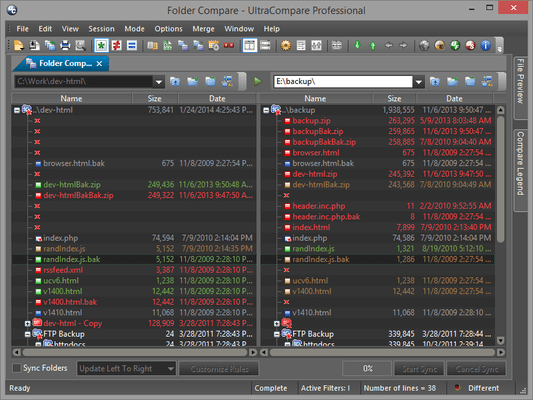
  • Folder mode enhancements
    • Folder sync options available directly on ribbon
    • Copy paths (all, visible, or selected) from folder compare frame
    • Merged files in progress are now dimmed to reflect merge status
    • New context menu option to open selected file in default application
    • Folder mode progress info now reflects byte totals
  • Horizontal ruler for text compare
  • New navigation control bar next to file paths
  • Moved "All", "Just Diffs", "Just Matching" to Edit tab
  • Each compare mode now remembers and restores last active tab
  • Improved UTF-8 handling
  • New start page (shows on first run, or when all sessions are closed)
  • Separate "Matches only" and "Diffs only" for column and rows in table mode

Fixes

  • Fixed and improvements to default theme colors
  • Fixed issue with file path aliases being shown in file path down history
  • Various other improvements and fixes