








Official Supplier
As official and authorized distributors, we supply you with legitimate licenses directly from 200+ software publishers.
See all our Brands.
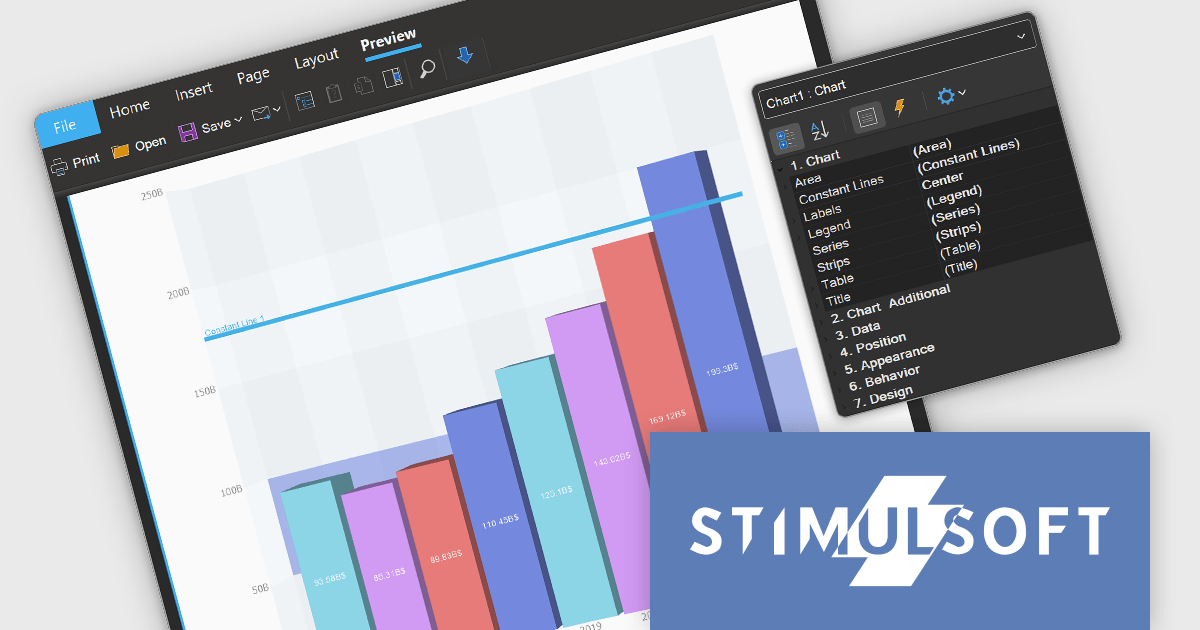
Stimulsoft Dashboards.WIN is a versatile suite of tools for crafting interactive data visualizations for web and desktop applications. It empowers developers to embed intuitive dashboards across various platforms, using platform-specific components or a centralized cloud designer. With data analysis elements, customization options, and pre-built templates, Stimulsoft Dashboards helps you transform complex data into clear, actionable insights for any audience.
Stimulsoft Dashboards.WIN 2024.4.1 introduces new functionality for 3D charts, including the ability to add constant lines and strips. This update ensures consistent styling across both 2D and 3D charts, making it easier to customize visualizations and enhance data clarity in reports and dashboards. These features provide greater flexibility for users to highlight key data points and trends, ensuring a more tailored and insightful presentation.
To see a full list of what's new in 2024.4.1, see our release notes.
Stimulsoft Dashboards.WIN is licensed per developer and is available as a perpetual license with 1 year support and maintenance. See our Stimulsoft Dashboards.WIN licensing page for full details.
Stimulsoft Dashboards.WIN is available in the following products:

FastReport .NET is a comprehensive reporting solution for .NET applications, offering a wide range of tools for creating, managing, and delivering reports. This software is designed to enable developers to integrate complex reporting functionalities directly into their .NET projects. Key features of FastReport .NET include an intuitive visual report designer, a powerful data processing engine, and support for a variety of export formats such as PDF, Excel, and Word. The product also supports data connectivity from multiple sources, including databases, XML files, and JSON. With its robust scripting capabilities, customizable templates, and ability to generate interactive reports, FastReport .NET provides developers with a versatile toolset for building high-performance, professional-grade reports suitable for business intelligence, data analysis, and presentation needs.
The FastReport .NET 2025.1 update introduces a valuable new feature that allows developers to add a report page as a link, instead of inserting the page into the report. This enhances report modularity and flexibility allowing developers to integrate external report pages into existing reports without duplicating content, simplifying maintenance and updates. By linking report pages, developers can efficiently reuse content across multiple reports, ensuring consistency while reducing the need for repetitive configuration. This feature is particularly advantageous for complex reporting scenarios where maintaining a single source of truth is essential.
To see a full list of what's new in 2025.1, see our release notes.
FastReport .NET is licensed per named user with options for Single, Team or Site Licenses. See our FastReport .NET Component Packages licensing page for full details.
Learn more on our FastReport .NET Component Packages product page.
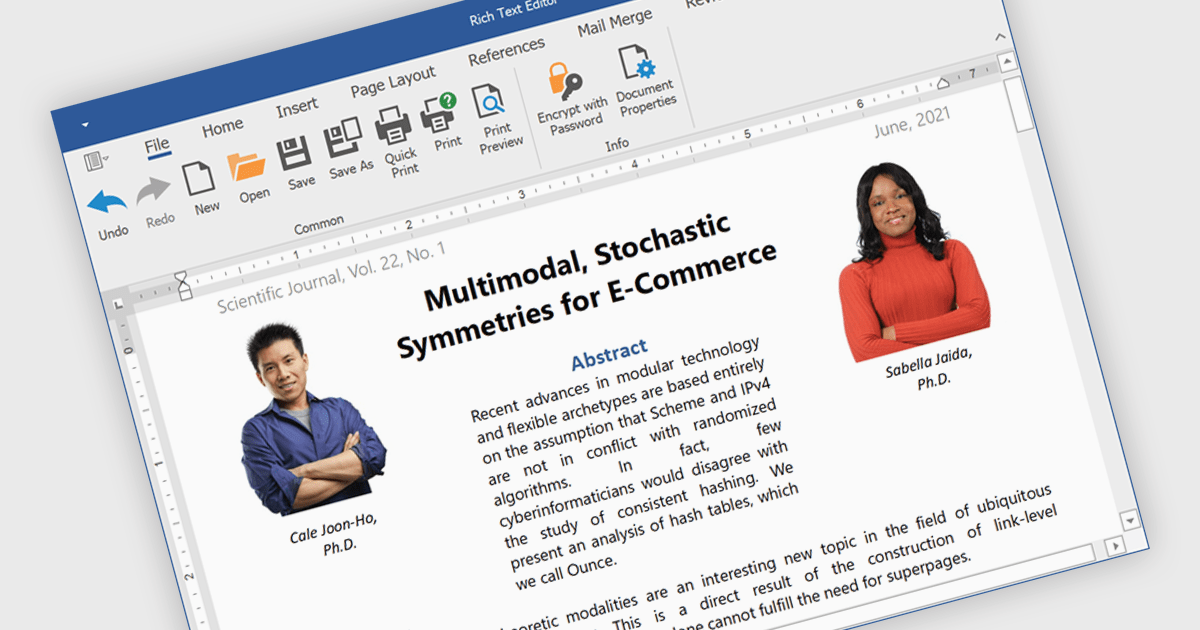
Rich text editors are software tools that enable users to create and format text documents with a wide range of features beyond basic text entry. These editors often include advanced formatting options such as bold, italic, underline, font selection, and color, as well as the ability to insert images, links, and other media elements. Additionally, they may provide tools for creating lists, tables, and other structured content, making them essential for tasks like writing blog posts, creating presentations, or drafting technical documentation.
Several products offer .NET rich text editors including:
Explore our range of .NET rich text editors within Word Processing components.
Need help to find the right software license, upgrade or renewal? Call, Email, or Live Chat with our experts.

Red Carpet Subscription by /n software is an all-inclusive developer toolkit offering a comprehensive library of development tools, network management utilities, and enterprise adapters. This subscription grants access to all products and updates, including new releases, for a flat fee per developer, streamlining your workflow and ensuring your team has the latest resources to tackle any communication or security protocol challenge.
The Red Carpet Subscription Vol. 3 2024 update introduces enhanced security and compliance capabilities with the implementation of AS4 rollover certificates and the AS4 ENTSOG v4 profile. AS4 rollover certificates ensure uninterrupted data exchange by automatically handling the transition to new digital certificates, mitigating potential security risks. The AS4 ENTSOG v4 profile, a standardized protocol for electronic data interchange, provides a more robust and secure framework for business-to-business communication within the energy sector, particularly for European entities. By incorporating these features, Red Carpet Subscription empowers users to maintain secure and compliant data exchange while adhering to industry-specific standards.
To see a full list of what's new in Red Carpet Subscription Vol. 3 2024, see our release notes.
Red Carpet Subscription is licensed per developer and is available as a Perpetual License with a 12 month support and maintenance subscription. See our Red Carpet Subscription licensing page for full details.
For more information, visit our /n software Red Carpet Subscription product page.

Data filtering and grouping allow spreadsheet users to efficiently organize and analyze information by categorizing and refining it. Filtering allows users to display only the data that meets specific criteria, reducing irrelevant information and focusing on key data points. Grouping, on the other hand, consolidates related rows or columns, facilitating hierarchical data organization and summarization. Together, these features enhance data manipulation capabilities by simplifying complex datasets, improving readability, and allowing for more efficient data analysis. This functionality supports productivity by providing a more structured view of data, making it easier for developers to interpret and work with extensive datasets.
Many .NET 8 WinForms spreadsheet controls contain data filtering and grouping including:
For an in-depth analysis of features and price, visit our comparison of .NET 8 WinForms spreadsheet controls.





Tel: (888) 850 9911
Fax: +1 770 250 6199


