.NET News

Data Binding in .NET 7 WinForms Spreadsheets

July 28, 2023
Automate the updating of spreadsheet data by utilizing data binding.

Data binding is a mechanism that connects data from a data source, such as a database or collection, to controls in a user interface such as a spreadsheet. It enables automatic synchronization of data between the source and the UI controls, allowing changes in one to be reflected in the other.

The following .NET 7 Windows Forms spreadsheet controls include support for data binding:

  • Aspose.Cells for .NET lets you bind data from various sources to worksheets, ranges, and individual cells. It supports two-way data binding, enabling easy synchronization between the UI and the data source.
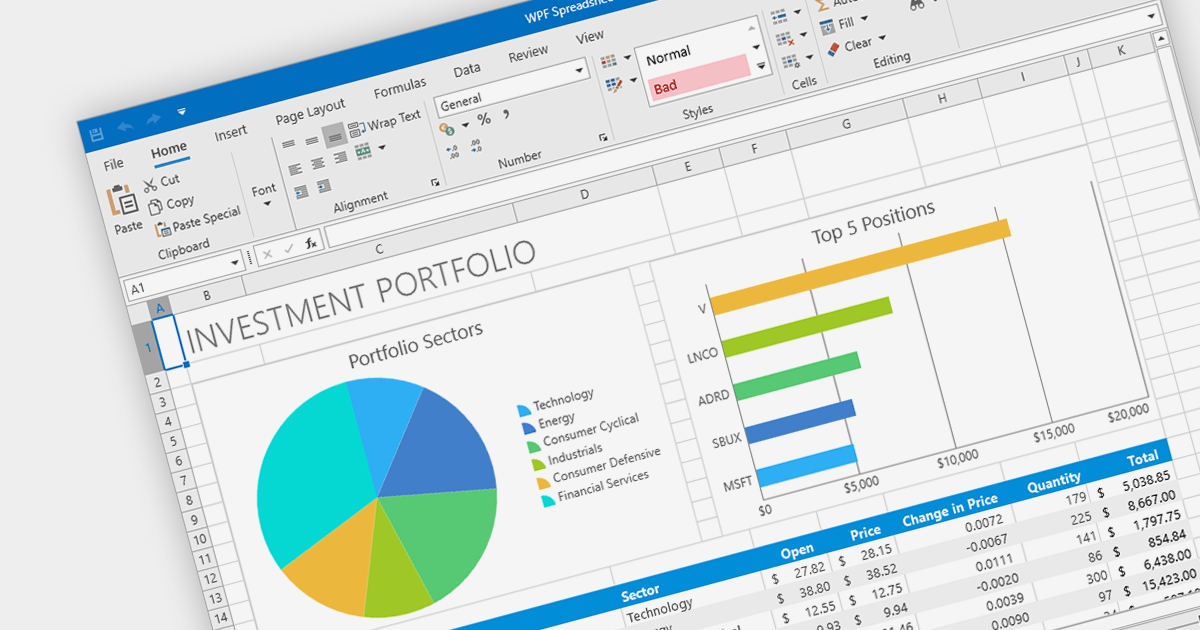
  • DevExpress WinForms Spreadsheet (part of DevExpress WinForms) allows users to bind data from databases, collections, or other sources to spreadsheet cells and ranges. It supports automatic data synchronization, enabling real-time updates between the UI and the underlying data.
  • Spread.NET WinForms (part of Spread.NET by GrapeCity) enables data binding from various sources to cells, ranges, and tables. It supports both one-way and two-way data binding, providing flexibility in data manipulation.

For an in-depth analysis of features and price, visit our comparison of .NET 7 spreadsheets.

Compare .NET 7 Winforms Spreadsheets

Extracting Content from a PDF in .NET

July 21, 2023
Make PDF data more accessible by automating data extraction.

PDF data extraction is the process of programmatically extracting textual and visual information from PDF documents. It enables developers to parse files, extract text, images, and other elements, facilitating tasks like document indexing, and text mining.

Several .NET PDF components provide content extraction capabilities, including:

  • Aspose.PDF for .NET is a comprehensive library that allows extracting text, images, and other elements from PDF files with ease.
  • IronPDF for .NET is a versatile PDF toolset enabling content extraction, conversion, and manipulation for PDF files in .NET applications.
  • LEADTOOLS PDF Pro is an advanced toolkit that allows developers to extract text and metadata from PDFs.
  • GrapeCity Documents for PDF is a feature-rich component for .NET, facilitating content extraction and management from PDF files.
  • XFINIUM.PDF CROSS PLATFORM EDITION is a cross-platform PDF library for .NET, offering efficient content extraction and processing functionalities.

For an in-depth analysis of features and price, visit our comparison of .NET PDF components.

Compare .NET PDF Components

Enhancing WPF Apps with a Ribbon Bar

July 4, 2023
Give your users a modern, user-friendly user interface with a ribbon menu.

A ribbon control is a graphical user interface element that consists of a horizontal strip displaying various commands and functions organized into tabs and groups for easy access and navigation. Ribbons are designed to be easy to use and understand. Tools are grouped together in a logical way, making it easy for users to find the commands they need, even if they are not familiar with the application.

Here are some example WPF UI suites that offer a ribbon control:

  • DevExpress WPF provides a comprehensive set of WPF controls, including a feature-rich Ribbon control for creating modern and efficient user interfaces. With its extensive customization options and built-in functionalities, it simplifies the development process and enhances the end-user experience.
  • Infragistics Ultimate UI for WPF offers a ribbon that comes with various design options, seamless integration with other controls, enabling developers to build interactive and visually appealing applications.
  • Telerik UI for WPF includes a versatile RibbonView control that enables developers to design intuitive and productive UIs. RibbonView integrates easily with other Telerik controls and provides a consistent look and feel across different platforms.
  • Actipro WPF Studio offers a highly customizable Ribbon control, empowering developers to craft professional-grade user interfaces. With extensive styling options and support for WPF features like commands and application menus, Actipro enables developers to build stunning ribbon-based applications.

For an in-depth analysis of features and price, visit our comparison of WPF UI suites.

Compare WPF UI Suites

LightningChart Added to .NET Charts Comparison

June 30, 2023
Compare LightningChart’s features against a wide range of alternative charts for .NET.

As the premier marketplace for software components and development tools, we are pleased to announce the addition of LightningChart by Arction Ltd to our .NET Charts Comparison. This latest inclusion further enriches the comparison tool's offerings, providing developers with a wider selection of high-performance charting components for their .NET projects.

LightningChart is renowned for its cutting-edge visualization capabilities, empowering developers to create stunning interactive charts, graphs, and dashboards with exceptional speed and responsiveness. With its extensive range of chart types, customization options, and real-time data streaming support, LightningChart offers flexibility and performance for data visualization in .NET applications.

Our updated .NET Charts Comparison enables developers to evaluate LightningChart with over 70 other popular charting components. It provides an in-depth analysis of each control's features, including supported chart types, data binding options, interactivity, styling, and .NET framework support, as well as pricing and community reviews. With extensive sorting and filtering options, our comparison makes it easy to shortlist products and find the best solutions for your specific needs.

By incorporating LightningChart into the comparison, we continue to ensure that developers have access to a comprehensive overview of the top charting components available in the market. This empowers developers to make informed decisions based on their specific requirements, ultimately saving time and effort in the selection process.

For an in-depth analysis of features and price, visit our comparison of .NET 7 charts.

Compare .NET Charts

Validating ComboBox Data using .NET 7 WinForms

June 21, 2023
Ensure accurate, consistent data entry and reduce user frustration with combobox validation.

Data validation in ComboBox controls ensures the selected value meets specific criteria or constraints. It involves validating user input against predefined rules such as required selection, range checks, or custom validation logic. By validating the data, ComboBox editors help maintain data integrity and enhance the accuracy and reliability of user input.

Here are some examples of .NET 7 WinForms data editors collections that support data validation in combo boxes:

  • DevExpress WinForms Data Editors (part of DevExpress WinForms) provides ComboBox editors with built-in data validation capabilities, including required field validation, range checks, and custom validation logic.
  • Infragistics Ultimate UI for Windows Data Editors (part of Infragistics Ultimate UI for Windows Forms) offers ComboBox editors that support data validation, allowing developers to enforce rules and constraints on user input.
  • ComponentOne WinForms Input and Editors (part of ComponentOne Studio WinForms by GrapeCity) includes ComboBox editors with validation features, enabling developers to validate selected values based on specified criteria.
  • Telerik UI for WinForms Data Editors (part of Telerik UI for WinForms) contains ComboBox editors with comprehensive data validation options, allowing developers to validate user selections against defined rules.

For an in-depth analysis of features and price, visit our comparison of .NET 7 WinForms data editors.

Compare .NET 7 Winforms Data Editors