








Official Supplier
As official and authorized distributors, we supply you with legitimate licenses directly from 200+ software publishers.
See all our Brands.
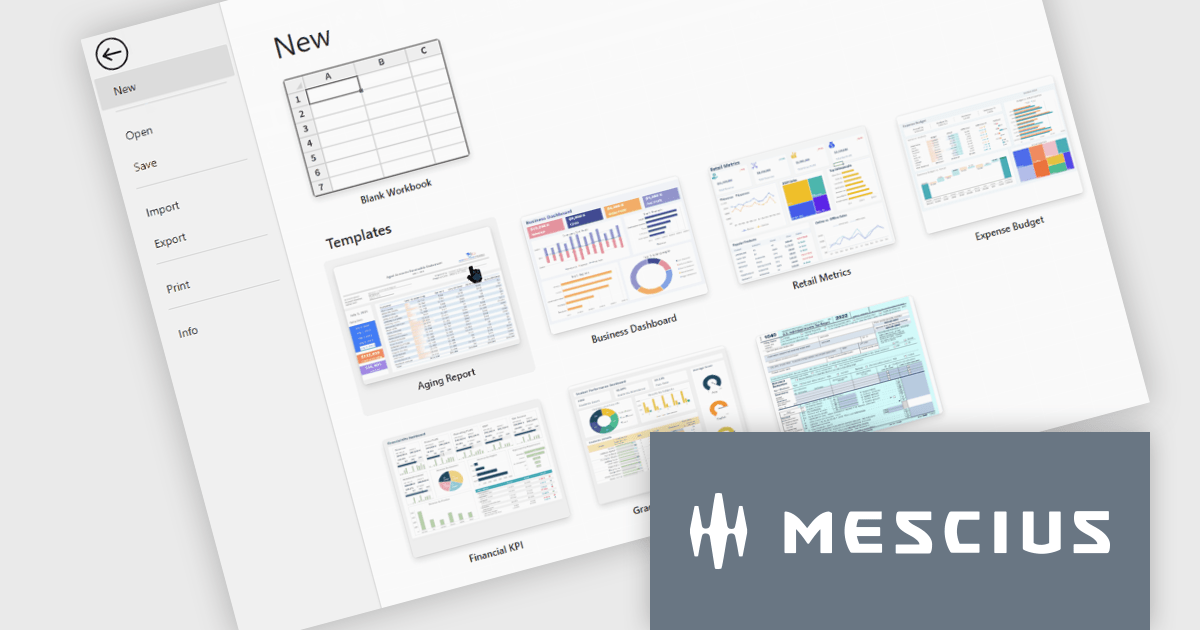
SpreadJS is a JavaScript spreadsheet and data visualization component built to deliver Excel-compatible functionality within web applications. It provides a flexible, high-performance interface for displaying and manipulating tabular data, supporting advanced features such as formulas, pivot tables, charts, conditional formatting, and data binding. SpreadJS integrates smoothly with popular frameworks like React, Angular, and Vue, and includes robust import and export capabilities for Microsoft Excel files. It is commonly used in enterprise applications where users need a responsive, interactive spreadsheet experience directly in the browser.
The SpreadJS 19.1.0 update enhances the designer with a new templatesConfig option, allowing developers to define template configurations for new workbooks. By loading templates from remote sources or preloaded data, applications can apply consistent styles and formats during initialization or reset operations, helping teams standardize workbook creation and simplify spreadsheet setup.
To see a full list of what's new in 19.1.0, see our release notes.
SpreadJS is licensed per developer and includes 1 Year Maintenance (major and minor version releases and unlimited support phone calls). SpreadJS requires an Annual or Perpetual Deployment License. The optional Add-ons are available at an additional cost, and require a SpreadJS license. See our SpreadJS licensing page for full details.
For more information, visit our SpreadJS product page.
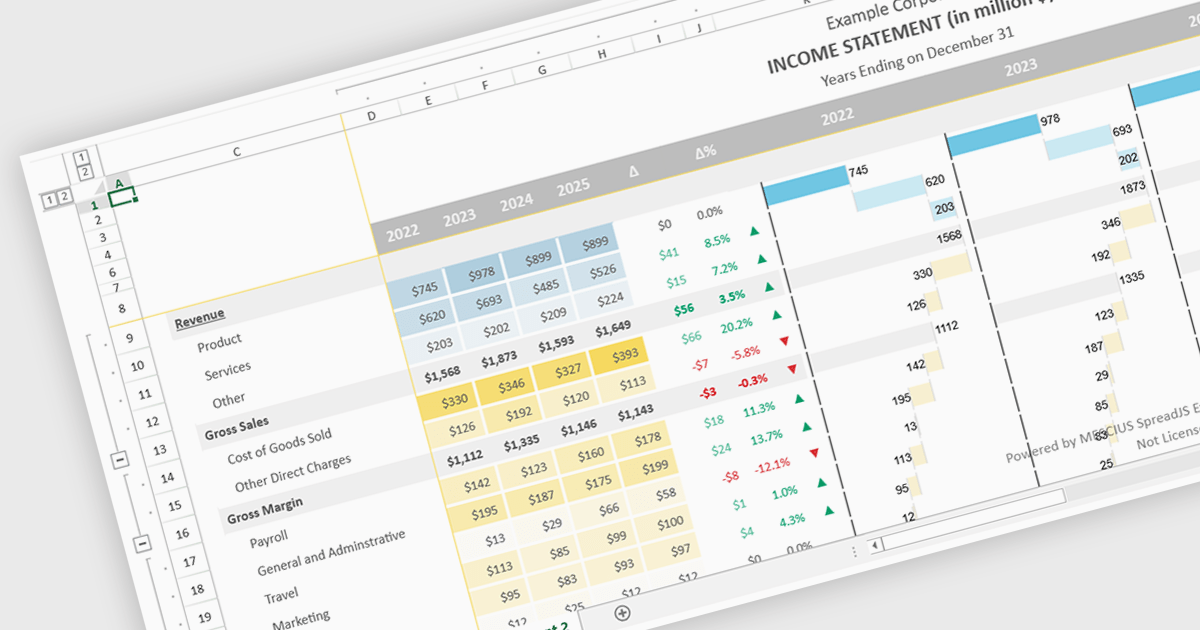
Conditional formatting support in a React spreadsheet component allows developers to apply dynamic visual styling to cells based on defined rules, values, formulas where supported, or predefined conditions, such as highlighting trends, thresholds, errors, or status changes as data changes. This capability improves data readability and usability by helping users identify important information quickly without manual analysis, while also enabling more interactive and responsive data-driven applications. For software developers, it provides a familiar spreadsheet experience within React applications, reduces the need for custom rendering logic, and supports the creation of dashboards, financial tools, reporting systems, and enterprise data management interfaces with clearer visual context.
Several React spreadsheet controls support conditional formatting including:
For an in-depth analysis of features and price, visit our React spreadsheet controls comparison.

Document Solutions for PDF JS by MESCIUS is a JavaScript PDF API that enables software teams to add PDF functionality to web applications. It supports use cases such as generating documents, modifying existing files, rendering pages, handling forms, converting content, and automating PDF-related processes across browser-based and server-side JavaScript environments.
Beyond core document processing, the product provides tools for creating richer document workflows within custom applications. Its WebAssembly-based engine is designed for efficient performance, while the optional viewer component supports interactive scenarios such as annotation, review, and form filling. This gives teams more control over how PDFs are handled and helps reduce reliance on separate PDF software in reporting, compliance, data collection, and collaboration scenarios.
Document Solutions for PDF JS is licensed per developer and is available in several license options for differing distribution needs. Team licenses are also available for multiple developers within the same organization. See our Document Solutions for PDF JS licensing page for full details.
Learn more on our Document Solutions for PDF JS product page.
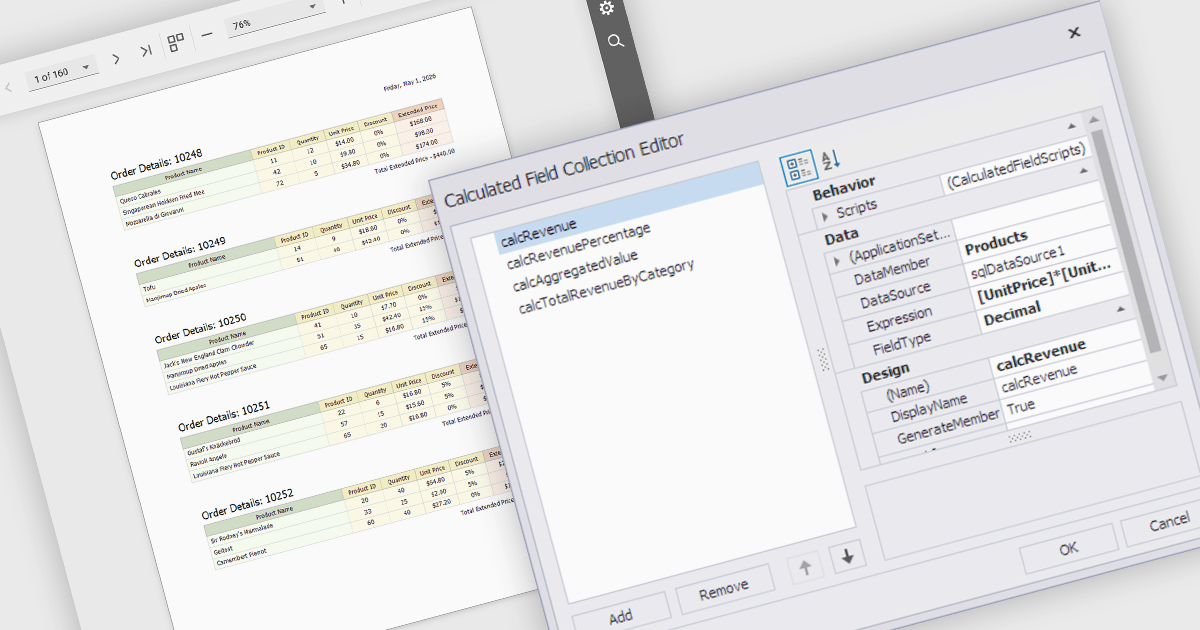
Calculated fields are dynamic values derived from existing data within reporting components. They enable complex data manipulations, calculations, and transformations, providing enhanced data analysis capabilities. By creating new fields based on existing data, calculated fields offer flexibility and efficiency, allowing users to perform calculations, aggregations, and logical comparisons directly within the report. This empowers users to generate insights, visualize trends, and make data-driven decisions without requiring modifications to the underlying data source, ultimately improving report accuracy and usability.
Several React reporting controls offer support for calculated fields:
For an in-depth analysis of features and price, visit our React reporting controls comparison.

Infragistics Ignite UI is a collection of user interface components, frameworks, and development tools designed to help developers build modern web applications. It includes ready-to-use elements such as data grids, charts, and layout components for frameworks like Angular and React, along with tooling to simplify project setup and configuration. The focus is on handling complex data-heavy interfaces efficiently while maintaining performance, accessibility, and a consistent user experience across applications.
The Ignite UI CLI release includes a new Model Context Protocol (MCP) server that exposes documentation, API references, and scaffolding to tools like GitHub Copilot, Cursor and JetBrains AI Assistant. There is also support for generating code from images, making it easier to move from design to implementation. Angular templates have been refreshed, React templates expanded, and older project types removed to keep the setup process more focused.
Infragistics Ignite UI is licensed per developer and is available as a Perpetual License with a 1, 2 or 3 year support and maintenance subscription. See our Infragistics Ignite UI licensing page for full details.
Infragistics Ignite UI is available in the following products:





Tel: (888) 850 9911
Fax: +1 770 250 6199


