








Official Supplier
As official and authorized distributors, we supply you with legitimate licenses directly from 200+ software publishers.
See all our Brands.
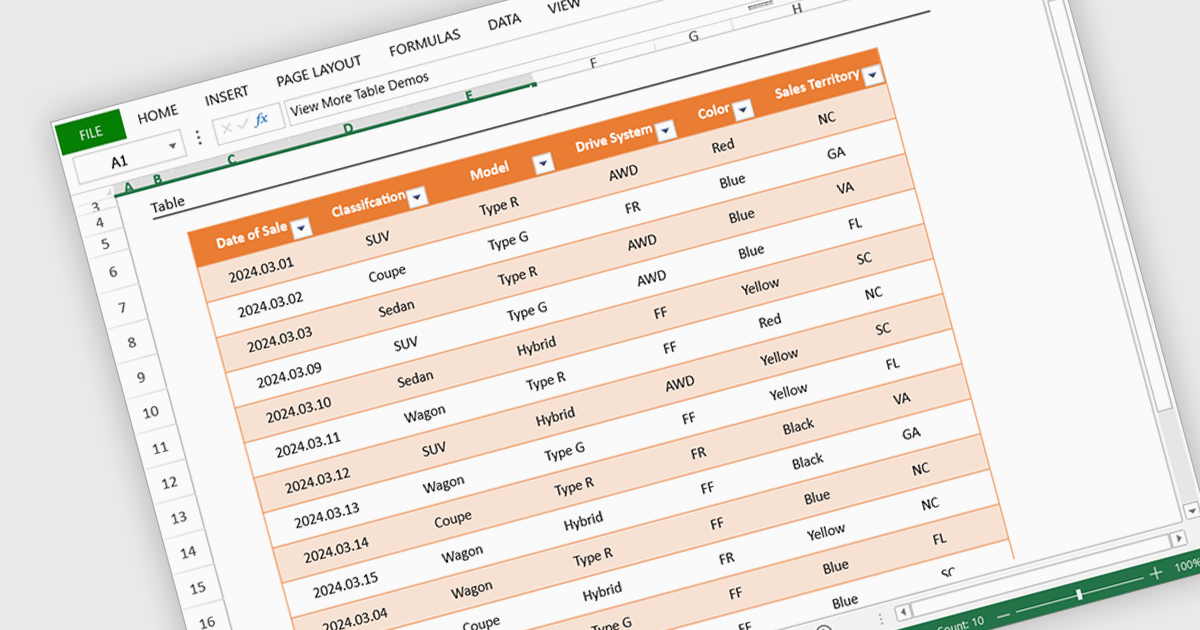
Spreadsheet display functionality allows developers to seamlessly integrate dynamic, tabular data into their applications. This capability enables users to visualize, analyze, and manipulate data directly within the application's interface, streamlining workflows and enhancing user experience. By providing a familiar and intuitive spreadsheet environment, developers can significantly improve data accessibility, comprehension, and productivity for their users.
Several Vue.js spreadsheet controls offer the ability to display spreadsheets including:
For an in-depth analysis of features and price, visit our Vue.js spreadsheet controls comparison.
ComponentOne Studio Enterprise is a comprehensive toolkit for .NET developers, offering a vast collection of pre-built UI controls for desktop (WinForms, WPF, WinUI, UWP), web (ASP.NET MVC, ASP.NET Core, MVC, Blazor), and mobile (.NET MAUI, Xamarin) applications. It extends functionality beyond UI with data visualization tools, data grids, reporting components, and JavaScript controls through Wijmo Enterprise. This all-in-one solution streamlines development by providing pre-designed elements and functionalities, allowing developers to focus on core application logic and deliver feature-rich applications faster.
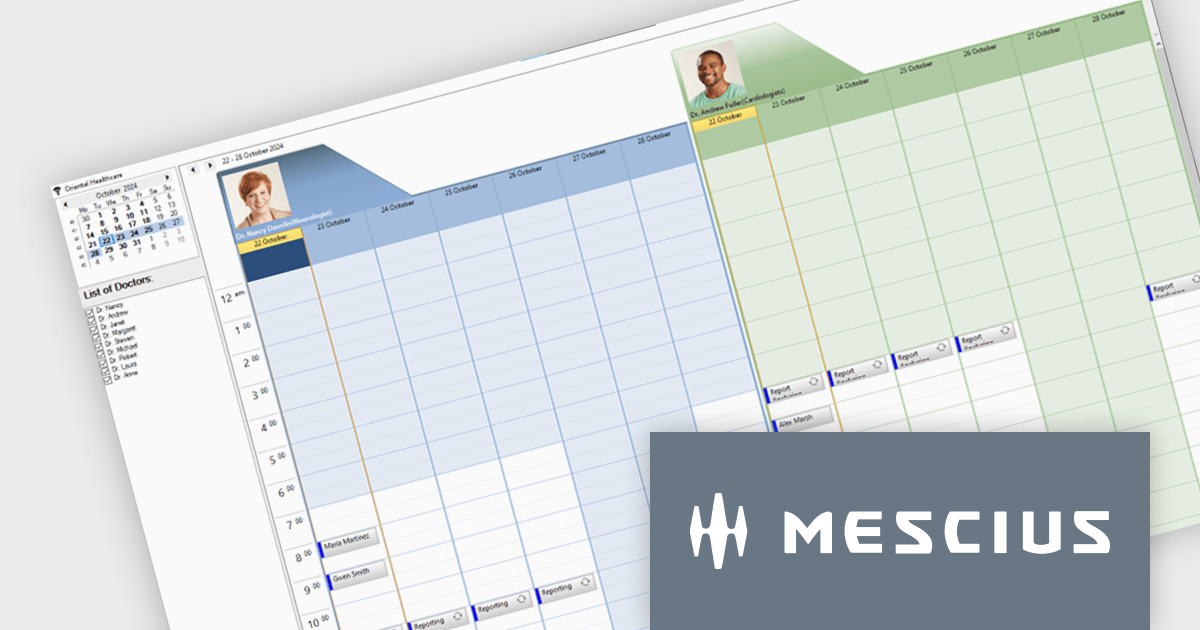
MESCIUS has introduced the ComponentOne C1Scheduler control, designed to enhance appointment management within .NET desktop applications. This powerful tool offers a fully functional, Outlook-style schedule, enabling users to add, edit, group, and manage appointments seamlessly.
In this blog post, MESCIUS Associate Software Engineer Nitin Sharma demonstrates how to create a Doctors Scheduler Windows app using the C1Scheduler control. This sample application is specifically tailored to meet the needs of healthcare providers, but can easily be adapted to cover a wide range of scheduling scenarios. Steps include:
Read the complete blog to get started building Windows applications with powerful scheduling functionality.
ComponentOne Studio Enterprise is licensed per developer on a perpetual basis and includes a 12 month subscription. Priority Support is also available. See our ComponentOne Studio Enterprise licensing page for full details.
Learn more on our ComponentOne Studio Enterprise product page.

JetBrains IntelliJ IDEA is a feature-rich Java IDE that empowers developers with a comprehensive set of tools for intelligent coding assistance, effortless navigation and search, seamless refactorings, in-depth code analysis, comprehensive Web and Enterprise development support, robust unit testing capabilities, and streamlined team collaboration features.
The IntelliJ IDEA 2024.3 update enhances Kubernetes application debugging by streamlining the process of diagnosing and resolving issues in microservices. With its improved debugging experience, developers can easily establish tunnel debugging to seamlessly integrate their local workstation into a Kubernetes cluster. This allows direct interaction with microservices as if they were running within the cluster, while maintaining network access to other services. The update also introduces a Forward Ports section in the Kubernetes UI, simplifying port-forwarding configurations to improve accessibility and workflow efficiency. These enhancements enable developers to debug Kubernetes applications more effectively, leveraging familiar tools without additional complexity, and ultimately reducing development time.
To see a full list of what's new in version 2024.3 see our release notes.
IntelliJ IDEA is licensed per user as a commercial annual subscription. We can supply New Subscriptions, Subscription Renewals, Lapsed Subscription Renewals, and Additional Developer Licenses. See our IntelliJ IDEA licensing page for full details.
IntelliJ IDEA is available to buy in the following products:
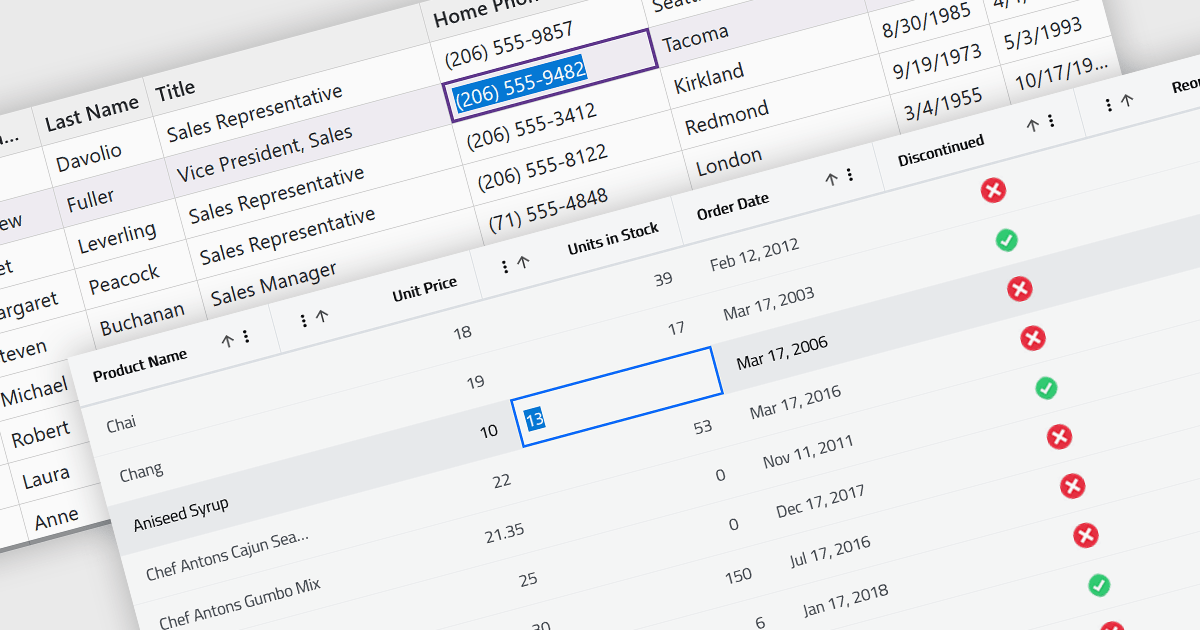
Inline editing in a grid is a user-friendly feature that allows users to edit data directly within the grid interface, without needing to open separate forms or dialogs. This means that data can be modified in place, streamlining workflows by reducing the steps required to make updates. Inline editing is particularly beneficial in scenarios where users need to quickly edit multiple records, such as updating inventory quantities, modifying project statuses, or correcting data errors in real time. By providing immediate visual feedback and maintaining the context of the data set, inline editing enhances productivity and minimizes the risk of disruptions. It is commonly used in applications like content management systems, project management tools, and enterprise resource planning (ERP) systems where efficiency and ease of use are critical.
Several Blazor grid controls offer support for inline editing including:
For an in-depth analysis of features and price, visit our Blazor grid controls comparison.

Installation tools are essential software utilities designed to facilitate the deployment of applications across various systems. These tools streamline the process of installing, configuring, and preparing software for use, often integrating essential functionality to ensure consistency and ease of use for both end-users and administrators. By automating complex tasks like dependency management, registry updates, and file registrations, these tools reduce manual intervention and minimize errors, ensuring a seamless installation experience across diverse environments.
Common features include:
For an in-depth analysis of features and price, visit our installation tools comparison.





Tel: (888) 850 9911
Fax: +1 770 250 6199


