
Codejock Docking Pane ActiveX
Provides Windows GUI engineers with all the components needed to create enhanced Visual Studio style docking windows.
Published by Codejock Software
Distributed by ComponentSource since 2003
Provides Windows GUI engineers with all the components needed to create enhanced Visual Studio style docking windows.
Published by Codejock Software
Distributed by ComponentSource since 2003
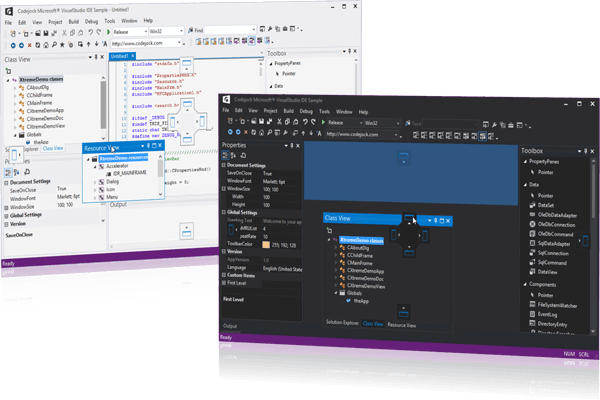
Codejock Docking Pane ActiveX is now only available in Codejock Suite Pro.
Provides Windows GUI engineers with all the components needed to create enhanced Visual Studio style docking windows.
Codejock Docking Pane for ActiveX COM allows you to create fully customizable docking panes with a professional and modern interface. Windows developers can easily create tear off tabs and auto hide windows that allow for a more manageable application workspace.
Features Overview
Codejock Docking Pane for ActiveX COM provides several options to choose from including Visual Studio and Office Theme Support, Tear Off Tabs, Visio Style Docking, Sliding Auto Hide Windows, Pinnable Panes, Drag-n-Drop Positioning, Cascading Panes, Load and Save State, Full Customization and much more. Docking Pane is included in Suite Pro for ActiveX COM.
Theme Support
General Features
Tab Customization
Auto Hide Panels
Load and Save State
Tel: (888) 850 9911
Fax: +1 770 250 6199


 (1)
(1)