Click for more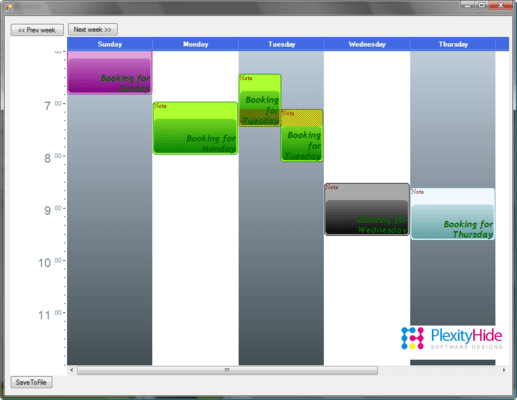
Weekly Planner
This is the kind of presentation you can see in Outlook. On a first glance this presentation may look very similar to the ResourceBooker. The big difference in the two are that each column in the ResourceBooker example has the same definition of time. In this example however the columns are used in the Schedule to represent a specific day. When doing so there is time on both axis. On one axis time is in the form of days and on the other time is in the form of hours within the day.
This pattern has the following important characteristics:
1. Time is presented on both axis
2. Each column has a time offset (in this sample 24 hours more for each column)
3. One can probably only be one place at once, so it will be important to signal double-booking
4. The view is aimed for someone that needs an overview of usage for a given interval.
5. It will be interesting to compare day usage and make it easy to move engagements to different days.


 (7)
(7)