Released: Jul 24, 2021
Updates in 2021.R1
Features
- Added support for Microsoft .NET 5 - The distribution now includes assemblies for Microsoft .NET 5.
New in MindFusion.Diagramming for WPF
- SVG nodes - New node class allows you to display SVG drawings.
- Import diagrams from SVG - The new SvgImporter class allows you to import SVG files into MindFusion.Diagramming.
- Code 128 barcodes - BarcodeNode now supports Code 128 barcodes.
- Lasso zoom tool - The control now supports several ways to zoom using Lasso tool:
- Set the Behavior property to Zoom to always draw a zoom lasso.
- Set the Zoom flag for one of the ModifierKeyActions keys to let users draw a zoom lasso with the respective modifier key pressed, along with the left mouse button.
- Assign the Zoom value to the RightButtonActions or MiddleButtonActions property to zoom using the mouse button.
- Layout improvements
- Automatic layout classes now process DiagramLinks connected to TreeViewItems.
- You can now set the LayeredLayout CompactLaterally property to create more compact layouts.
- Fishbone Diagrams - New FishboneDiagram control creates Ishikawa diagrams from a specified data source. These Fishbone diagrams are used to display causes of manufacturing effect/defect/event, grouped in categories and arranged as ribs around a backbone.
- Miscellaneous
- The TextLinePositions property now returns the positions of text lines in a ShapeNode.
- PdfExporter and SvgExporter now support ImageBrush brushes.
- The MoveNodes behavior allows grabbing nodes to drag them without using adjustment handles.
- Added protected visibility to DiagramItem CompleteModify overloaded method, called for indirect modifications.
- PanBehavior class used to implement Pan and PanAndModify behaviors is now public, allowing derived custom behaviors.
- ImageAlign now supports FitLeft, FitTop, FitRight and FitBottom alignment styles, which resize an image to fit a node's boundaries and align it to the respective border.
- The InitializeLasso event now lets you customize the appearance of a selection lasso before it shows on screen.
- NodeModifying and LinkModifying events are also now raised for items in multiple-selection.
- The Behavior property setter no longer clears current selection. Call the SetBehavior method with true argument instead if you need selection cleared too.
New in MindFusion.Scheduling for WPF
- Dark themes - Two new dark themes have been added, accessible via the Dark and Black elements of ThemeType enumeration.
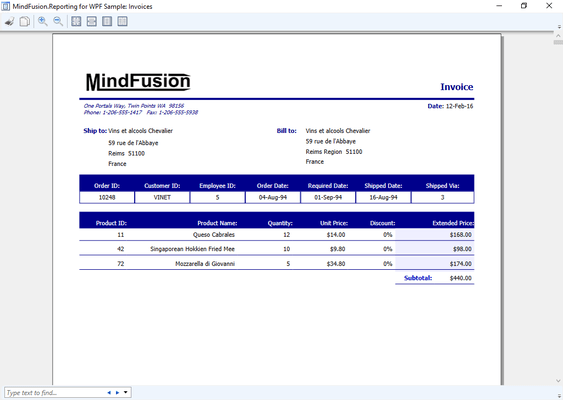
New in MindFusion.Reporting for WPF
- Code 128 barcodes - Barcode objects now support Code 128 barcodes.
New in MindFusion Virtual Keyboard for WPF
- Added new Dispose and DisposeShared methods.
New in MindFusion.UI for WPF
- Added new SvgViewer control which lets you display SVG drawings in WPF.
- Code 128 barcodes - BarcodeLabel now supports Code 128 barcodes.
- WindowDocking and WindowUndocking validation events have been added to DockControl.
- ItemSelected and ItemClosing events have been added to DockControl.
Fixes
Fixed in MindFusion.Diagramming for WPF
- Fixed TextLines exception when Text is empty string.
- Arc direction fixes in PdfExporter and SvgExporter.
- Fixed DiagramLink exceptions in clipboard copy and paste methods.
- Fixed issue with ArrangeAnimated.
Fixed in MindFusion Virtual Keyboard for WPF
- UnicodeKey fix for sending key to popup window in same process.
Fixed in MindFusion.Spreadsheet for WPF
- ExcelImporter fix for default false value of validations' showErrorMessage attribute.
- SUMIF and AVERAGEIF fixes for multiple-column ranges.
Fixed in MindFusion.UI for WPF
- Fixed wrong dock overlay position when Windows 10 display scaling is enabled.