
PEERNET File Conversion Center
Batch convert Office and PDF documents to PDF, JPEG, TIFF and other popular formats.
Published by PEERNET
Distributed by ComponentSource since 2004
Prices from: $ 302.49 Version: 6.0.017 Updated: Mar 6, 2025
Batch convert Office and PDF documents to PDF, JPEG, TIFF and other popular formats.
Published by PEERNET
Distributed by ComponentSource since 2004
Prices from: $ 302.49 Version: 6.0.017 Updated: Mar 6, 2025
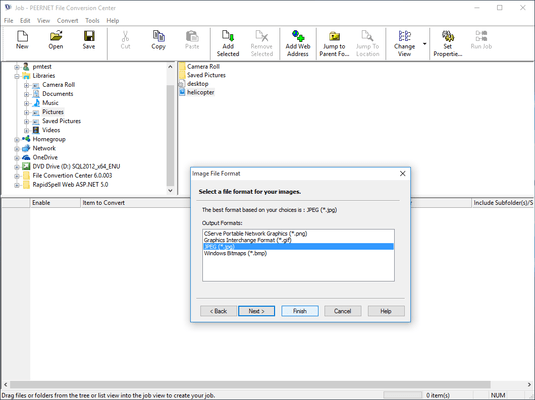

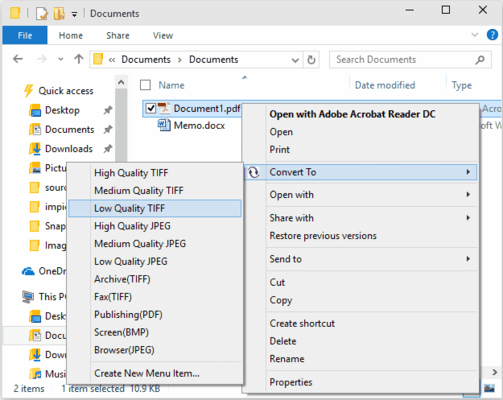
Converting files is as easy as right-clicking on a file and using the Convert To context menu to select the type of output file you want to create. The Convert To context menu also appears when you right-click on a folder in the Windows Explorer shell. From this menu you can convert files using the existing menu items or create new menu items. Folders or files are converted in accordance with the settings associated with the selected job profile. See Working With the Job Profiles Editor for information on viewing job profile summaries, and displaying and arranging job profiles in the shell context menu.
Tel: (888) 850 9911
Fax: +1 770 250 6199


