








Official Supplier
As official and authorized distributors, we supply you with legitimate licenses directly from 200+ software publishers.
See all our Brands.

Grial UI Kit by UXDivers is a collection of pre-designed user interface components and templates specifically built for Xamarin.Forms and .NET MAUI app development. It offers a wide range of customizable XAML code snippets, custom controls, and helpers, allowing developers to rapidly build modern and visually appealing mobile applications for Android and iOS platforms while focusing on the core functionalities of the app.
The Grial UI Kit 4.2.115 release introduces the Swipeable Layout control, allowing you to create dynamic and engaging user experiences within your app. This versatile feature enables the creation of both swipeable card interfaces, perfect for showcasing product galleries or image carousels, and simple binary choice interfaces for actions like yes/no confirmations, all utilizing intuitive swipe gestures. This addition empowers developers to design a wider range of interactive elements, enhancing user immersion and simplifying common interactions within their applications.
To see a full list of what's new in 4.2.115.0, see our release notes.
Grial UI Kit is licensed per application and is available as an perpetual license. See our Grial UI Kit licensing page for full details.
For more information, see our Grial UI Kit product page.
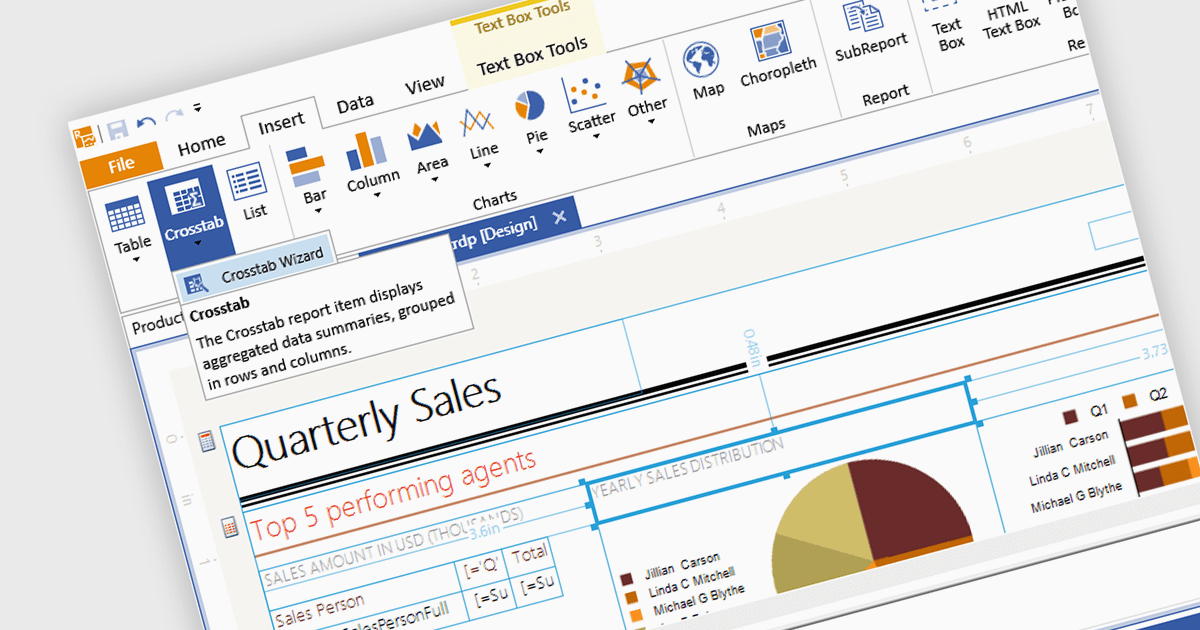
A visual report designer is a software tool that enables the creation of data-driven reports through an intuitive graphical user interface, allowing users to drag and drop data elements and design components onto a canvas. This approach eliminates the need for coding knowledge and thereby simplifies the report creation process. These tools offer benefits such as increased accessibility for non-technical users, improved design efficiency, and the ability to produce clear and informative reports that effectively communicate complex data.
Several .NET 8 WinForms reporting components includes a visual report designer, including:
For an in-depth analysis of features and price, visit our comparison of .NET 8 WinForms reporting components.
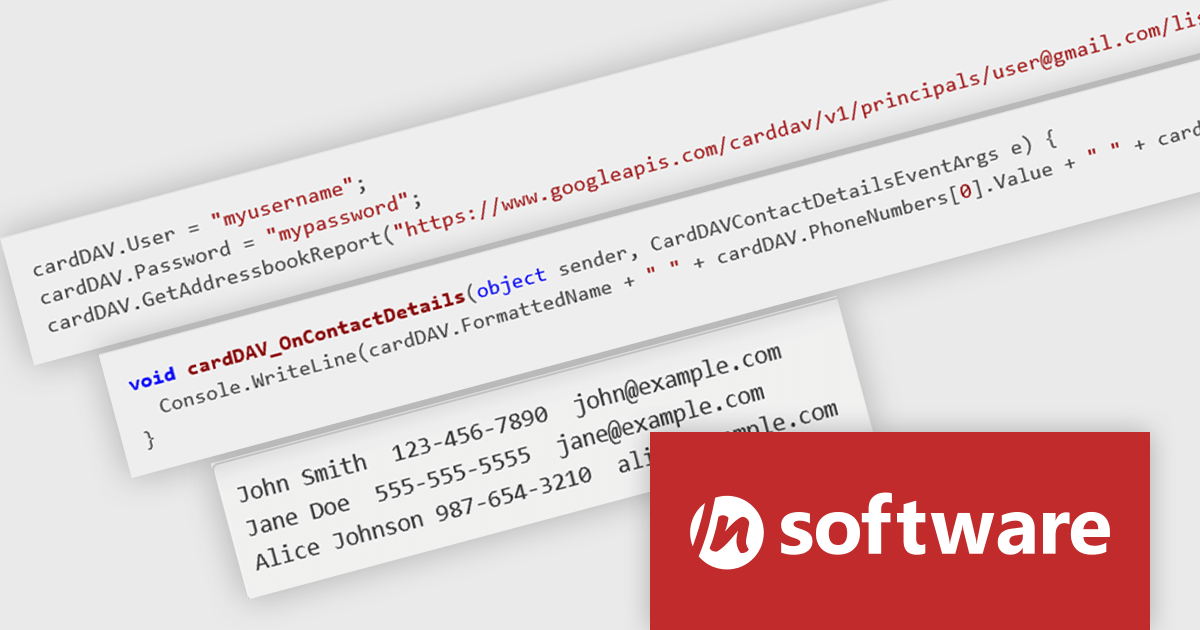
IPWorks by /n software is a comprehensive development library designed to streamline your creation of internet-enabled applications. It offers pre-built, secure components for common functionalities like sending emails, transferring files, and consuming web services. This allows you to focus on your application's core logic while leveraging pre-tested, robust tools for essential internet interactions.
The IPWorks 2024 release streamlines contact management with its all-new CardDAV component. This integration empowers applications to seamlessly create, edit, and synchronize contacts across devices and platforms. Users can effortlessly manage address books, add, delete, copy, or move entries, all while centralizing data on a CardDAV server. This ensures everyone stays in sync and fosters improved collaboration across an organization.
To see a full list of what's new in IPWorks 2024, see our release notes.
IPWorks is licensed per developer and is available as a Perpetual License with a 12 month support and maintenance subscription. See our IPWorks licensing page for full details.
IPWorks is available to buy in the following products:
ComponentOne Studio WinForms by MESCIUS is a comprehensive toolkit offering over 120 advanced UI components to streamline Windows Forms application development. It empowers you to build visually appealing and feature-rich applications with functionalities like data visualization through charts and reports, intuitive data editing with performant grids, and modern UI elements including ribbons and docking for a user-friendly experience.
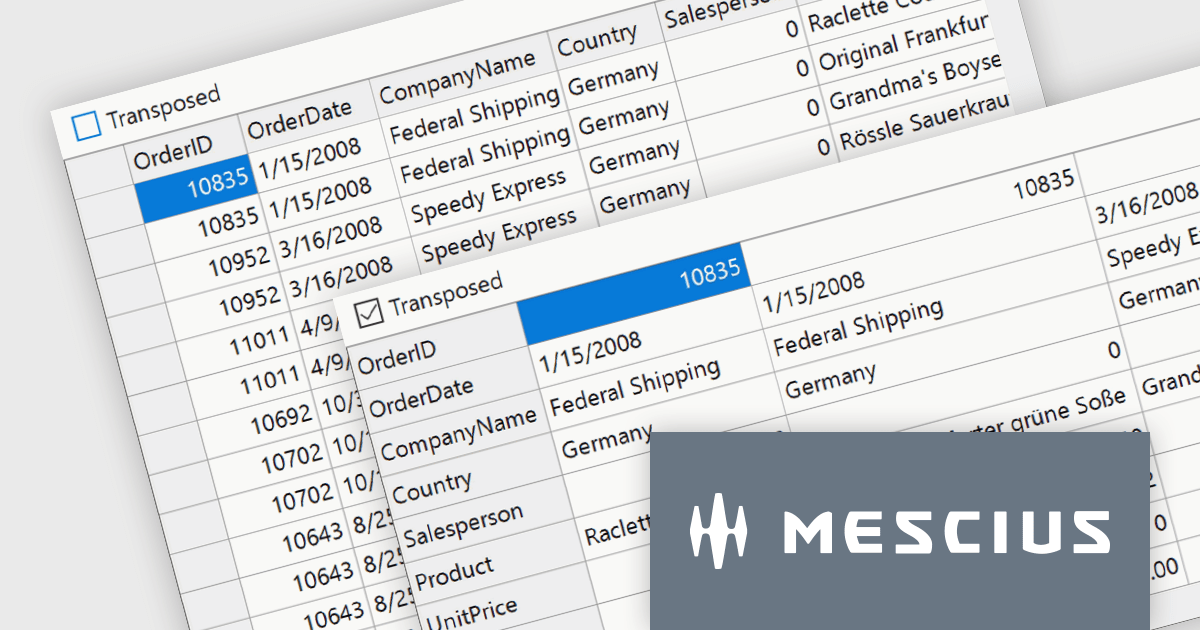
The ComponentOne Studio WinForms 2024 v1 update introduces a new Transposed datagrid view for FlexGrid, enhancing its data presentation capabilities. This feature allows you to display data with rows as columns and columns as rows, providing an alternative view for scenarios where you have many columns or want to prioritize specific data points. This can improve data readability and analysis, especially for wide datasets or when focusing on specific attributes across multiple records.
To see a full list of what's new in 2024 v1, see our release notes.
ComponentOne Studio WinForms is licensed per developer on a perpetual basis and includes a 12 month subscription. See our ComponentOne Studio WinForms licensing page for full details.
Learn more on our ComponentOne Studio WinForms product page.

ComponentOne Studio Enterprise by MESCIUS is a comprehensive toolkit for .NET developers, offering a vast collection of pre-built UI controls for desktop (WinForms, WPF, WinUI, UWP), web (ASP.NET MVC, ASP.NET Core, MVC, Blazor), and mobile (.NET MAUI, Xamarin) applications. It extends functionality beyond UI with data visualization tools, data grids, reporting components, and JavaScript controls through Wijmo Enterprise. This all-in-one solution streamlines development by providing pre-designed elements and functionalities, allowing developers to focus on core application logic and deliver feature-rich applications faster.
The ComponentOne Studio Enterprise 2024 v1 release adds ComponentOne MAUI FlexChart, a cross-platform .NET MAUI chart control, empowers you to craft dynamic dashboards and data visualizations. With over 50 chart types including bar charts, line graphs, pie charts, and combination plots, developers can tailor the perfect visual representation for your data. FlexChart offers granular control, allowing you to customize labels, gridlines, tick marks, and more. It enhances user engagement with interactive features like pop-up labels, selection, zoom, pan, and line markers. This powerful tool enhances the ability to present data insights in a clear and engaging way for .NET MAUI projects.
To see a full list of what's new in 2024 v1, see our release notes.
ComponentOne Studio Enterprise is licensed per developer on a perpetual basis and includes a 12 month subscription. Priority Support is also available. See our ComponentOne Studio Enterprise licensing page for full details.
Learn more on our ComponentOne Studio Enterprise product page.





Tel: (888) 850 9911
Fax: +1 770 250 6199


