








Official Supplier
As official and authorized distributors, we supply you with legitimate licenses directly from 200+ software publishers.
See all our Brands.
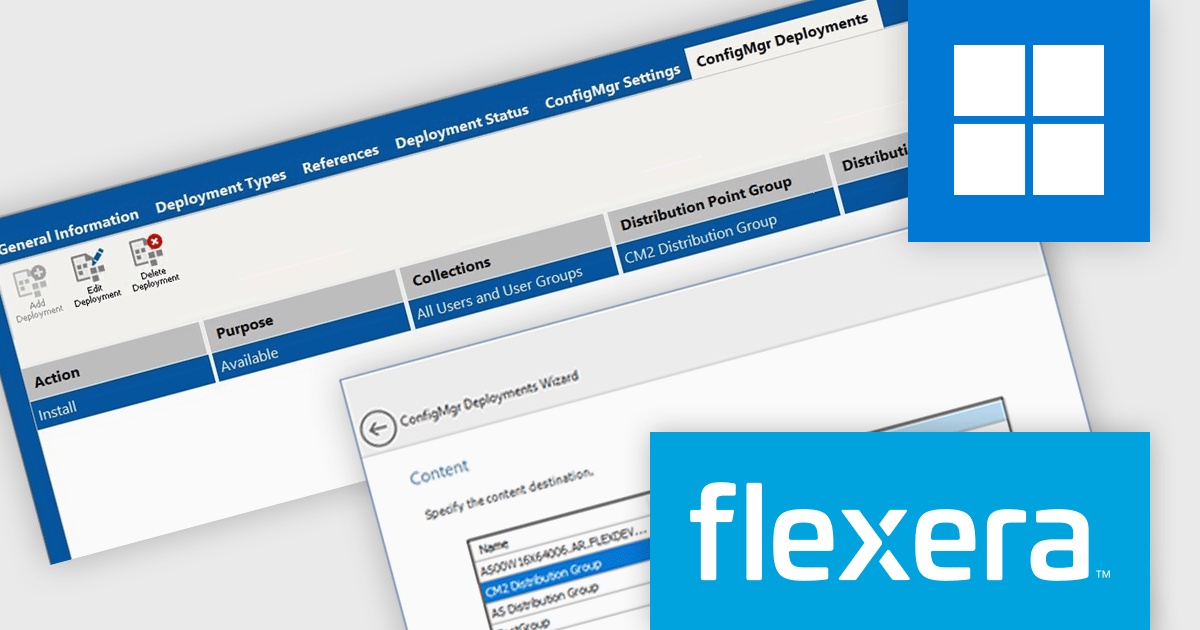
AdminStudio, by Flexera, empowers IT teams to seamlessly and securely package and deploy applications across various platforms. This comprehensive suite automates key processes, from building new packages to testing compatibility and mitigating risks, ensuring efficient and reliable software distribution within your organization. Whether managing physical or virtual applications, AdminStudio simplifies the entire journey, from initial packaging to endpoint delivery, ultimately driving greater efficiency and minimizing deployment risks.
The AdminStudio 2025 release enhances the Application View to directly support Microsoft Configuration Manager (ConfigMgr) deployments. This new tab provides a centralized interface for managing deployments, allowing users to add, edit, and delete ConfigMgr deployment settings associated with specific applications. By integrating this capability into the core AdminStudio interface, Flexera simplifies the deployment lifecycle for IT professionals, reducing the need for external tools or manual scripting. This update helps ensure that software packaging and deployment remain both efficient and scalable in enterprise environments.
To see a full list of what's new in version 2025, see our release notes.
AdminStudio is licensed per user and is available as a 3 Year Timed Subscription. See our AdminStudio Professional or AdminStudio Enterprise licensing pages for full details.
For more information, visit our product pages:
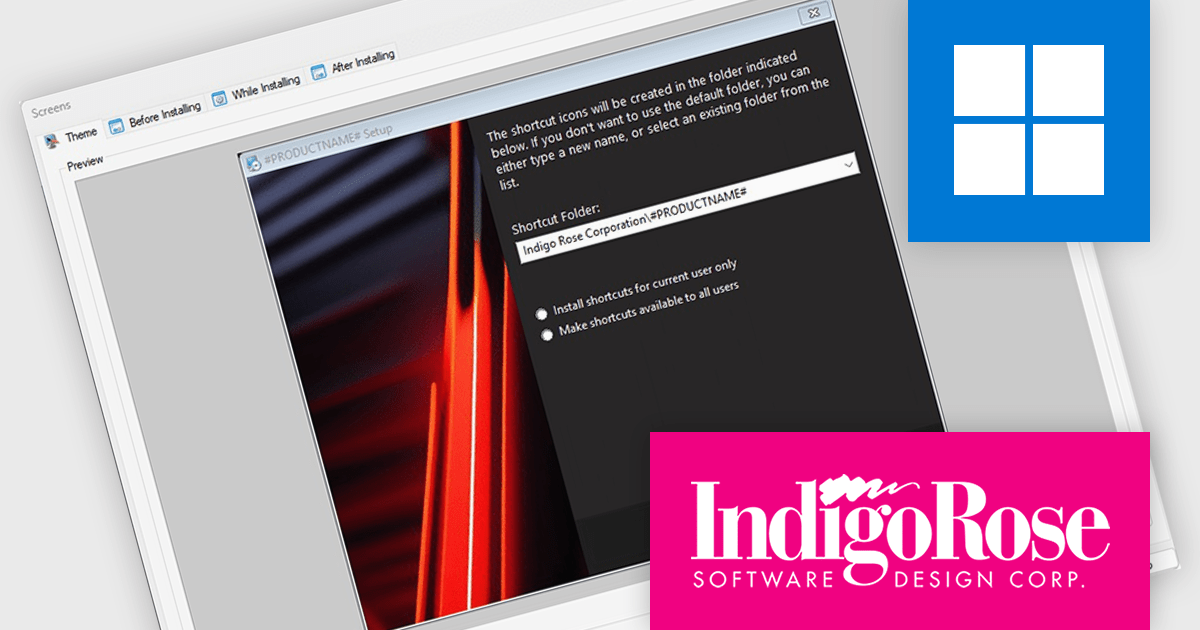
Setup Factory by Indigo Rose is a Windows installer builder designed for software developers who need to create compact, reliable, and professional software installation packages. It offers a scripting engine based on Lua that allows for extensive customization of the installation process, including logic branching, conditional operations, and integration with external components. Setup Factory is known for producing lightweight installers without requiring a dependency-heavy runtime, making it particularly suitable for applications that need to be distributed efficiently and installed with minimal user friction. Its design emphasizes control and flexibility, enabling developers to manage files, registry entries, system changes, and user interface behavior directly from the scripting environment.
The Setup Factory 10 update adds support for building Dark Mode-enabled installers, aligning with contemporary interface standards and user preferences. The new Dark Mode support is especially valuable for applications targeting macOS or Windows 11 environments, where Dark Mode is increasingly the default. By embracing this design paradigm, Setup Factory ensures that deployment interfaces not only function efficiently but also look polished and professional, reflecting well on the software being installed.
To see a full list of what's new in version 10, see our release notes.
Setup Factory is licensed per developer and is available as a Perpetual License with a 6 Months Maintenance Plan (all major and minor updates). See our Setup Factory licensing page for full details.
For more information, visit our Setup Factory product page.
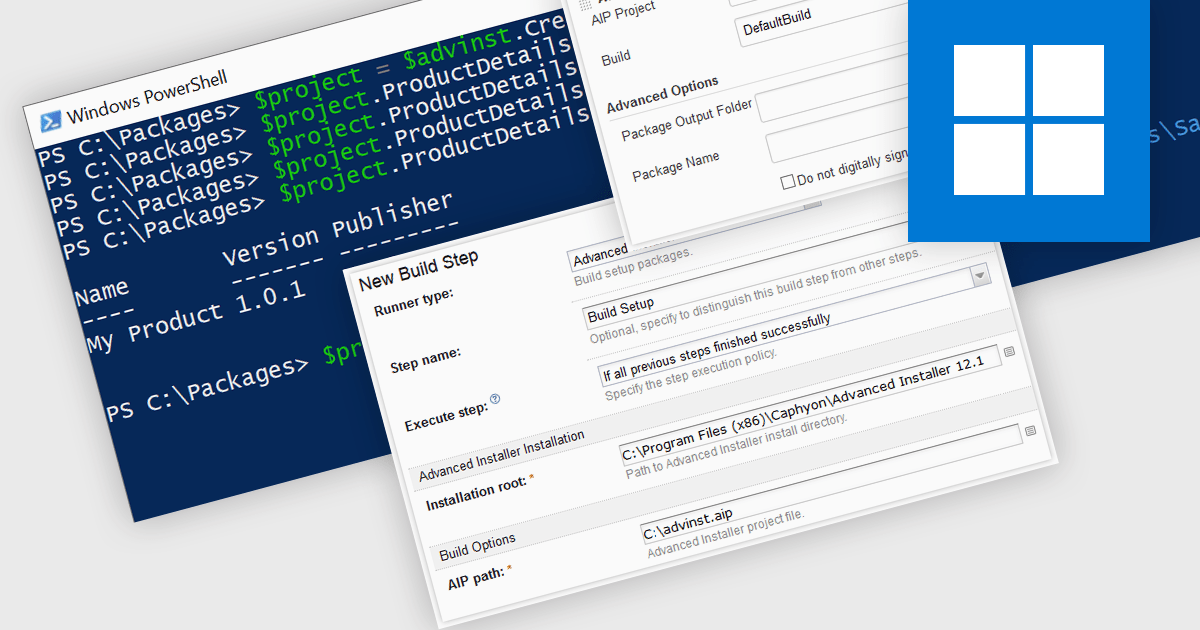
Continuous Integration (CI) in installation tools refers to the practice of automatically building, testing, and packaging software installations as part of a continuous integration pipeline, ensuring that setup processes are always in sync with code changes. It enables development teams to detect installation-related issues early by integrating tools like Azure DevOps, Jenkins, or TeamCity to automate the generation and validation of installers whenever the codebase is updated. This approach minimizes manual errors, accelerates release cycles, and maintains a consistent and reliable deployment process, aligning the installer with every version of the application throughout development.
Several Installation Tools offer Continuous Integration including:
For an in-depth analysis of features and price, visit our comparison of Installation Tools.

TeamCity by JetBrains is a robust continuous integration and deployment (CI/CD) server that simplifies building, testing, and deploying software. It supports diverse workflows with features like real-time build monitoring, customizable pipelines, and integrations with tools like Git and Mercurial. TeamCity’s intelligent build management, including parallel builds and automated testing, optimizes resources and accelerates delivery. With its user-friendly interface and extensive language and framework support, TeamCity is ideal for teams aiming to streamline development and maintain high-quality code efficiently.
The TeamCity 2025.03 release allows users to encapsulate custom build logic into reusable components called recipes. These are composed of one or more standard build steps and are particularly useful when TeamCity's built-in steps don’t offer a needed capability. For example, if a team regularly uses a Command Line Interface (CLI) step to upload artifacts through a cloud provider's API, that process can now be saved as a named recipe and reused across projects. This enhances consistency, reduces duplication, and makes complex builds easier to manage and maintain.
To see a full list of what's new in version 2025.03, see our release notes.
TeamCity On-Premises is licensed per server and per build agent, and is available as a commercial perpetual license. See our TeamCity On-Premises licensing page for full details.
For more information, visit our TeamCity On-Premises product page.
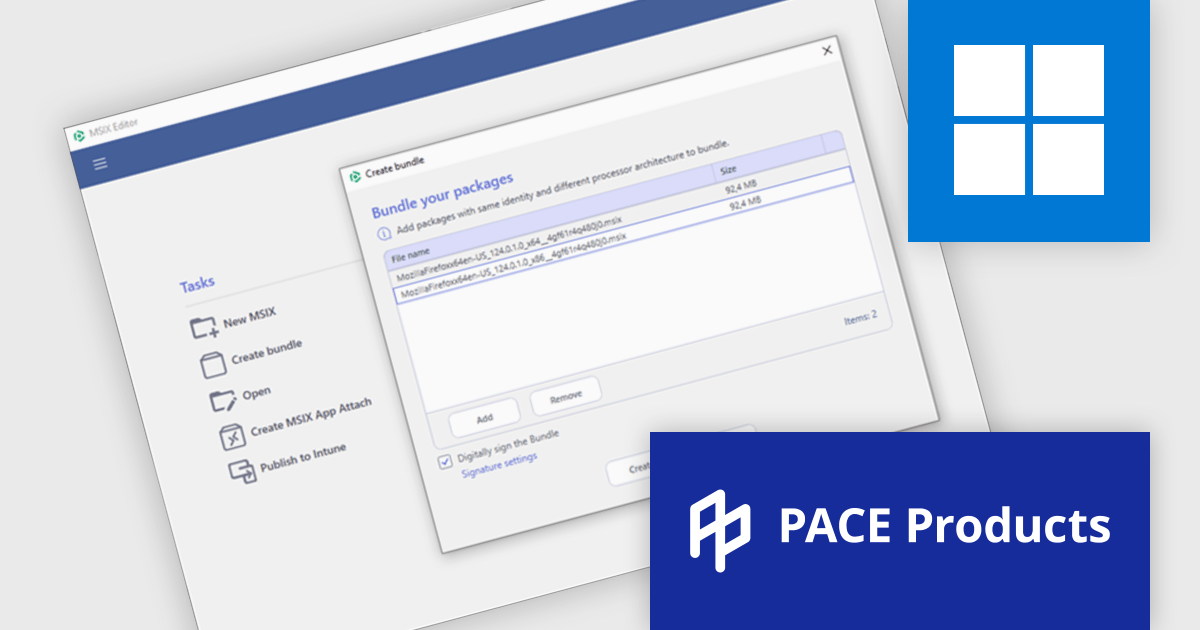
PACE Suite by Infopulse is an application packaging tool that streamlines the creation, editing, and deployment of software installers. It supports various formats like MSI, MSIX, and AppX, and allows for capturing installations, customizing packages, and automating quality checks. Additionally, PACE Packager Hub, a companion product, provides workflow management and team collaboration functionalities for efficient application packaging operations.
The PACE Suite 6.4 update enhances MSIX package management by introducing seamless MSIX Bundle creation and editing. Developers can now combine multiple architectures, including x86, x64, and ARM, into a single package for more efficient deployment. Without the need for manual unpacking, individual packages within a bundle can be opened and modified directly in the MSIX Editor, significantly improving workflow efficiency. This streamlined approach reduces packaging complexity, minimizes redundancy, and ensures a more organized and scalable application deployment process.
To see a full list of what's new in version 6.4, see our release notes.
PACE Suite is licensed per user and is available as both subscription and perpetual licenses with 1 year support and maintenance. See our PACE Suite licensing page for full details.
For more information, visit our PACE Suite product page.





Tel: (888) 850 9911
Fax: +1 770 250 6199


